Infinet

Illustration of a modern dental office showing imaging systems, workstations, and clinical workflow supported by dental IT support.

Dental IT Support: What Dentists Should Look for in an MSP

Running a dental practice today means managing far more than patient care.

You’re balancing schedules, staff workflows, compliance requirements, and a growing set of digital systems that keep the operatory moving.

When something breaks — a sensor stops responding, imaging software freezes, or the server hosting your charts goes down — the impact is immediate. Appointments slow. Staff scramble. Patients feel it.

That’s why dental IT support isn’t just an IT decision. It’s an operational one.

The right Managed IT Service Provider (MSP) keeps your practice running smoothly behind the scenes. The wrong one becomes another source of disruption.

Dental Software Expertise Isn’t Optional — It’s Part of How We Serve Our Local Practices

Dental practices don’t operate like typical office environments.
They rely on tightly integrated systems where imaging, charting, scheduling, and patient communication all depend on each other working seamlessly.

In our local dental community in Omaha, we’ve built our support approach around that reality.

We regularly work with environments powered by:

  • Oryx, Open Dental, and EagleSoft
  • Sidexis, Dexis, XVCapture, and Pano
  • MouthWatch and other intraoral cameras
  • Ortho2 orthodontic systems
  • Modento patient communication tools
  • Sensors, pano, and CBCT integrations

But the real value isn’t just familiarity with names on a screen.

It’s understanding what matters most inside a practice:

  • Imaging must work when a patient is in the chair.
  • Charting can’t lag during treatment.
  • Scheduling interruptions ripple through the entire day.
  • Vendor coordination shouldn’t fall on your front desk.

Our role as a managed IT service provider isn’t to “figure it out” when something breaks.
It’s to understand your systems well enough that problems are prevented — and resolved quickly when they do occur.

That’s how trust is built locally. Not through promises, but through consistent, informed support where production time is protected.

Compliance and Security That Protects Patient Trust

Dental practices handle sensitive patient data every day. A security incident isn’t just a technical problem — it’s a compliance, reputational, and operational issue.

Strong dental IT support should include:

  • Encrypted data storage and backups
  • Secure email and phishing protection
  • Multi-factor authentication
  • AI automation from patient calls to X-ray reviews
  • Network security (staff vs. guest Wi-Fi and HIPPA compliance testing)
  • Regular vulnerability reviews

HIPAA-aligned security practices aren’t about checking boxes — they’re about protecting patient trust and keeping your practice out of reactive situations.

Downtime Prevention (Because Every Chair Matters)

In dentistry, downtime is visible. One operatory offline can disrupt an entire day.

Instead of reacting after something fails, look for dental IT support that focuses on prevention:

  • Proactive monitoring of servers, workstations, and imaging devices
  • Fast remote response during clinic hours
  • Clear escalation paths for urgent issues
  • Redundancy for critical systems

The real value of an MSP isn’t how fast they respond — it’s how often you don’t need them.

IT That Fits the Way Dental Teams Actually Work

Dental practices have a rhythm. Assistants move quickly between rooms. Imaging needs to load instantly. Charting must be reliable.

An experienced dental IT provider understands:

  • How operatories are laid out
  • How imaging integrates with charting and scheduling
  • How to schedule maintenance without interrupting patient flow
  • How to support peak hours without slowing the team down

Technical knowledge matters — but so does respect for how clinics operate.

Support That’s Present — Not Just Available

Dental practices aren’t generic office environments. They’re physical spaces with operatories, imaging rooms, front desks, and tightly coordinated workflows.

Supporting that kind of environment requires more than remote access, but on-site support.

While many issues can be handled quickly from afar, there are moments when being onsite matters — validating equipment, coordinating with vendors, reviewing infrastructure, or simply understanding how the practice actually runs.

Relationship-driven IT support means being close enough to step in when needed — not just logging in from a distance.

Presence builds familiarity. Familiarity builds trust. And trust protects production time.

Honest Guidance, Not Constant Upselling

Technology decisions in a dental practice carry real cost. The right MSP acts as an advisor, not a reseller.

That means helping you decide:

  • When upgrades are necessary — and when they’re not
  • Whether cloud, on-premises, or hybrid setups make sense
  • Which patient communication tools are secure and practical
  • How to modernize without overspending

Good dental IT support provides clarity, not pressure.

Transparent Pricing and Predictable Costs

Surprise invoices erode trust quickly.

A reliable dental MSP should clearly explain:

  • What’s included in monthly support
  • What’s considered out of scope
  • Whether imaging devices are covered
  • Emergency or after-hours availability
  • Contract terms and exit options

Predictability matters more than the lowest price. Stability keeps practices running.

Backup and Disaster Recovery You Can Actually Rely On

Practice data is irreplaceable. Charts, images, and treatment plans are your lifeline.

Dental IT support should include:

  • Automated, daily backups
  • Multiple restore points
  • Offsite, encrypted storage
  • Documented recovery timelines
  • Regular backup testing

A backup that hasn’t been tested isn’t a backup — it’s a risk.

Support That Scales as Your Practice Grows

Even if expansion isn’t immediate, your IT should be ready when the time comes.

Look for an MSP that can support:

  • Multi-location practices
  • Standardized system configurations
  • Secure remote access for owners
  • Centralized data and reporting
  • Scalable storage and networking

Growth shouldn’t require replacing your IT partner.

Clear, Human Communication

Dentists don’t need technical lectures. They need clear answers.

Strong dental IT support communicates:

  • In plain language
  • With respect for your time
  • Proactively, not reactively
  • Without hiding behind jargon

Good communication builds confidence. Consistent communication builds trust.

Vendor Coordination Without Finger-Pointing

Dental IT often involves multiple vendors — equipment suppliers, imaging providers, software companies.

A capable MSP should:

  • Coordinate directly with vendors
  • Manage updates safely
  • Help navigate warranty issues
  • Take ownership of integration problems

You shouldn’t be caught in the middle of technical blame games.

Final Thoughts: Dental IT Support Should Feel Like a Partnership

Choosing dental IT support isn’t about finding the flashiest MSP or the cheapest package. It’s about finding a partner who understands the pace, pressure, and expectations of running a dental practice.

When IT works quietly in the background, your team stays focused on patient care.
When it doesn’t, everything feels harder than it should.

The right dental MSP brings stability, clarity, and confidence — so technology supports your practice instead of slowing it down.

If you’re unsure whether your current IT setup is truly supporting your practice — start with clarity.

A practical review can reveal where risk, friction, or downtime might be hiding.

Dental professional reviewing a tablet dashboard in a modern clinic setting, representing dental IT support services by InfiNet Technology People.

Dental IT Support: What Dentists Should Look for in an MSP Read More »

Graphic showing an open email envelope, security shield icons, an AI security chip, and warning-marked emails to illustrate the contrast between basic spam filtering and advanced threat protection.

Email Security: Spam Filtering vs. Advanced Threat Protection

Email continues to be the #1 attack vector for businesses in 2026. Phishing, malware delivery, and Business Email Compromise (BEC) have all grown more sophisticated — and more successful, unfortunately, each year.

What’s changed isn’t just volume, but technique. Modern attackers now rely on AI-generated lures, QR-code phishing, impersonation, and fileless payloads that easily bypass legacy defenses and traditional filters.

This shift has exposed a growing gap in how many organizations think about email security. For years, spam filtering was treated as the primary line of defense. Today, that assumption no longer holds. Understanding Spam Filtering vs. Advanced Threat Protection is now a foundational security decision, not a technical nuance.

Why Email Is Still the #1 Attack Vector

Illustration representing Spam Filtering vs. Advanced Threat Protection, showing an email message in an envelope with a paper plane and email icon, symbolizing how different layers of protection handle incoming messages and potential threats.

Email remains the most successful entry point for attackers because it targets people, not systems.

Modern campaigns rely on:

  • AI-generated phishing messages that sound human
  • QR-code phishing that bypasses link scanning
  • Vendor and executive impersonation
  • Business Email Compromise (BEC) with no links or attachments

Attackers increasingly design emails specifically to evade legacy detection methods by avoiding known indicators entirely.

In other words: the inbox hasn’t gotten noisier — it’s gotten more convincing.

What Spam Filtering Actually Does (and Does Well)

Spam filters were built to stop bulk, low-quality, and known malicious email. They’re still an essential baseline.

What spam filtering handles reliably

  • Blocks known spam senders using reputation scoring
  • Detects known malware via signature-based scanning
  • Flags links tied to known malicious domains
  • Reduces inbox clutter from promotions and mass mail

Where spam filtering breaks down

Spam filters struggle when emails:

  • Mimic real vendors or internal users
  • Contain no links or attachments (classic BEC)
  • Use AI-generated language designed to evade patterns
  • Deliver fileless or dynamically generated payloads
  • Originate from compromised internal accounts

AI-generated phishing emails are increasingly engineered to bypass traditional filters entirely.

Spam filtering keeps noise out. It does not reliably stop targeted attacks.

What Advanced Threat Protection (ATP) Adds

Advanced Threat Protection is designed for the threats spam filters were never built to catch.

Instead of relying only on static rules, ATP evaluates behavior, context, and anomalies — before and after delivery.

Common ATP solutions include:

  • Microsoft Defender for Office 365
  • Proofpoint Targeted Attack Protection
  • Mimecast ATP
  • Abnormal Security
  • IRONSCALES

Core ATP capabilities

  • AI-driven detection of unusual sender behavior and message tone
  • Link analysis at click-time, not just delivery-time
  • Attachment sandboxing for zero-day malware
  • Impersonation and BEC detection using behavioral models
  • Detection of compromised internal accounts
  • Scanning of internal email traffic (lateral phishing)
  • Post-delivery remediation, including message retraction

Microsoft documents how Safe Links and Safe Attachments protect against unknown threats that don’t exist in signature databases yet.

Spam Filtering vs. Advanced Threat Protection (At a Glance)

A side-view illustration of an office worker reviewing a laptop while a comparison table titled ‘Spam Filtering vs. Advanced Threat Protection’ shows differences in what each security layer stops, what it misses, and its priority level.

N-able notes that ATP is no longer an “advanced add-on” — it’s now the expected standard for modern email security.

Why ATP Is No Longer Optional in 2026

1. AI changed the game

Attackers now use generative AI to craft emails that look context-aware, timely, and human. Static filters can’t keep up.

2. BEC doesn’t need malware

Most BEC attacks succeed without links, files, or exploits — just social engineering. That makes behavioral detection essential.

3. Cloud email needs cloud-native security

Microsoft 365 and Google Workspace environments benefit most from API-based protection (ICES), not gateway-only tools.

4. Email risk extends beyond email

Phishing now spills into Teams, Slack, and other collaboration tools. Modern ATP platforms monitor those channels too.

A Smarter Next Step

Email security isn’t about buying more tools — it’s about understanding where real exposure lives and aligning protection accordingly.

If your current setup still treats spam filtering as “email security,” that gap is worth examining sooner rather than later — often with the perspective of an expert managed IT service.

Clarity comes before change.

Professional man seated and using a tablet with office background, featuring InfiNet logo and contact message.

Frequently Asked Questions

1. Is spam filtering still necessary?

Yes. Spam filtering handles baseline hygiene and reduces noise, but it should never be your only control.

2. Does Microsoft 365 include ATP by default?

Not fully. Advanced protections require specific Defender plans or third-party integrations.

3. Can ATP stop Business Email Compromise?

ATP significantly reduces BEC risk by detecting impersonation patterns and behavioral anomalies.

4. Do small businesses really need ATP?

Yes. SMBs are targeted precisely because attackers assume weaker defenses.

5. Is ATP disruptive to users?

No. Most protections operate silently and only intervene when risk is detected.

Email Security: Spam Filtering vs. Advanced Threat Protection Read More »

A minimalist illustration featuring three icons—a group with a megaphone, a shield with a lock symbol representing online protection, and a budget checklist with a money bag—symbolizing communication, security, and financial planning as core elements of affordable cybersecurity for nonprofits.

Affordable Cybersecurity for Nonprofits: What Actually Matters on a Tight Budget

Most nonprofits don’t struggle because they ignore cybersecurity.

They struggle because every dollar has a job already assigned—programs, staff, services, fundraising—and technology rarely feels urgent until it interrupts the mission.

The problem is that attackers understand this reality very well.

From a managed IT partner’s perspective, nonprofits aren’t targeted because they’re careless. They’re targeted because they’re resource-constrained, data-rich, and built on trust. And that combination creates risk that leadership often isn’t given a clear way to evaluate.

This article breaks down what affordable cybersecurity for nonprofits really mean—and how to focus on what actually reduces risk, without overbuying or overcomplicating.

Why Nonprofits Attract Attention (Even When They’re Small)

Nonprofits tend to hold more sensitive information than they realize:

  • Donor and payment data
  • Personal details about clients or beneficiaries
  • Internal financial and grant information
  • Access to partner systems and community networks

At the same time, most operate with:

  • Small or part-time IT support
  • Limited internal security expertise
  • Older systems held together by good intentions

That gap—not size—is what attackers exploit.

Government agencies like CISA have been clear about this: nonprofits don’t need enterprise security programs, but they do need basic protections applied consistently.

The first step isn’t buying tools.
It’s deciding what level of risk leadership is willing to accept—and what’s simply too disruptive to ignore.

What “Affordable Cybersecurity” Actually Means for Nonprofits

Affordable cybersecurity is often misunderstood as “the cheapest tools available.”

In reality, it means:

  • Spending time before money
  • Prioritizing actions that reduce the most risk
  • Avoiding complexity that staff can’t realistically maintain

For nonprofits, the most effective security strategies tend to share three traits:

A minimalist pyramid graphic illustrating three traits of effective security strategies for nonprofits—reducing high‑impact threats, being easy to explain to boards and funders, and aligning with how the organization already operates—highlighting the importance of affordable cybersecurity for nonprofits.

That’s why many MSPs anchor nonprofit guidance to recognized frameworks—not because leaders need to read them, but because they provide a defensible structure behind the scenes.

The Highest-Value Actions Nonprofits Can Take First

When budgets are limited, some steps consistently deliver more protection than others.

1. Strengthen sign-ins (with minimal disruption)

account sign in

Adding a second step to logins dramatically reduces account takeovers—often without adding licensing costs. For leadership, the real benefit isn’t technical; it’s operational stability.

2. Make email impersonation harder

Many nonprofit breaches start with convincing emails that look legitimate. Simple configuration changes can reduce how often staff are exposed to those messages in the first place.

email configuration

3. Ensure data can be recovered, not just stored

backups are often assumed

Backups are often assumed to exist—until they’re needed. What matters most is not where data is stored, but whether it can be restored quickly.

4. Keep devices from becoming single points of failure

Lost or compromised laptops shouldn’t put the organization at risk. Basic device safeguards protect data even when hardware walks out the door.

basic device safeguards 2

How We Frame This Conversation

When advising nonprofits, we don’t lead with tools or threats. We focus on decisions leadership already cares about:

  • Continuity: What would disrupt programs the most?
  • Trust: What would damage donor confidence?
  • Accountability: Could leadership explain their approach if asked?

Affordable cybersecurity for nonprofits works best when paired with a thoughtful managed IT service approach—supporting those outcomes, not competing with them.

Professional man using a tablet in an office setting with “Get in touch with our team” and InfiNet branding.

Affordable Cybersecurity for Nonprofits: What Actually Matters on a Tight Budget Read More »

A calm workspace scene with two people reviewing a grid of web‑related panels, some showing gaps that represent cybersecurity mistakes SMBs make.

10 Most Common Cybersecurity Mistakes Businesses Make

Cybersecurity mistakes businesses make often start the same way: most business leaders don’t ignore cybersecurity—they delegate it.

That delegation often turns security into a set of tools, tasks, and reminders rather than a system with clear priorities and ownership. The result isn’t negligence, but misalignment: effort without structure and protection without consistency.

This disconnect is why many cybersecurity failures feel surprising in hindsight, even though the warning signs were visible all along.

For many organizations, cybersecurity risk builds through everyday decisions that seem reasonable at the time—especially with limited staff, tight budgets, and competing priorities. Meanwhile, attackers have become faster and more automated. Credential theft, phishing, and exploited vulnerabilities now dominate how breaches begin, and businesses are frequently targeted because defenses are inconsistent, not absent.

That’s why the most damaging incidents often stem from the same cybersecurity mistakes businesses make—not from ignoring risk, but from managing it in pieces.

1. Treating Cybersecurity as an IT Task Instead of a Business Risk

Treating Cybersecurity as an IT Task

Many businesses leave cybersecurity entirely to IT, which often means leadership isn’t actively involved in risk decisions. Without clear ownership, priorities shift, decisions slow down, and security efforts become inconsistent.

The National Institute of Standards and Technology (NIST) emphasizes that cybersecurity is an enterprise risk — similar to financial or operational risk — and should be reviewed regularly by leadership. When leaders set expectations and direction, security decisions become clearer and more aligned with business goals.

2. Underestimating Identity Risk and Delaying Multi-Factor Protection

Stolen login credentials remain one of the most common ways attackers gain access, yet many SMBs still rely on passwords alone. This puts email, remote access, and cloud tools at unnecessary risk.

The Cybersecurity and Infrastructure Security Agency (CISA) lists multi-factor authentication as one of the most effective and accessible protections for small businesses. Adding a second verification step dramatically reduces unauthorized access without major disruption.

3. Letting Software and Systems Go Unpatched

Outdated software continues to be a leading cause of cyber incidents because attackers quickly exploit known weaknesses. Many businesses delay updates due to fear of downtime or unclear responsibility.

It’s crucial to prioritize updates for the most exposed systems and maintain a predictable update schedule. Staying reasonably current matters far more than being perfect.

Software and Systems

4. Treating Security Awareness as a Once-a-Year Activity

Annual training sessions don’t prepare employees for the constant stream of phishing emails and scam messages they face. The Federal Trade Commission (FTC) stresses that ongoing awareness and simple reporting habits are far more effective than one-time instruction.

When employees know what to watch for and how to report concerns quickly, incidents are caught sooner and cause less damage.

5. Assuming Backups Are Reliable Without Testing Them

Assuming Backups Are Reliable Without Testing

Many businesses believe they’re protected because backups exist — but they’ve never tested whether those backups can actually be restored. In ransomware incidents, backups that are connected to live systems are often targeted first.

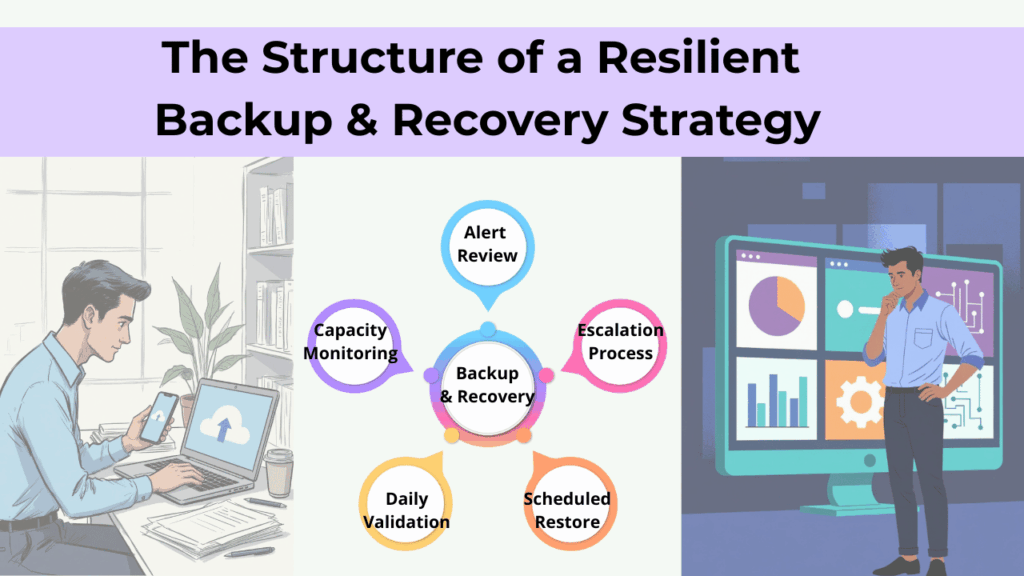
Isolating backups and routinely testing recovery are highly encouraged, so downtime is predictable instead of chaotic. A backup that hasn’t been tested is a risk, not a safeguard.

6. Lacking a Clear Incident Response Plan

When a cyber incident occurs, confusion costs time and money. Without a documented plan, teams struggle to decide who should act, what steps to take, and how to communicate.

Even small businesses have to maintain a simple, practiced response plan so actions are coordinated instead of reactive. Preparation turns high-stress moments into manageable situations.

7. Losing Visibility Over Apps and Tools in Use

Employees often adopt new software to stay productive, but unmanaged tools can create blind spots for data access and security. Over time, information spreads across systems no one fully tracks.

Businesses should maintain visibility into approved tools and control access through centralized accounts. Knowing what’s in use is the foundation of protecting it.

Losing Visibility Over Apps and Tools

8. Assuming Security Tools Work Without Oversight

Installing security software is important, but tools alone don’t stop threats. Alerts need to be monitored, investigated, and acted on in real time. CISA highlights the importance of pairing technology with clear responsibility, so warnings lead to action, not silence. Security improves when there’s consistent attention, not just installed software.

9. Overlooking Risks Introduced by Vendors and Partners

Overlooking Risks Introduced by Vendors and Partners

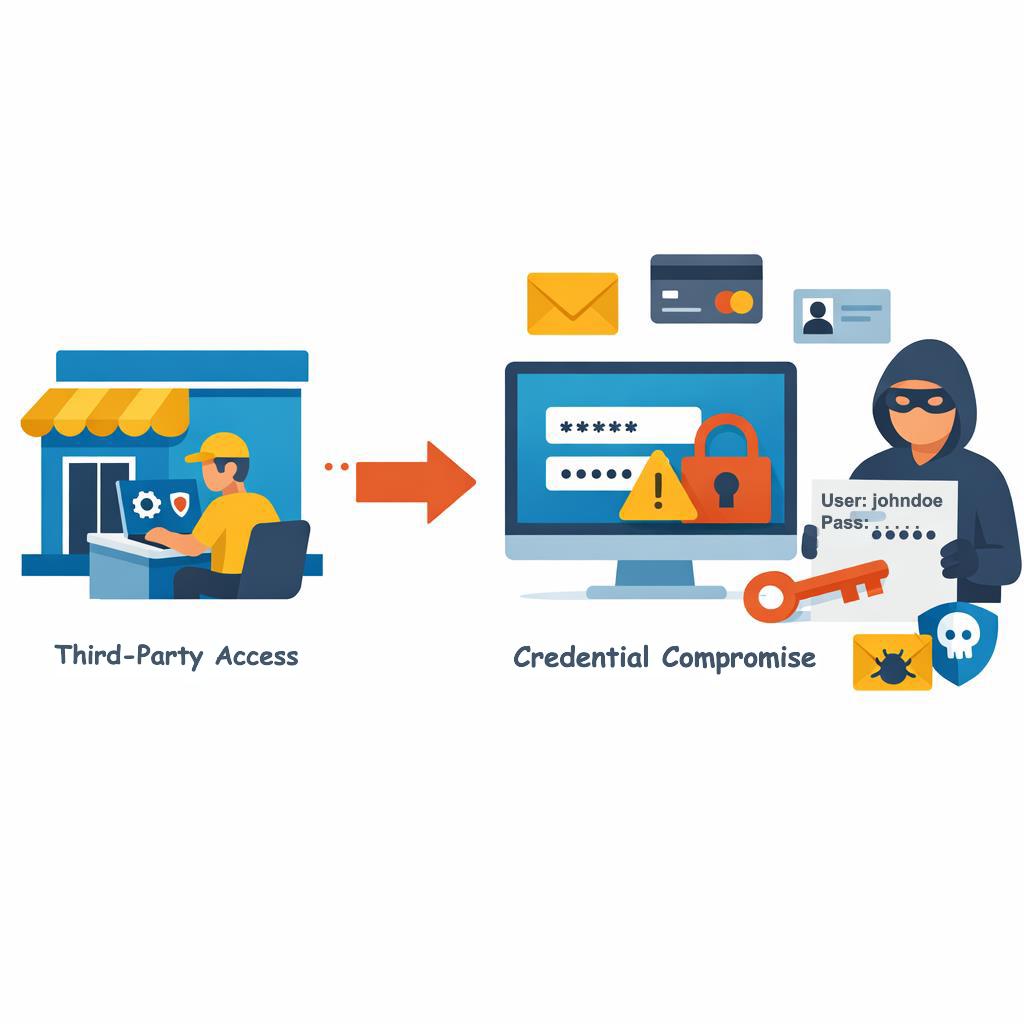
Many SMBs share data or system access with vendors yet rarely verify how those partners protect information. If a third party is compromised, your business may still suffer the consequences.

Hence, identifying which vendors are critical and setting minimum security expectations are essential.

Trust matters — but visibility and accountability matter more.

Cyber incidents often come with legal and reporting obligations, especially when customer or employee data is involved. Many businesses only consider these requirements after an incident occurs. The FTC outlines clear expectations for protecting data and responding appropriately to breaches. Preparing in advance helps businesses act responsibly and avoid unnecessary penalties or reputational damage.

What This Means for Small and Medium Sized Business Leaders

Most cybersecurity mistakes businesses make aren’t caused by neglect.

They’re caused by lack of structure.

Cybersecurity works best when it’s treated as an ongoing business system — one with ownership, priorities, testing, and visibility. The strongest security programs don’t rely on fear or complexity. They rely on clarity, consistency, and intentional decisions that reflect how the business actually operates — often guided by a trusted managed IT service.

A good next step isn’t buying another tool.
It’s understanding where risk truly lives in your environment — and whether your current approach matches that reality.

Professional man using a tablet in an office setting with “Get in touch with our team” and InfiNet branding.

Frequently Asked Questions

1. What is the biggest cybersecurity risk for SMBs today?

Credential theft combined with weak identity controls remains the most common entry point.

2. How often should SMBs test backups?

At least quarterly for critical systems, with documented RTO/RPO.

3. Is MFA really necessary for small businesses?

Yes — especially for email, remote access, and admin accounts. It’s now baseline, not advanced.

4. Do SMBs need a formal incident response plan?

Yes. Even a one-page plan dramatically improves response speed and outcomes.

5. How does managed IT help with cybersecurity?

By providing structure: governance, monitoring, prioritization, and accountability — not just tools.

10 Most Common Cybersecurity Mistakes Businesses Make Read More »

Semi-flat illustration of a manufacturing line halted by an IT issue, showing gears, machinery, and warning indicators to represent the Operational Cost of Downtime.

The True Operational Cost of Downtime

The operational cost of downtime rarely starts with something dramatic.

It’s usually the “small” stuff—the system that lags, the network that stutters, the update that wasn’t supposed to cause issues.

Until it does.

For Omaha manufacturers, downtime doesn’t show up as a headline problem. It shows up in moments that feel manageable—until crews are waiting, schedules slip, and shipping windows get tighter than expected.

That’s when it becomes something more.

And when there’s noticeable strain in operations, it’s not just about lost revenue. It’s the ripple effect—idle teams, rushed decisions, strained supplier relationships, and the kind of reputational damage that builds from issues that never seemed big enough to stop production in the first place.

Why Downtime Hits Manufacturing Harder Than Most Industries

Manufacturing environments don’t pause gracefully.

When IT systems slow down or go offline, production lines don’t “catch up later.” Labor stays clocked in. Equipment sits idle. Materials pile up. Schedules compress.

Even short IT disruptions — including slow systems, delayed file syncing, and intermittent network instability — can rapidly become costly for small and midsize businesses (SMBs). Independent research shows that even brief outages can cost SMBs between $137 and $427 per minute, which equates to $7,620 to over $25,000 per hour, once lost productivity, revenue impact, and recovery efforts are included.

For manufacturers operating with tight margins and continuous workflows, downtime multiplies fast.

The Real Financial Cost of Manufacturing Downtime

Across manufacturing sectors, downtime consistently ranks as one of the most expensive operational risks.

Recent industry data shows:

  • $260,000 per hour is the average cost of unplanned manufacturing downtime across sectors
  • Small manufacturers lose $137–$427 per minute during outages
  • Manufacturers average 30 hours of lost production per month — more than 360 hours annually
  • 60% of manufacturers report downtime costs exceeding $250,000 per year

Even localized Omaha manufacturers feel this pressure, especially those tied into agricultural, transportation, engineering, or industrial supply chains. One delayed shipment can jeopardize an entire vendor relationship.

The Hidden Costs Leaders Often Don’t See

Most downtime calculations stop at “lost revenue.” That’s only part of the picture.

Illustration showing the operational cost of downtime, highlighting hidden impacts like idle labor, production delays, emergency fixes, revenue risk, and long-term reputation damage.

1. Idle Labor Adds Up Fast

If 25 employees sit idle for four hours, that’s 100 labor hours lost — before recovery even begins. Across manufacturing, productivity losses are often 2–3× higher than the actual repair cost.

2. Production & Quality Ripple Effects

More than half of manufacturing leaders report that downtime leads to missed shipping targets and quality issues. When reporting systems lag or troubleshooting drags on, bottlenecks cascade through the operation.

3. Emergency Fixes Cost More

Emergency repairs often cost 3–4× more than planned maintenance. Overnight shipping, rush labor, and temporary workarounds inflate what should have been manageable fixes.

4. Contractual & Revenue Risk

Missed deadlines can trigger penalties, withheld payments, or lost future contracts. In some cases, preventable outages can even complicate cyber insurance claims.

5. Reputation Takes the Longest to Recover

Nearly half of organizations report long-term reputational damage from downtime. For manufacturers working with enterprise or government buyers, regaining trust is slow — and expensive.

What “Prepared” Actually Looks Like

Prepared manufacturers tend to share a few characteristics:

  • Visibility into system health before failures occur
  • Documented recovery plans that don’t rely on heroics
  • Tested backups and known recovery timelines
  • Clear escalation paths when issues surface
  • IT aligned to production priorities — not just uptime metrics

The goal isn’t perfection. It’s predictability.

From Unplanned Disruptions to Operational Visibility

If downtime feels unpredictable in your environment, the first step isn’t a purchase — it’s clarity.

Understanding where risk actually lives inside your operation often reveals that many “unexpected” outages are anything but.

Professional man using a tablet in an office setting with “Get in touch with our team” and InfiNet branding.

Frequently Asked Questions

1. How much does downtime cost manufacturers per hour?

Manufacturing downtime can cost anywhere from $8,000 per hour for SMBs to hundreds of thousands per hour depending on scale, labor, and production impact.

2. What causes the most downtime in manufacturing?

Common causes include hardware failures, network outages, software issues, cyber incidents, and human error — often compounded by delayed reporting.

3. Why is downtime more expensive for SMB manufacturers?

SMBs typically lack redundancy. One failure can halt the entire operation, with fewer backup systems to absorb the impact.

4. Can proactive IT really reduce downtime?

Yes. Studies consistently show 30–50% reductions in unplanned downtime with proactive monitoring, maintenance, and planning.

5. Is downtime mostly an IT problem?

No. Downtime is an operational issue with financial, workforce, and customer impacts — IT is just one part of the system.

The True Operational Cost of Downtime Read More »

Talk to our Team