Get untangled from your landline, and let VoIP boost your business’ efficiency, reliability, and quality.
A recent study revealed that 94% of business’ marketing budgets are spent trying to get consumers to call. If businesses are paying so much of their advertising and marketing budget on a communications system, shouldn’t it be reliable and efficient?
This need for a more reliable form of communication is forcing many businesses to make the transition from the landline to the VoIP. However, this transition can be a scary process. How are you supposed to make this transition while running your business? A lapse in phone service means a loss of communication with your customers, which could mean a loss of profit.
Why Move To VoIP?
The move to VoIP offers your business improvements in efficiency, reliability, and quality, all at an affordable cost. Landline phones are becoming obsolete – by choosing to remain with a landline system, your business may become obsolete as well.
Efficiency
VoIP provides your business improved efficiency by limiting issues that come from having to replace or fix phones, as well as complicated management of adding and or removing employees. On traditional landline phone systems, you would have to wait lengthy periods of time for a phone to be replaced, or for a roll truck to fix issues. All this time spent waiting for a fix costs you money.
With a VoIP system, you don’t have to deal with these issues, which means less downtime. VoIP also improves your business’ efficiency by providing you with numerous options for routing and answering calls, without the expensive on-premises technology and staff.
Reliability
VoIP provides your business improved reliability by delivering a clear, seamless quality of phone service. This service can run on multiple internet connections, and can even extend to your smartphone. VoIP can work reliably through anything that mother nature may throw at you from hurricanes to snowstorms. Additionally, if you lose your business due to a fire, your VoIP phone service will still work. This is one of the main reasons why there are now over 288 million VoIP users.
Quality
VoIP provides your business improved quality through clarity of your calls. These calls come with a digital readout display, and the option to work without a headset. For those that still wish to use a headset, they can receive their calls through the use of a “softphone”, which is software that allows users to make telephone calls through the internet on their computers.
Affordability
VoIP saves your business 40-80% compared to the cost of traditional landline phone service. Landlines now cost more than VoIP phone systems both in the initial setup, as well as in ongoing contracts. For example, landlines for five employees cost an average of $563/month, while VoIP services for the same amount of users costs only an average of $27.95/month.
Years ago, VoIP systems would cost $10-$50/month, after the cost of the headset (which usually cost $200 each). It’s easy to see how quickly this can add up. Today, VoIP comes at affordable rates as low as $0. Phones will be set up ahead of time, that way there is no lapse in your communication with your clients. This saves your business money by limiting the loss of contact, during this time of transition. Secondly, there is a “Proof of Concept” (POC), which allows you to have your phones in place, and try them out before deciding whether they’re right for your business.
Preparing For The Move
So how do you transition from traditional landline phones to VoIP, while at the same time shortening the loss of communication? Preparing for the move means you need to gather pertinent information such as how many employees you have, what your cabling needs are, what your current infrastructure is, and what are the nonnegotiable-features that you need from the new phone system.
Step By Step
You begin by evaluating your cost analysis. Fully understanding the budget upfront and ongoing ensures that you will be able to get the most out of this new program, without being oversold. After looking at the move from a financial standpoint, you are ready for your live demo. This provides you and your employees a chance not only to see all of the VoIP system’s features but also to try them out, in a risk-free environment. Once you decide on which features you need, you are ready to decide which service provider best fits your company’s needs. For 2017, the top three VoIP service providers were Ring Central, Vonage Business, and 8×8 Global Communications.
Once you have selected a plan and a service provider, you want to ensure that you have no network issues that could limit or infringe on the successful integration of your new VoIP system. From these network tests, you should make any adjustments or upgrades that you feel are necessary to ensure the best result for your business. Lastly, you will complete your trial period, or your Proof of Concept period, that allows you to see first-hand how the service works and if it meets your business needs. If so, then you move on to finalize the agreement, and select a “Go Live Date”.
After your VoIP system is up and running, employees should be trained to use all the features that they provide. Some of these features include having a virtual receptionist, voicemail-to-email, automatic call forwarding, and three-digit dialing. Training and ongoing support are a crucial part of developing and maintaining your successful relationship with your VoIP.
Moving to VoIP does not have to be a cumbersome and time-consuming challenge. It could mean a more efficient, reliable, and qualitative business. With the new VoIP service, you would be able to rid yourself of the hassles of maintenance agreements, capital expenditure, truck rolls, and lengthy wait periods that traditional landline phones come with. Lastly, you will have access to excellent customer care support 24 hours a day, seven days a week, and 365 days a year. Don’t let your phone system hold your business back from its full potential any longer. Disentangle yourself from your landlines’ limitations and see what the freedom provided by a VoIP system can do for your company.
Where you work is no longer defined by four walls and a door – not even by cubicle walls. Gone are the days where productivity requires a set geographical location, at least for some roles, anyway.
Recent years have seen the rise of the remote workforce that can effectively collaborate on projects from across the globe. Organizations can cut costs and increase productivity using various platforms that facilitate communication and collaboration, and it’s only becoming more popular.
Revolution or Evolution?
Major metropolitan cities from New York to Los Angeles are filled with your classic skyscrapers, and every town and suburb in between is dotted with professional office parks. However, are these buildings, once filled to the brim with bustling businesses, still relevant?
They’re no longer the norm – but why? Even with the periodic recession, the overall post-WWII American economy didn’t just emerge with success – it exploded! The “four walls and a door” was waiting for every entry-level candidate until the late 1980’s when the cubicle first gained popularity.
Fast-forward to today, and the latest concept to revolutionize the workforce isn’t revolutionary at all. Telecommuters now represent a significant portion of the global workforce, and do so quite ably. To say the idea of the office has evolved is quite the understatement: now, an office can be anywhere. From your desk at home to your local coffee shop, from the waiting room at your car dealership to Row 6 Seat B on your flight, telecommuting facilitates progress so long as you can access your files, email, and anything else you need to get the job done.
Did you know that telecommuting has increased by more than 300% in the past 20 years? Technology has made telecommuting easier and more effective and has helped organizations retain quality staff longer.
No longer is the stereotypical full-time staffer a given when organizations look to fill a role, either. People are now demanding flexibility in a job description, and what was once a 9-to-5 position is becoming obsolete. For more than a decade, flexibility has evolved into an expectation over a fringe benefit, and with good reason. A global remote workforce offers business without boundaries and productivity that never stops.
A Collaborative Culture
The evolving business culture demands evolving means by which to collaborate and connect. Digital platforms are plentiful, with features that cater to your business’ specific needs. Platforms like Basecamp and Trello are beloved by project managers, Salesforce.com and Microsoft Sharepoint offer great sales team support, and technology teams rely on tools like Microsoft Team Foundation Server – often shortened to TFS. Organization is critical to any company, especially when teams are separated by time zones.
Where would we be today without Microsoft? Microsoft and Windows have remained the primary professional computing mainstays for about 30 years. Microsoft Office remains the fundamental application suite on which companies rely for day-to-day operations, even when office space is nonexistent. The irony of the name is not lost on us, either!
Microsoft recognized an opportunity in the permanence of telecommuting. Never one to shy away from innovation, Microsoft launched a suite of applications catering to the “digital” crowd in 2011, under its Office 365 brand. If Microsoft Office is a basic tool for the 9-to-5 professional, the subscription-based Office 365 is a fundamental lifeline of the telecommuter. Office 365 allows the use of applications across a multitude of devices, as well as file hosting, email, and a range of other networking tools designed to feed our daily addiction to all things Microsoft.
Rumors began swirling in 2016 of a Microsoft acquisition bid for the cloud-based Slack collaboration tool, a darling of the technology industry – but why buy when you can create and customize? Microsoft’s Skype for Business product offered similar basic functionalities and was already installed on the digital desktops of millions of professional customers. In early 2017, Microsoft released what it believed to be the next-level professional platform: Microsoft Teams.
Slack offers itself as a “freemium” product, a marketing and pricing strategy where the base model of a product or service is widely available free of charge, but premium features are available for those willing to pay the added cost.
Making the Most of Your Microsoft
Microsoft didn’t face a great hurdle in convincing customers to “buy in” to Microsoft Teams, given its position as a new-and-improved version of anything currently on the market. If Microsoft Office was the predecessor to Office 365 and Skype for Business, Teams is the logical next generation.
Why is the next generation so important? Microsoft realizes that the workplace is evolving and that more businesses are hiring independent contractors, freelancers, consultants, and other external resources to support permanent staff – all of which work together toward one common goal. Microsoft Teams refers to these external resources as “Guests.” If collaboration is the cornerstone of professional success, then communication is the foundation upon which that stone is laid, and Guests don’t need to be granted full access to proprietary information.
The solution is Guest Access, and it’s a new feature in Teams, which customers have been requesting for some time. Aside from the previously mentioned independent contractors, etc., Guests may also include vendors, suppliers, or even interns. Guest Access is available to users who have an email address that corresponds to an Azure Active Directory or Office 365 work or school account.
Organizations can provide external access to their teams for applications to partners, resources, chat communication, and documents in channels while maintaining control and protection.
In Microsoft Teams, Guest Access is a tenant-level setting that’s turned off by default. Do you need help turning on this new feature? Follow these steps:
In the left navigation menu, expand Settings and select “Service and Admin.”
Scroll and select Office 365 Group settings.
In the menu that opens, toggle the bottom option to “On,” giving Group Owners the ability to add Guests from outside the organization, and click “Save.”
This setting needs to be enabled because Team permissions are based on Groups.
Next, scroll through the list to select Microsoft Teams
In the left navigation menu, find the “Settings by user/license type” and select “Guest” in the drop-down menu and toggle setting to “On.”
Click “Save.”
After changing these settings, Team Owners can add and manage Guest Access within their Team.
Whether you include mostly in-house staff, a team of telecommuters, or a range of every type of resource at your organization, we can help you make 2018 the best year yet – as a team!
Cybercriminals are everywhere. Both domestically and around the world, countless hackers work day in and day out to penetrate the digital defenses of businesses just like yours, using a variety of proven, effective, and ever-evolving methods. Whether they infect your system with malware hidden in a seemingly innocuous email attachment or con an unsuspecting employee out of vital information through social engineering, the end results are the same: data loss, financial damages, lawsuits, reputational damage, bankruptcy, and worse.
Our team of certified system professionals understand how serious the modern threat of cybercrime is to businesses in your industry, which is why we’ve developed this whitepaper as a vital resource to show you how hackers think, what methods they use, and how you can stop them from victimizing your business. Without the right knowledge, tools, and technology to prevent hackers from stealing your information, your business is left prone to a major data breach.
A recently popular type of malware is the “ransomware” variety, which encrypts a victim’s files (making them unreadable) and only offers the key to recover them after a ransom has been paid. The unfortunate reality is that when it comes to your business’ vulnerability to ransomware and other types of malware, it’s not a matter of IF, it’s a matter of WHEN. There are simply too many varieties of ransomware to guarantee total safety for your business. IT security can be a complicated and scary subject when it comes to modern cybercrime tactics such as ransomware. Most business owners cannot confidently claim that their business’ network is secure. Can you?
When it comes to ransomware, the most important consideration is email security, and often, it can be as simple as ensuring that you and your staff know what to look for.
What makes a victim a victim?
The short answer is lack of awareness. Almost no hacking attempt can be a success without the victim playing at least some role in the process, such as:
Visiting a malware-infected, unsecured website, either via an email, inappropriate browsing habits, or otherwise.
Opening an untrustworthy attachment in an email from a hacker that’s disguised as coming from a sender such as a business contact, employee, client, government agency, etc.
Downloading files that include a stow-away malware program or virus.
Conducting any of the above while logged in with administrator rights provides even greater access to the hacker that’s infecting the system.
The bottom line is that digital security begins and ends with the user. Regardless of how modern, expensive or well-recommended your security software is, one wrong move by a single employee can be all it takes to infect your system. But that’s not the only threat to your security…
Is your technology making you an easy mark?
Outdated, unsecured, and just plain faulty technology is just as likely to make you an ideal target for hackers as an unsuspecting employee is. A major part of the investment in new technology is that it comes prepared to handle all previously identified hacking threats and security loopholes. The older your technology is, the more vulnerable it is to new hacking techniques.
Here are three vital considerations you should keep in mind when evaluating your current technology:
Patch regularly, and patch often: Did you know that the most common way cybercriminals get into a network is through loopholes in popular third-party programs? That means the computer programs you rely on to get work done every day could be leaving you vulnerable to security breaches if you fall behind on updates. That’s why patch management is such a crucial part of proper IT security, in order to help you stay ahead of the non-stop tide of oncoming digital threats.
End of Life (EOL) is FINAL: As good as it is to run a frugal business, it’s important to keep in mind that you’re not a college student trying to make an old, beaten up laptop last until you can afford a new one. You’re running a business, with much more to invest in and much more to lose. When your software reaches EOL, it will no longer receive the vital security patches it needs to keep you safe. At that point, as much as you may like the current operating system, you have to let it go and replace it with the new, secure version.
Legacy technology isn’t worth the risk: Legacy software is often the gap in an otherwise capable suite of digital armor. Your business may have a brand new infrastructure, top-of-the-line security technology, and fresh-out-of-the-box desktops, but in the end, your unpatched, out of date legacy web browser will be what does you in. Just as with EOL, don’t let your favorite bit of technology put you at risk.
What is malware, exactly?
It’s a word you’ve probably heard a lot. You know it’s bad, and that you have software (anti-malware) designed to help you stop it. But in the end, if you don’t really understand how the enemy operates, how can you expect to defeat it?
Malware comes in many different forms and is used by hackers in a number of different ways. It can be used to steal information, locate vulnerabilities in your IT systems for a secondary attack, or simply to cause damage. While cybercriminals continue to innovate new forms of malware and the ways they use it, there are currently three main types that you should be familiar with:
Malicious Scripts: This type attacks when you or a member of your staff visit the wrong web page. With the right conditions (user with admin rights, an outdated browser, lack of anti-malware software), simply loading the wrong web page is enough to infect your system.
Embedded Media: While this form also attacks from a web page, it is through an infected media that is embedded in the site, such as a video or audio file. If your browser media player isn’t up to date (which is extremely common among today’s users), simply playing the media file can lead to a malware infection.
Infected Files: The oldest form of the three is also the simplest. By downloading and running files (media codecs, screensavers, desktop images, etc.) that they haven’t properly inspected ahead of time, or that contain a hidden malicious file, the user openly invites malware into the system.
Types of Ransomware
While there are currently three basic forms of ransomware, cybercrime methodology is constantly evolving. In order to stay effective, hackers work non-stop to find new ways to deploy ransomware; keep in mind that best practices can quickly become outdated.
Locker ransomware: This type works by denying access to the infected device. Generally, the scheme involves posing as a member of law enforcement and claiming that the victim has been a party to illegal activity (copyright infringement, illicit photography or media, etc.).
CryptoLocker ransomware: This type employs powerful encryption to lock down the victim’s files and data, even if the malware is removed It usually makes its way to the user’s device through an email attachment that they are tricked into opening.
Crypjoker: This form emerged as recently as January 2016, specifically targeting Windows operating systems to encrypt and lock down the user’s data. As opposed to CryptoLocker, Crypjoker gets to the victim as a PDF file attached to an email.
How Can You Keep Your Business Safe From Ransomware?
When developing your ransomware defense, keep these recommendations in mind:
Make a considerable investment in a comprehensive backup data recovery solution so that you can restore your data at a moment’s notice when necessary.
Test your backup and cybersecurity measures thoroughly and regularly; create dummy files and then delete them to see how fast they can be restored, or schedule a day to literally unplug your critical systems to find out how long it takes to get online again.
Be sure to make the most of the available resources (both provided online and through expert IT consultants) to ensure that you’re not overlooking vulnerabilities in your IT security methodology.
Employ email filtering, encryption, and continuity solutions to ensure that your lines of communication are secured.
Equip your business with industry-tested security solutions like firewalls, antivirus, antimalware, and network monitors to keep your systems safe from external threats.
Make sure your software and browsers are updated and patched on a regular basis.
Train your employees in best practices for safe browsing and email conduct so that they don’t click the wrong link or download the wrong file.
Seems like a lot, right?
That can be a lot to handle for a business owner like yourself. You have clients to see to, employees to manage, and more on your plate every single day; should you really be expected to also oversee regular maintenance of your cybersecurity all on your own?
Of course not!
The best way to ensure that your business is kept safe is by outsourcing your cybersecurity management to a reliable and experienced Managed Services Provider like our Information Systems experts. For an easily budgeted monthly flat rate, you can enjoy the peace of mind that comes with knowing your business is safe from the whatever modern cybercriminals may throw at it.
The world of social media has only been around for about 15 years. From MySpace and LinkedIn to Instagram and Snapchat, there are a variety of social platforms to suit every person and every purpose. Younger generations not only accept that much of their day-to-day lives aren’t private, they willingly “live tweet,” or share up-to-the-moment play-by-play details – which is an entirely foreign concept to those who reached adulthood pre-Instagram (or likely before).
Perhaps the most interesting aspect of social media is the differentiation of the roles for each platform. While Facebook is the largest and most widely-used platform to share content, opinions, and thoughts with friends and family instantaneously, Instagram acts more like a family photo album updated for the digital age to allow for interaction.
LinkedIn stands out as it was launched with a different purpose–helping professionals connect. Today’s professionals can easily be divided into two groups: those that have integrated social media into their existing careers, and those who entered the workforce already has built a social network. Newer candidates just completing their academic career and entering their chosen profession have likely already amassed numerous connections across multiple platforms, and merely establish these same connections on LinkedIn – but is this the smartest approach? Conversely, established professionals and those labeled as experts in their chosen field with a decade or more of experience may have fewer connections, though not always. The chances are that these connections hold greater value, simply because of the time and energy invested in each relationship.
The concept of integrating social interaction into the professional world is far from new; however, digitizing social interactions revolutionized how business is done, and in nearly every industry. It’s also safe to assume these groups of professionals view Internet etiquette – or “netiquette” – differently.
Performing a quick Internet search will return hundreds of results on “how best” to represent yourself digitally. Beyond just having a profile, sharing content, and relishing each Like and Share, professionals look to LinkedIn as a resource to further their careers. Organizations share this approach, though through a lens of lead generation.
Ⅹ NO
Random connection requests
YES
Genuine connections
Think about why you want to connect with this person – especially if they’re not someone you’ve interacted with much. Will both of you benefit from the connection? Can you help each other, from a professional standpoint?
Tip: Brief but personalized introductions instead of templates will go much farther in a connection request. The time it takes you to send a cold, standardized template to connect is about the same time the target professional may take to decline your request.
Ⅹ NO
Social stalking
YES
Respect
Did you know that every time you visit someone’s profile on LinkedIn, if that person has a Premium membership, they will be alerted to your visit? Multiple visits can leave a lasting impression – and not necessarily the one you want to leave. Decide if you want to connect, either send the request or don’t, and then move on.
We know sending a request to connect and then being rejected can sting, but don’t try this repeatedly. If you sent a personalized message with your connection request, and the connection didn’t accept the request, they have a valid reason, and you should respect it.
Ⅹ NO
Selfies
YES
Content of value
There are many places for personal photographs – “selfies” – but LinkedIn isn’t one of them. Casual images are seen as unprofessional, and a picture is worth a thousand words. In this case, those words speak about you and send the wrong message. Instead, share content that holds value. This content can be original, or shared from another source, but will offer information that your network will find useful.
Ⅹ NO
Strictly digital
YES
See beyond LinkedIn
LinkedIn is the premier forum to match professionals with shared goals. Make each connection count! If you’re in the same geographical area, take the time to meet colleagues in your network for lunch or a cup of coffee. Chances are this will result in you keeping you both closer to the top of the list down the road when the need arises.
Ⅹ NO
One-way communication
YES
Engage
By definition, a social platform is one where people communicate with each other. As already stated, use LinkedIn to post content that will have value to your network, but also respond to comments and engage with your network directly.
Did you know that when you respond to a comment on a LinkedIn post, the engagement is visible to the commenter’s entire first-degree network? Consider this a “free” boost to your visibility and take full advantage.
Ⅹ NO
Only use LinkedIn to find a new job
YES
Build relationships and network
Don’t make the mistake of confusing LinkedIn with an Internet job board. LinkedIn recognized that many users take advantage of the platform’s extensive professional user base to network and find new career opportunities, and now LinkedIn offers a separate mobile app with this in mind. The goal is to keep job posts and applicants from overloading the content feed, maintaining the primary function of LinkedIn.
Ⅹ NO
Post whatever content, whenever
YES
Take advantage of LinkedIn’s reach and Insights
LinkedIn has recently introduced a handful of robust tools for both individual users and organizations. They offer Premium features like Insights on a follower’s base and the reach of content posts, as well as paid content options for boosting reach beyond their network with sponsored content. Users can develop a sophisticated LinkedIn content strategy, allowing for deep audience analysis.
To pay, or not to pay? Sponsored content is LinkedIn’s version of advertising, but there are other paid options to expand your brand’s reach.
Ⅹ NO
All business, all the time
YES
A healthy balance
While any activity on LinkedIn should have a purpose, remember to humanize your posts with lighter content sprinkled in. What does this mean? So long as it’s clean and tactful, a sense of humor is welcome on LinkedIn! If an organization collectively volunteers for an Adopt-A-Road program and shows pictures or videos of staff picking up trash, it’s nice to see the faces behind the content posts.
Ⅹ NO
Irregular, varied content
YES
Be a brand ambassador
To represent yourself, and your brand, create a LinkedIn strategy and devise a content calendar. Whether you are responsible for your own individual LinkedIn profile, your brand’s profile page – or both – remember to own your brand, represent it nonstop, and truly embody how you want the public to perceive your brand. A strong brand ambassador is consistent and respected.
LinkedIn is the largest professional marketing site with 500 million users, and 40% of them use the platform daily. LinkedIn is still growing in popularity and remains one of the best online platforms to market your business. Here we’ll discuss some ways to optimize your LinkedIn use.
Branding
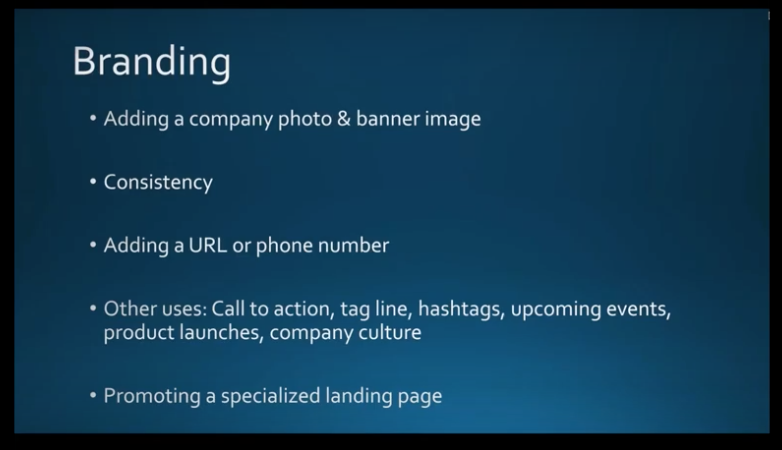
Your banner image, logo, photos and messages on LinkedIn should be consistent with those you use on other social media channels and marketing materials. Consistency is important for people to readily recognize your business. Make sure you use the same colors, fonts and messaging across all your branding for LinkedIn pages as well as other online platforms like Facebook. Consider including your phone number and URL in your banner image to make them readily available. Include a call to action, taglines, and hashtags to make reading your page, gleaning content, and reaching you easy for viewers. Promote a specialized landing page with images based on your brand to incrementally promote special events, product launches, showcase something new, or to share your company culture using photos of your team.
Your Company Description
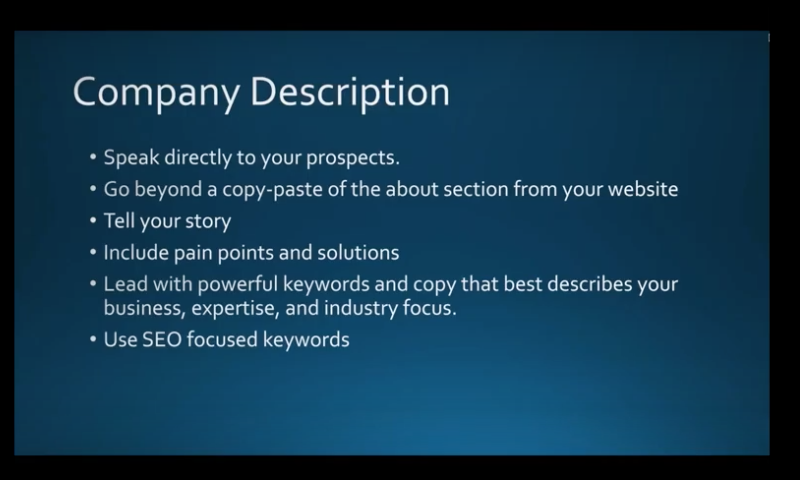
Make sure this speaks directly to your prospects. You can always include a copy of the “About” page on your website, but, also take this opportunity to speak directly to your audience and tell your story. This might include some pain points you experienced and how you overcame them. Promote your expertise and industry focus, and how your company is different from others. Be aware that Google previews up to 156 characters of your page text, so it’s important that your description includes some keywords that best describe who you are and what you do.
Content
To get the viewership you need, it’s also important that you post updates to your page at least once a week. (Although, two or three times a week is better.) Make sure it’s content that will draw people to your page. Always be helpful and informative in your posts, and not salesy. (80% of your content should be informative with no more than 20% selling) Remember that LinkedIn is about sharing expertise, advice, and networking.
Post things that will keep people coming back to your page, like a series of 5 to 10 tips, countdowns to “top tens,” or any other topics that fit your brand. Posting a series will encourage people to come back to your next post. Plus, these posts are great ways to link back to your website to increase traffic.
Build a Following
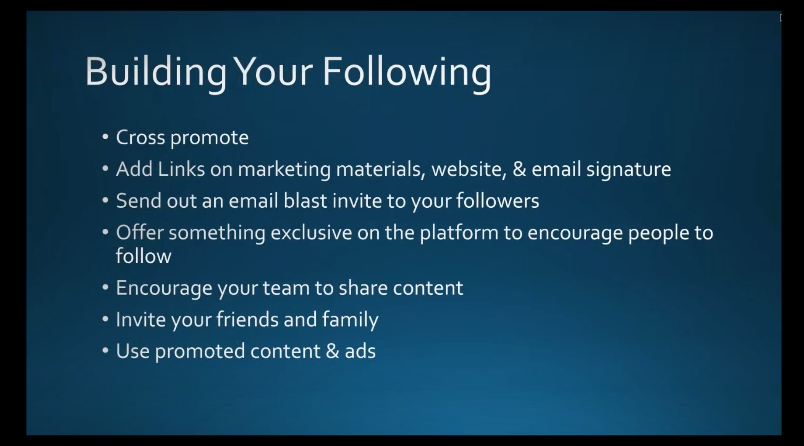
A lot of people have difficulty with this. Try doing some cross-promotion using your other social-media pages like LinkedIn and Twitter. Add icons for these pages on your LinkedIn profile so people can find them.
Try sending out an email blast to directly invite people to follow your LinkedIn page. Also, encourage your employees to share and engage appropriate content on your page so people in their circles can find your posts as well. Even family and friends should be invited to see your content so they can share it with others.
You have the option to use sponsored content to build a following on LinkedIn. Otherwise, the best way to do this is to be consistent and invest time in building an organic following.
Engage with Your Community
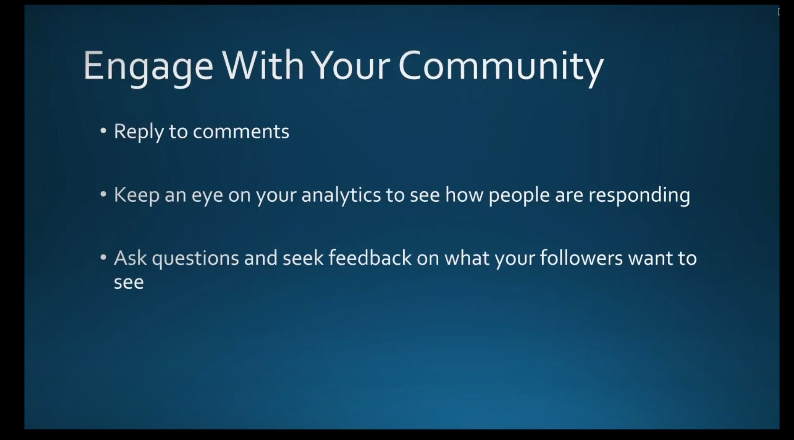
Make sure that when someone comments on your page, you reply right away. Also, keep tabs on your analytics to see if what you’re posting is resonating with your audience. If not, you might need to make some changes. Invite people to respond to your content and provide their opinions and feedback. Post a question on your LinkedIn company page and see who responds. Ask what they struggle with most in your industry, and how they overcame it. People love to talk about their own experiences. Build a rapport and continue to invite others to comment. (Be sure to always answer and address their comments!) This not only increases your engagement but gives you some tips on what you need to do to better your posts. Those who engage with others tend to get better readership numbers.
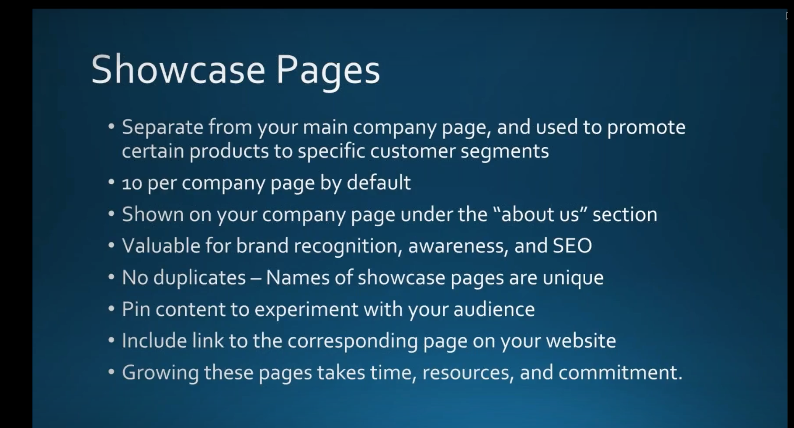
Showcase Pages
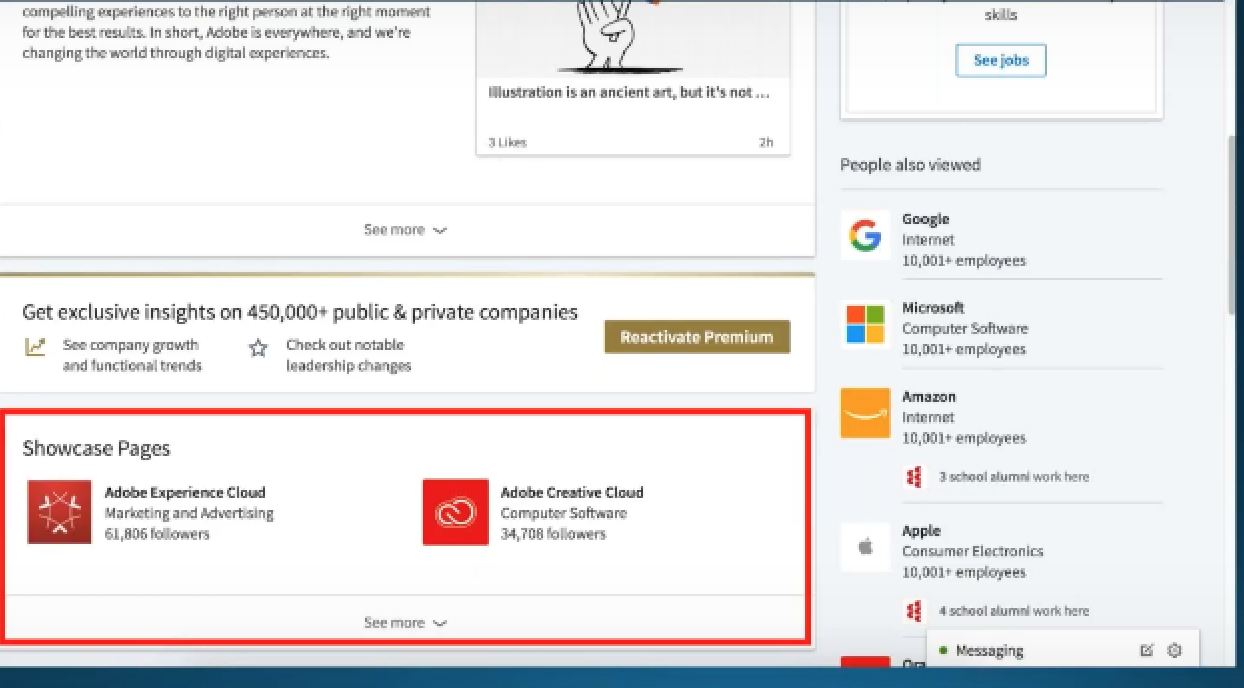
These are separate and different from your company pages. They are an extension of your LinkedIn company page but allow you to promote certain products and/ or events to a specific audience. For example, a company like Adobe may create a showcase page to advertise their cloud services, or Apple their newest iPhone. Think of this as a “mini-LinkedIn page” for your company product. LinkedIn allows you to create up to 10 of them. (If you’d like to include more, contact LinkedIn Customer Support and they’ll help you with this.) They will appear on your company page under the “About Us” section.
Your showcase pages should have unique names to differentiate them from your company page. However, be sure to continue your branding throughout the different pages for consistency and brand recognition. Add a link to your product page so readers can learn more specifics. Just like anything else worthwhile, creating showcase pages takes time and commitment. You shouldn’t set them and forget them. You must follow up just like you do with your LinkedIn company page to ensure success.
To get started, go to your company page and open up the admin tools on the top right corner and this will bring up a drop-down menu you can use.
These images indicate the showcase pages you can go to.
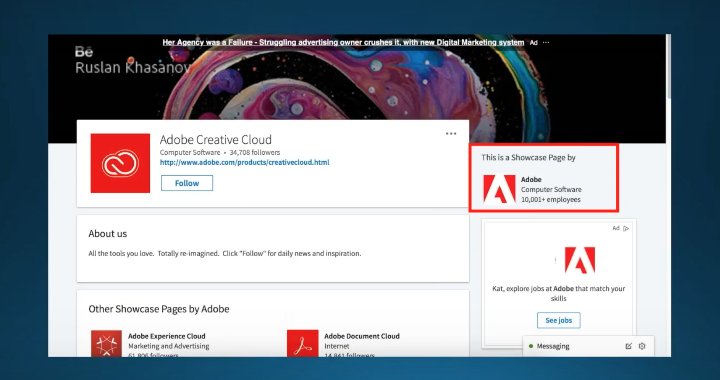
When you click on one of the images, you’ll be taken to the showcase page.
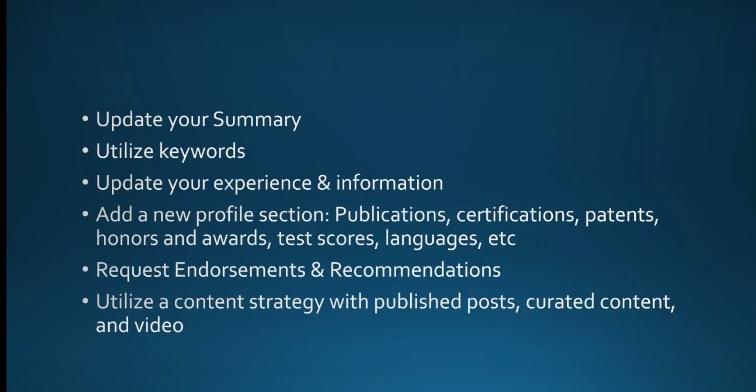
Optimize Your Personal LinkedIn Profile
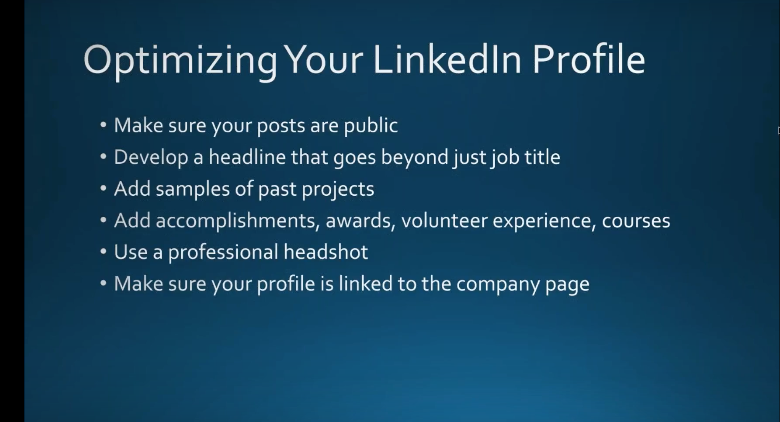
What some people forget to do is to make sure their LinkedIn profile is visible to everyone and posts are public. If not, people can’t share them and they won’t show up in Google searches. Go to “Edit Public Profile in URL” > “Edit visibility” and customize this according to your needs.
You should develop a headline that relays more than just your job title. Get creative and write a headline that really describes who you are. You can edit this in your profile section. What do you want to be known for? What’s your industry focus? Add samples of your work to promote your experience and skills. Use a professional headshot. Posting a “selfie” will tarnish your image as a professional. Finally, link your profile to your company page. This helps people find both you and your company.
The summary is where you can really impress your viewers with your experience and know-how. Be sure to use keywords you want Google to pick up so your profile will reach as many interested parties as possible. Also, link to your company website’s main page, or a page you want to highlight. Include an invitation for the types of people you want to contact you, or other calls to action such as connecting to your company website.
Make sure you keep the content of your profile up to date, including what your duties are and how you contribute to your organization. Archive information from places you’ve previously worked so people there can find you. If you get a promotion, be sure to include this as well.
If you need more content, add publications, certifications, languages you speak, honors, awards, and anything else that you think will appeal to your followers, that will set you apart from your competitors, and position you as an expert in your field. Similar to items in a professional resume that will draw the right people’s attention.
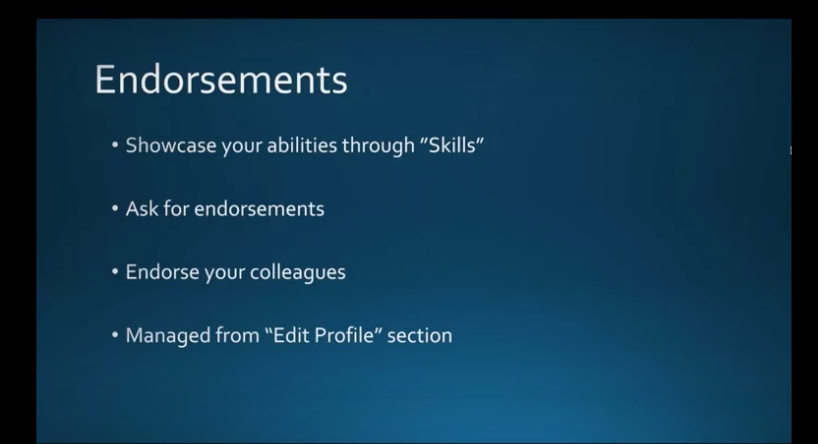
Endorsements & Recommendations
There’s a lot of confusion about the differences between these two features on LinkedIn. We’ll clarify this for you:
Endorsements provide an opportunity for you to network either online or in person. Endorsements help you affirm your experience and skills with recruiters and others. When a viewer endorses you on LinkedIn, they are confirming that you have the experience you say you do. When you showcase your “Skills” on LinkedIn, others who know you can endorse them to confirm what you’ve posted is true. Ask reliable people to endorse your skills. You can ask them via a direct message, or you can endorse their skills on LinkedIn so they’ll return the favor. Add your skills to the “Edit Profile” section.
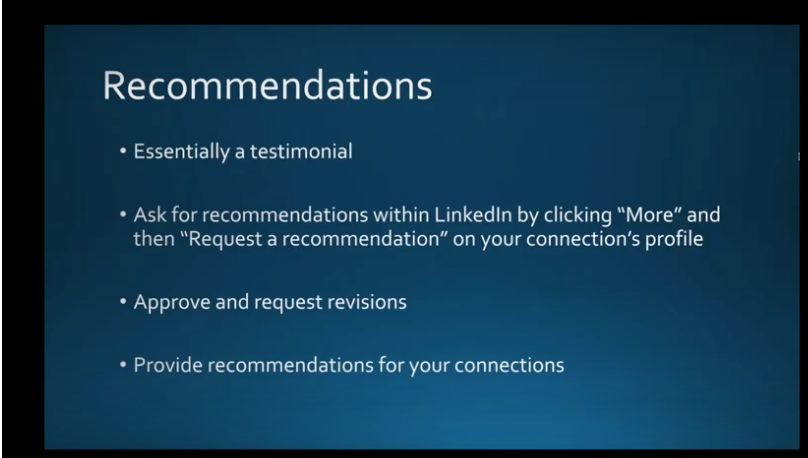
Recommendations are different, although they fall into the same category as Endorsements because they provide social proof that you are who you say you are. This is when another LinkedIn member, such as a business partner, colleague or customer, writes a statement recognizing the good work you’ve done. You can solicit a recommendation from someone by navigating to their profile, select the “More” icon and the “Request a recommendation.” Add a note if you like. You can even request a revision of a recommendation when they come back to you. You also have the option to approve the recommendation before it’s posted to your profile.
The LinkedIn Mobile Application
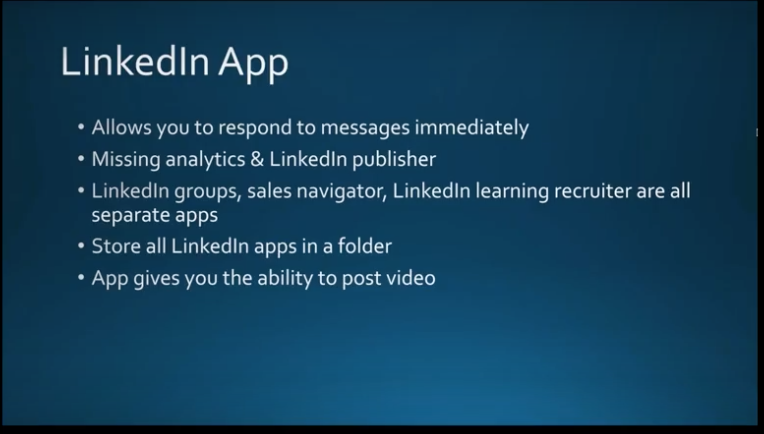
The faster you respond to messages, the more opportunities and potential connections you’ll gain. This is why you should consider using LinkedIn’s mobile app on your smartphone. You can do most of what you can do on the desktop site with just a few exceptions. What’s missing are the analytics and the LinkedIn Publisher feature. You will have to download the separate applications for groups, sales navigator, and LinkedIn Learning Recruiter. It’s best to make a folder on your phone and store them here. The good news is that the LinkedIn Mobile App now allows you to upload and post videos to your profile.
Why Use LinkedIn Videos?
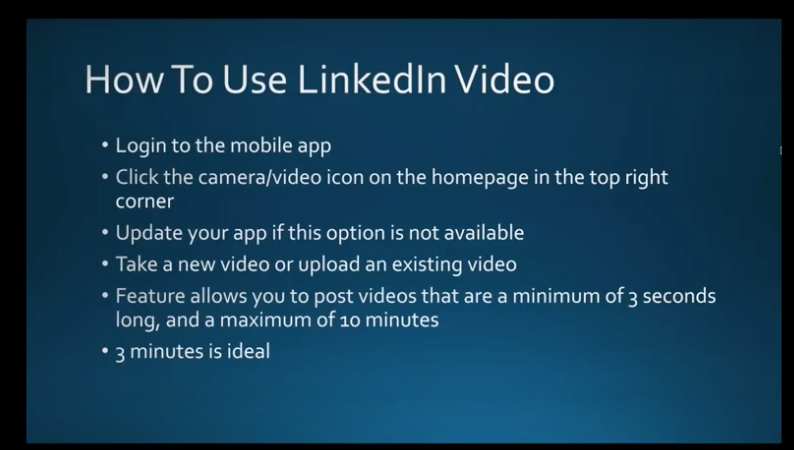
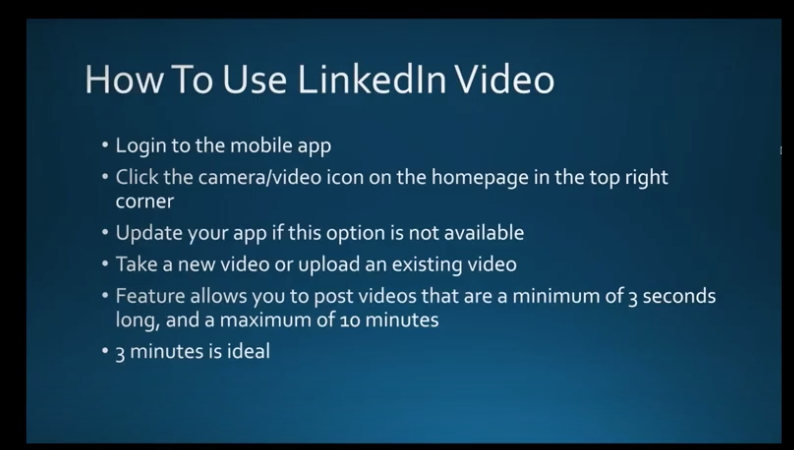
LinkedIn exclusively favors content that doesn’t take you outside of their application. For this reason, you should use native LinkedIn Videos rather than ones stored on other platforms. To access this feature, you’ll need to use the mobile app and follow the directions below.
If you have problems, you may need to update your LinkedIn Mobile app. Tag people, use hashtags if relevant, add posts, include talking points in your description, along with a brief overview of the video. Three minutes is an ideal for a video.
How to Use LinkedIn Videos
You can pre-record a professional video and edit it to your liking. Use videos for client testimonials or to showcase a product. Try to use videos that include closed captioning, as the videos in LinkedIn are muted by default.
Upload real-time coverage like a segment from an event you’re attending. You can post a video to share more about yourself and what you do. Upload a video biography or walk around your office and feature some of your co-workers (and be sure to tag them in your video).
Post a video with tips that you believe your viewers would be interested in. This will keep them coming back for more.
It’s best to have a plan for your video in advance so you’re sure to focus on what you want to cover. Above all, be personable but professional with your content, appearance, and demeanor.
LinkedIn Groups
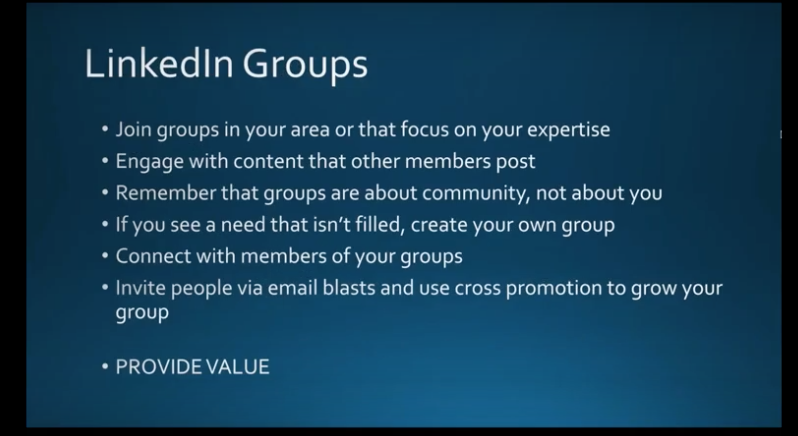
Use LinkedIn Groups to find like-minded professionals, share your experiences, and learn from theirs. It’s like a virtual “coffee group” with other experts in your industry. You can post your comments, ask questions and even add photos to your group pages. Try not to sell in these groups. This will turn people off. If you can’t find a group that works for you, start your own! This is a good way to build some valuable relationships, possibly get some referrals, or turn them into prospects. Again, this an opportunity to position yourself as an expert in your field. Participating in Groups isn’t something you can set and forget. The more you invest in Groups, the more you’ll gain.
LinkedIn Analytics
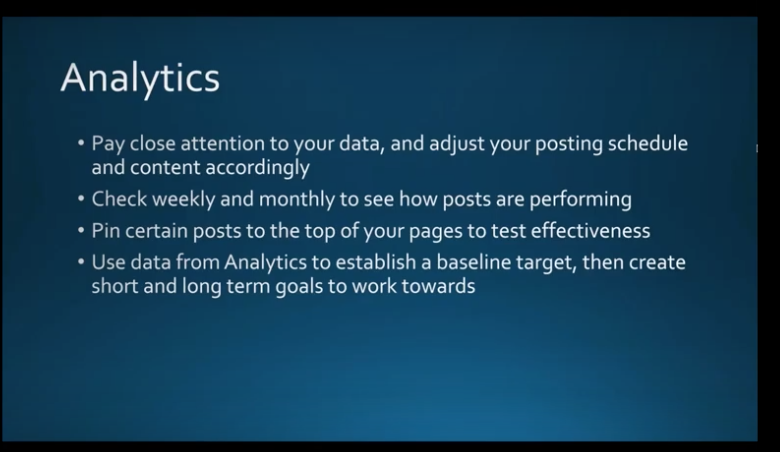
You should always monitor the data you receive from Analytics and adjust your posting schedule and content accordingly. Perhaps your posts with images are getting more feedback than others, or content you post in the morning gets more attention than those in the afternoon. Taking note of these details can help you get the most from your time and investment in LinkedIn. Check in weekly to see how your posts are performing. Another way to determine if you’re getting the results you want is to “Pin” a post to the top of your page and check the analytics to see if it’s being viewed by the audience you want to target. Use Analytics to set a baseline for target performance, and set some short- and long-term goals for engagement and getting people to share your posts.
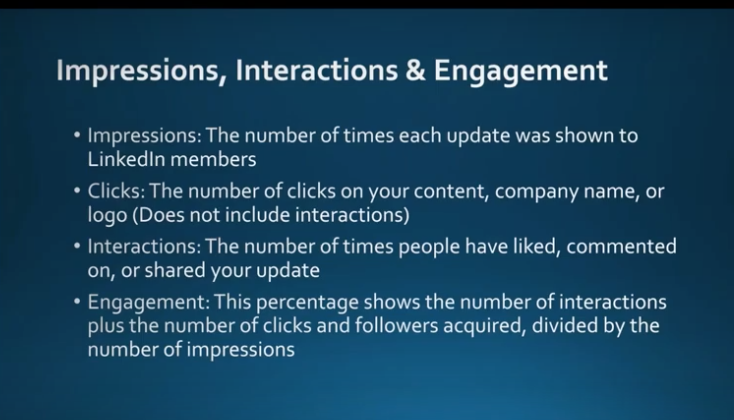
Impressions, Clicks, Interactions & Engagement
These are the main measures you’ll want to review in Analytics:
Impressions are the number of times your LinkedIn updates are viewed by members. It doesn’t mean people read them or clicked anything on them; just that they were viewed.
Clicks are the number of times people clicked on your content.
Interactions are the number of times viewers liked, shared or commented on your update.
Engagement is the number of interactions, plus the number of clicks and followers you have, divided by the number of impressions. (The percentage of people who engaged vs. the number posts they viewed.)
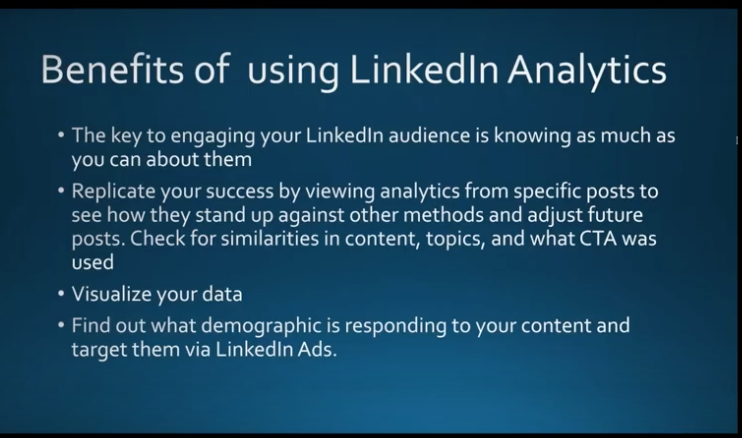
The Benefits of Using LinkedIn Analytics for Your Business
The key to engaging your LinkedIn audience is to know as much as you can about them. Analytics provides this detail. You can determine the age, gender, location and more about your viewers. This will help you make the adjustments you need to get the most viewership. You can view analytics from individual posts as well, so you can see how they stand up against others, and determine what made some more successful than others. Was it a Call to Action that drew followers, or a special offer for an e-Book? Or was the success due to the type of content you included? You can adjust your future posts based on the success of previous ones.
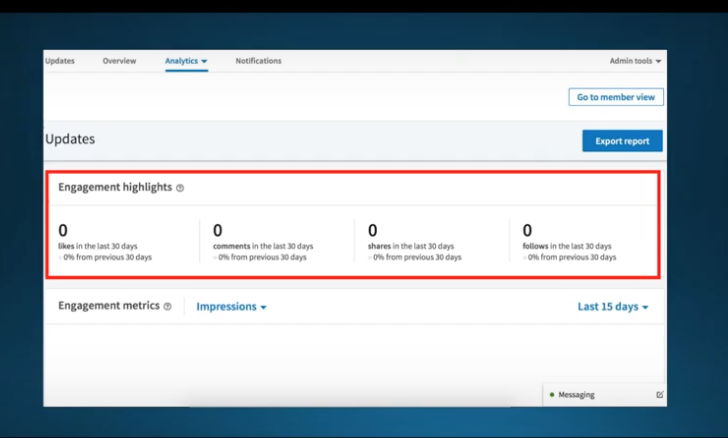
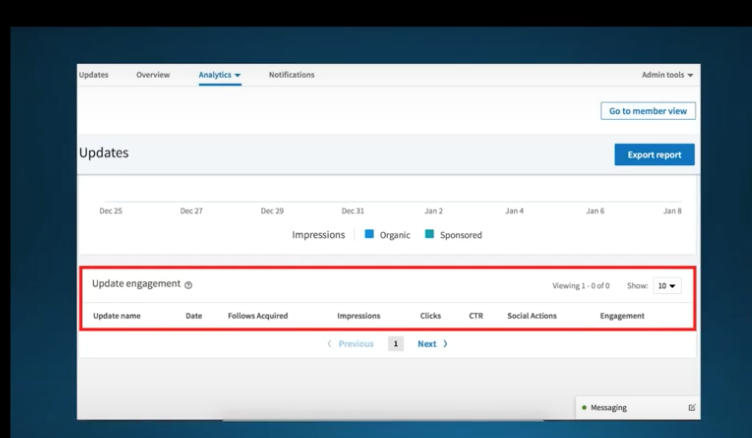
LinkedIn Analytics provides various charts and graphs so you can easily view and interpret your data and demographics.
This example page hasn’t been updated but should give you an idea of what a company analytics page might look like.
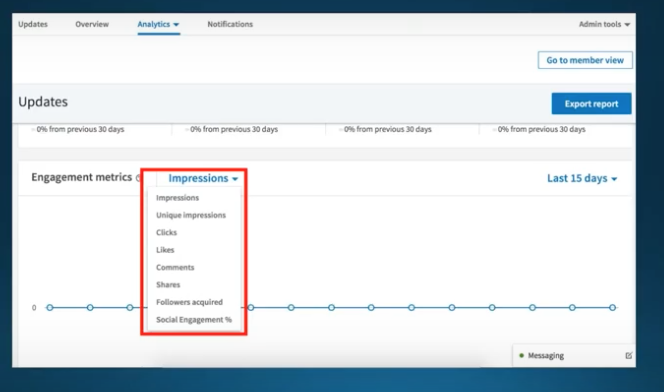
This next page highlights how you can choose what you want your graph to display.
Again, this graph is empty now but will prove very useful when it’s populated. It will show your most recent posts and how people responded to them. This will be useful for developing your future content. You can sort by which post did the best and more.
That’s it. But there’s still more. We’ll be featuring another Webinar about LinkedIn Analytics, Paid Ads and Premium Features soon. In the meantime, if you need more information about anything presented here, please contact your friendly IT services team immediately.






 YES
YES