Infinet

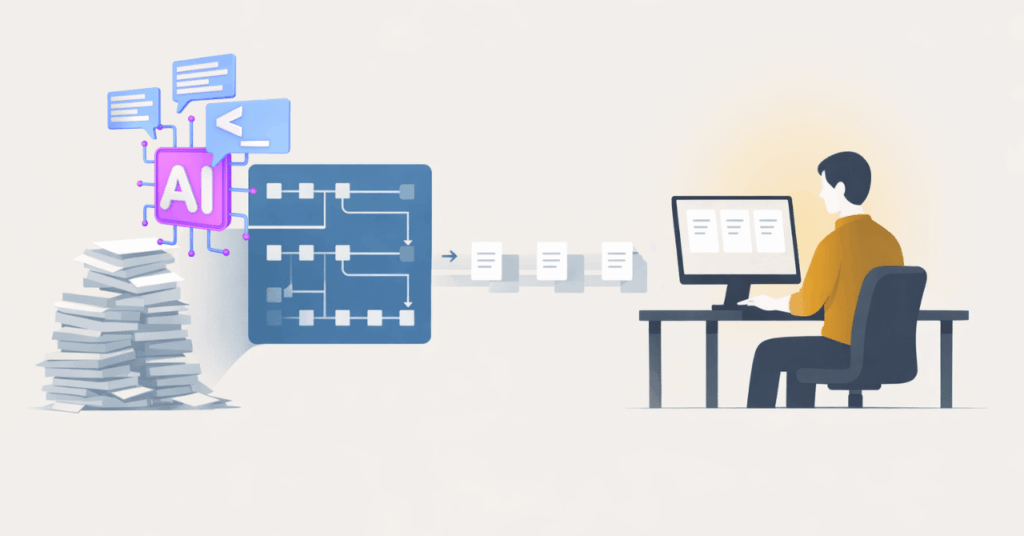
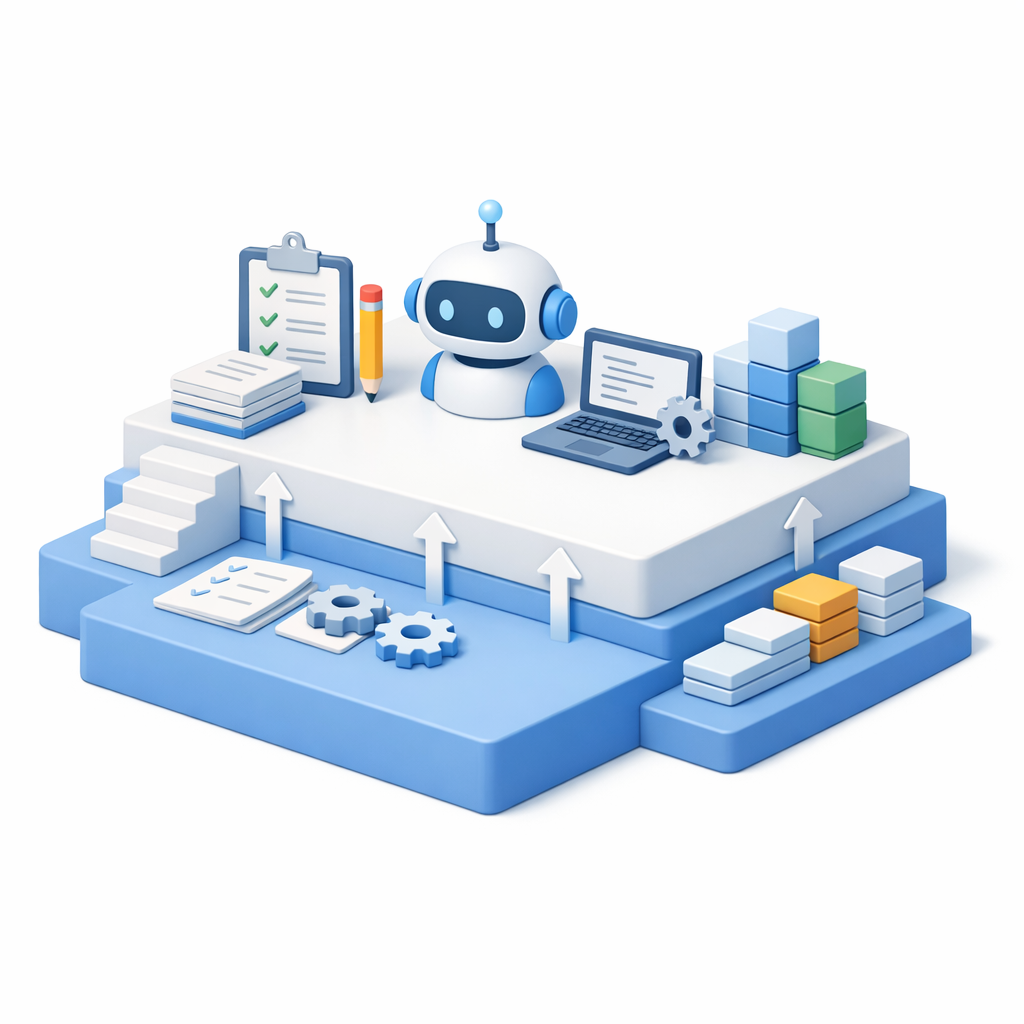
Illustration of AI organizing tasks and documents to improve AI workflow efficiency and streamline everyday business operations

AI Workflow Efficiency: 4 Real Workplace Gains

Most teams don’t question whether AI works. The challenges show up elsewhere.

Work takes longer than expected. Decisions stall while teams look for context. Results vary based on who is doing the work and how much capacity they have.

This is where AI workflow efficiency becomes relevant.

When applied intentionally, AI doesn’t feel disruptive. It reduces friction in everyday work. Tasks move faster. Decisions are easier to support. Output becomes more consistent across teams.

1. Work Starts Moving Again

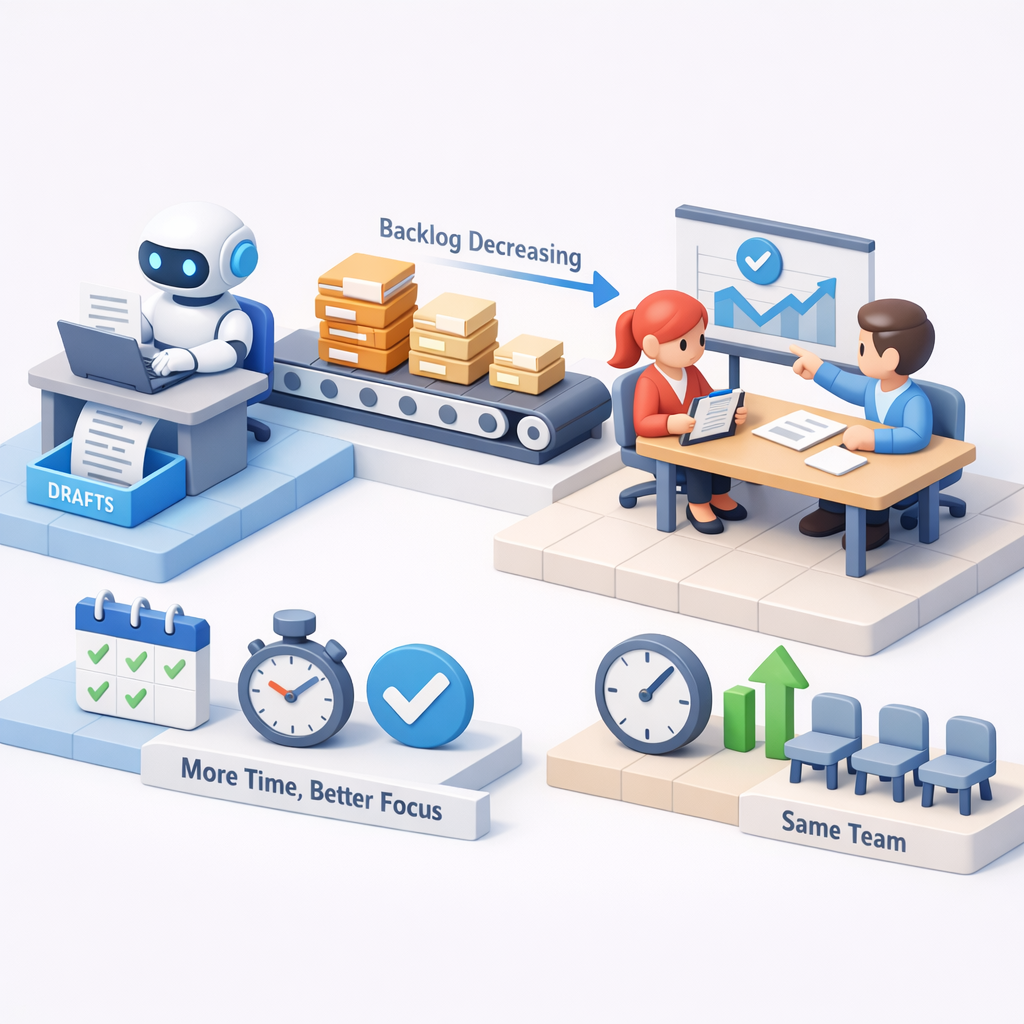
Illustration of AI assisting with tasks and reducing backlog, representing AI workflow efficiency that helps work move faster and smoother

This tends to show up in small, repeatable moments. Drafts appear faster. Backlogs shrink. Routine tasks stop piling up.

AI handles the first pass. People focus on judgment.

What to keep in mind:
When work stops dragging, teams gain time without adding headcount.

2. Decisions Don’t Stall on Context

Most teams don’t lack information—they lack alignment.

AI pulls context together quickly. It summarizes, connects inputs, and highlights what matters. Instead of chasing answers, teams move forward.

What to keep in mind:
Faster clarity improves momentum without adding meetings.

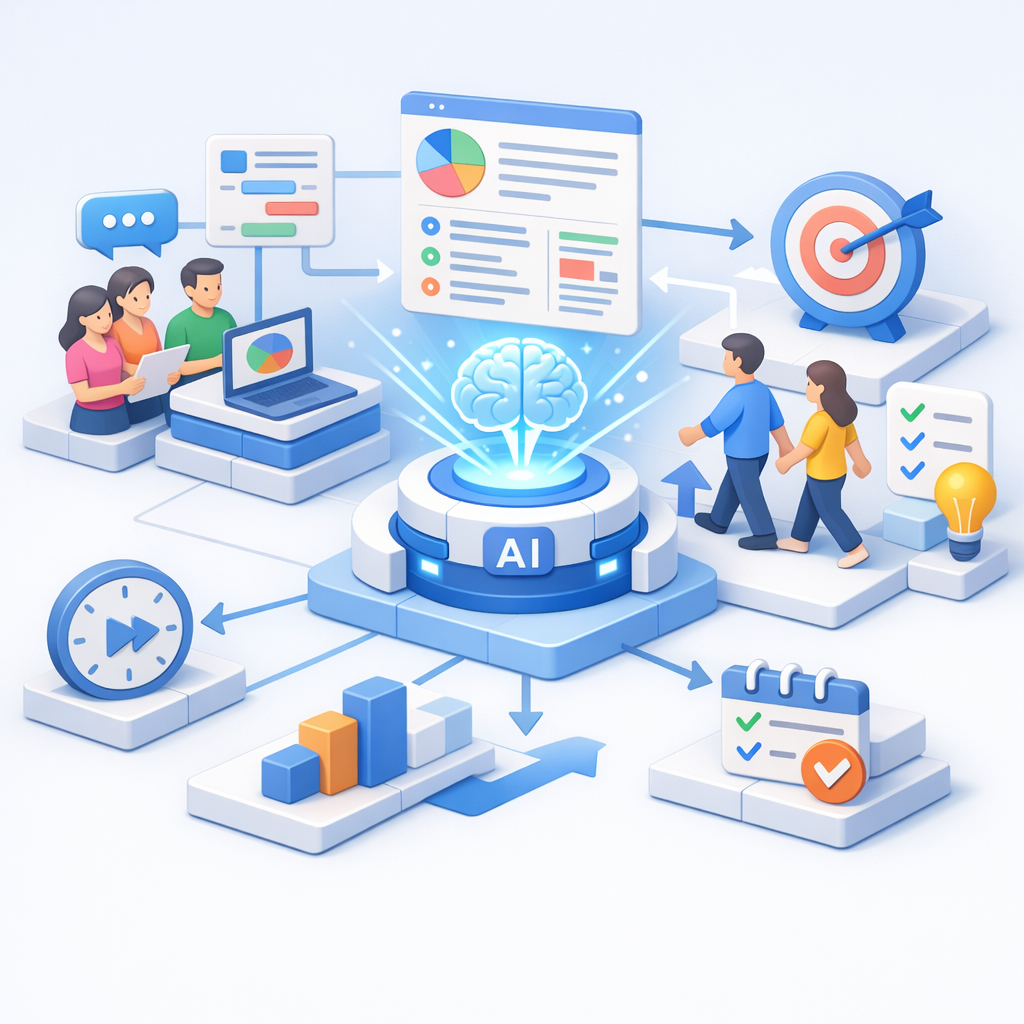
Illustration of AI connecting data and teams to support faster decisions, highlighting AI workflow efficiency through improved clarity and alignment

3. Output Becomes More Predictable

Illustration of AI standardizing processes and outputs, showing how AI workflow efficiency improves consistency across teams

This tends to show up as fewer inconsistencies. Writing improves. Documentation stabilizes. Routine work becomes more uniform.

AI raises the floor.

What to keep in mind:
Consistency reduces rework and makes outcomes easier to trust.

4. Small Gains Compound Into Real Impact

Early improvements don’t look dramatic—but they add up.

A few minutes saved here. A faster decision there. Less back-and-forth across teams.

Over time, that becomes noticeable operational lift—and that’s where it begins to pay for itself.

What to keep in mind:
Efficiency shows up first. Financial impact follows.

Illustration of growth and performance metrics representing how AI workflow efficiency compounds into measurable business impact over time

Start Where Work Feels Friction

The fastest AI wins don’t come from transformation plans.
They come from fixing what already feels slow, unclear, or inconsistent.

Start where work gets stuck. Where decisions take too long. Where output varies more than it should. That’s where AI makes the biggest difference first—and where guidance from a local managed IT service can help align AI use with real workflows instead of abstract goals.

If AI could remove friction in just one of your core processes today, do you know where that value would show up first?

Professional man using a tablet in an office setting with “Get in touch with our team” and InfiNet branding.

Frequently Asked Questions

1. How does AI workflow efficiency improve daily operations?

AI workflow efficiency improves daily operations by reducing time spent on drafting, summarizing, and repetitive tasks. It helps teams move faster, make decisions with clearer context, and produce more consistent output without adding complexity.

2. Where should businesses start with AI workflow efficiency?

Most organizations see early value by applying AI to one specific workflow—like drafting content, summarizing information, or preparing reports—where delays or rework already exist. Starting small makes the impact easier to measure and scale.

3. Does AI workflow efficiency always lead to ROI?

AI workflow efficiency typically shows up first as faster work, clearer decisions, and more consistent output. As those improvements compound, they reduce wasted time and effort—allowing ROI to follow naturally over time.

AI Workflow Efficiency: 4 Real Workplace Gains Read More »

Flat illustration of a modern office workspace representing a healthy IT environment, with organized desks, calm system screens glowing softly green, and a quiet, structured setting that suggests stable, well-functioning technology.

What a Healthy IT Environment Looks Like for Small and Medium Sized Businesses

Most businesses assume their IT is “fine” because nothing is broken.

People can log in. Files open. Work gets done.

But if you paused and asked, “How confident are we that our systems would hold up if something changed tomorrow?”—a security incident, a failed update, a sudden outage—the answer usually isn’t as clear.

That gap between working and healthy is where most IT problems live. Quietly. Until they don’t.

A healthy IT environment isn’t about perfection. It’s about knowing where you stand, what risks you’re carrying, and whether your systems are actually supporting how your business operates today.

What “Healthy IT” Feels Like Day to Day

When your IT environment is healthy, you don’t spend much time thinking about it.

Systems behave the way you expect them to.
Issues are caught early—or avoided altogether.
There’s less scrambling, fewer surprises, and more confidence in decisions.

That doesn’t happen by accident.

Healthy IT is usually the result of reliable infrastructure, proactive security, and repeatable operations working together—without unnecessary complexity.

The Core Building Blocks of a Healthy IT Environment

Your Network: The Quiet Foundation

Illustration of connected devices and cloud infrastructure highlighting a healthy IT environment built on a stable, segmented network that supports secure and consistent business operations.

If your network is unstable, everything else feels fragile.

In healthy environments, networks are business-grade, segmented, and designed to limit the blast radius when something goes wrong. Guest Wi-Fi is separate. Critical systems aren’t exposed unnecessarily.

As the business grows, redundancy becomes a priority—not an afterthought.

If outages or slowdowns regularly surprise you, your foundation likely needs attention.

Security That Goes Beyond “We Have Antivirus”

If security is only something you think about after an alert or scare, it’s probably too reactive.

Healthy environments layer protections: firewalls, endpoint security, multi-factor authentication, and regular updates. More importantly, they make security visible, so risks aren’t hidden behind assumptions like “we’ve never had an issue.”

Security health isn’t about fear—it’s about awareness.

Backups You Don’t Have to Hope Will Work

If you’ve never tested restoring your data, you don’t actually know how protected you are.

Healthy IT environments rely on automated backups that are checked, tested, and aligned with real recovery expectations. You know how much data you could lose—and how long recovery would take—before an incident forces the question.

Backups are only healthy when recovery is predictable.

Graphic of servers, cloud sync, and data systems showing a healthy IT environment with automated, tested backups aligned to real recovery expectations for reliable data protection.

Devices That Stay Updated Without Chasing Them

Manually updating systems works—until it doesn’t.

As businesses grow, healthy environments shift toward automated patching and centralized device management. Updates happen consistently. Gaps are visible. Exceptions are intentional, not accidental.

If updates feel random or last-minute, risk is quietly accumulating.

Monitoring That Spots Problems Before People Do

Illustration of a team reviewing system dashboards and alerts, representing a healthy IT environment where monitoring detects performance issues and risks early before they impact operations.

If your team is usually the first to notice something’s wrong, your systems are already behind.

Healthy IT environments rely on monitoring and alerts that surface issues early—performance drops, failed backups, security events—before they disrupt work.

Visibility is what turns IT from reactive support into a stable operational function.

How a Healthy IT Environment Grows with Your Business

As your business grows, the way you rely on technology changes.

Early on, short interruptions may be inconvenient but manageable.

Over time, even a brief outage can slow work, frustrate customers, or delay billing and communication.

A healthier setup plans for those moments.

That often means:

  • Having a way for your team to stay online if your main internet goes down
  • Being able to notice unusual activity before it turns into an emergency
  • Managing updates and company devices from one place instead of chasing them individually
  • Knowing ahead of time who steps in and what happens when something stops working

None of this is about adding complexity. It’s about reducing surprises.

As operations become more dependent on technology, healthy IT makes sure small issues stay small—and don’t interrupt how your business runs.

What It All Comes Down To

A healthy IT environment is one you can rely on.

You know what systems you have.
You know where the real risks are.
And you know what would happen if something went wrong.

If you have that level of clarity, your IT is doing its job.

If you don’t—and you’re relying on assumptions or hoping nothing breaks—that’s usually the first sign something needs attention.

Often, a short conversation is enough to confirm what’s working, identify gaps, and decide whether any changes actually make sense for your business.

Professional man using a tablet in an office setting with “Get in touch with our team” and InfiNet branding.

Frequently Asked Questions

1. What is a healthy IT environment for a small business?
It’s an environment where systems are reliable, secure, backed up, and monitored—so IT supports operations without constant disruption.

2. How can I tell if my IT environment is unhealthy?
Frequent surprises, unclear backup status, reactive security, or reliance on users to spot issues are common warning signs.

3. Do small businesses need enterprise IT tools?
Not usually. Most benefit more from clarity, consistency, and visibility than from complex tools.

4. How often should backups be tested?
At least quarterly, or anytime systems or data change significantly.

5. Is managed IT required for a healthy environment?
Not always—but many businesses use managed services to gain visibility, security, and consistency they can’t support internally.

What a Healthy IT Environment Looks Like for Small and Medium Sized Businesses Read More »

Illustration of two professionals working at computers with visual email workflows, security checks, and automation icons, representing how teams prevent email fraud in professional services.

Email Fraud in Professional Services: What Firms Miss

Email is where professional firms make real decisions.

Payments are approved. Client instructions are confirmed. Vendors are paid. Sensitive documents move forward.

Most of this happens quickly, informally, and without much friction — because that’s how professional services stay efficient and responsive.

That same efficiency is what makes email fraud in professional services so effective.

Not because firms are careless.
But because their workflows depend on trust, familiarity, and momentum.

Why email fraud works so well in professional firms

Professional services firms share operational traits that attackers deliberately look for.

Email drives authority, not just communication

In many firms, email isn’t a notification layer — it is the approval layer.

A short message from the right person can:

  • Trigger a wire transfer
  • Change payment details
  • Approve an invoice
  • Release confidential information

When email carries that level of authority, impersonation becomes powerful.

This is the foundation of business email compromise.

Trust is assumed — and rarely re-verified

Firms are built on long-standing internal and external relationships.

People recognize names, writing styles, and routines.
They’re used to requests that are brief, urgent, and informal.

Attackers don’t disrupt that pattern.
They imitate it.

That’s why fraudulent emails often feel normal — not suspicious.

Speed quietly overrides verification

Professional firms are under constant pressure to move quickly.

Clients expect responsiveness.
Leadership expects follow-through.
Staff are rewarded for keeping things moving.

Over time, verification steps get relaxed:

  • “I’ll confirm later.”
  • “This looks routine.”
  • “I don’t want to slow this down.”

Those small decisions accumulate into systemic exposure — a core issue in professional firm cybersecurity.

What “protected” actually looks like in practice

Protected firms don’t rely on suspicion.
They rely on clarity.

Clear authority boundaries

Graphic illustrating clear authority boundaries and approval workflows, highlighting how defined roles and verification steps help prevent email fraud in professional services.

Everyone knows:

  • Who can approve financial actions
  • Under what conditions
  • With what confirmation steps

No ambiguity. No guesswork. Simply aligning IT decisions with business operations.

Intentional verification, not friction

Verification steps are:

  • Standardized
  • Expected
  • Supported by leadership

They’re part of the workflow — not a disruption to it.

Visibility into real risk

Leadership understands:

  • Where high-risk email actions occur
  • How often exceptions are made
  • Which accounts carry the most exposure

Visibility turns assumptions into decisions.

Graphic showing visibility into email activity and alerts, illustrating how identifying high-risk behaviors and exposed accounts helps reduce email fraud in professional services.

Training that explains why

Staff aren’t trained to fear email — they’re trained to understand it.

They learn:

  • How fraud exploits routine
  • What decisions attackers target
  • Why certain steps exist

That understanding sustains good behavior over time.

A better next step than adding another tool

If you’re unsure whether your firm is truly protected, start by gaining clarity by reaching out to a local managed IT service.

Understand:

  • Where decisions live
  • How they’re verified
  • Where assumptions exist

That’s how firms reduce risk while maintaining confidence and momentum.

Professional man seated and using a tablet with office background, featuring InfiNet logo and contact message.

Frequently Asked Questions

1. What is email fraud in professional services?

Email fraud in professional services involves impersonation or manipulation through email to trigger unauthorized payments, data sharing, or workflow changes.

2. How is business email compromise different from phishing?

Business email compromise is targeted, contextual, and often uses real names and workflows. Phishing is typically broader and easier to spot.

3. Can email security tools prevent this?

They help, but they don’t address unclear authority or informal approval habits — where most risk lives.

4. Why are professional firms targeted so often?

Because email drives real decisions, trust is high, and speed is prioritized.

5. Is this an IT issue or a leadership issue?

Both — but leadership defines the decision framework that technology supports.

Email Fraud in Professional Services: What Firms Miss Read More »

Diagram illustrating proactive IT vs reactive IT, contrasting an organized technology stack with a fragmented, reactive setup.

Proactive IT vs Reactive IT: The Costly Difference

Most business leaders don’t wake up thinking about IT models.

You notice IT when something breaks. When systems slow down. When staff can’t log in. When a small issue turns into a day-long disruption.

And when that happens, it often feels like IT is constantly in reaction mode—even if you’re paying for support.

That’s where the real question shows up, usually unspoken:

Are we operating with proactive IT—or are we still stuck in reactive IT support?

The difference between the two isn’t about tools, buzzwords, or pricing tiers. It shows up in how your business operates day to day, how predictable your systems feel, and how often leadership gets pulled into preventable problems.

This is what proactive IT vs reactive IT actually looks like in real life.

What “Reactive IT” Looks Like in Day-to-Day Operations

Reactive IT feels familiar because most businesses have lived with it.

  • Something breaks.
  • A ticket is opened.
  • A technician responds.
  • The immediate issue is fixed.

On the surface, it works. Sometimes it even feels fast.

But over time, patterns emerge:

  • The same issues resurface every few months
  • Updates happen after something fails
  • Security changes follow incidents, not planning
  • Leadership only gets involved when problems escalate

Reactive IT is about restoring function—not improving the system.

That’s the key difference.

In a reactive model, success is measured by response:

  • How quickly was the issue resolved?
  • Was the system brought back online?
  • Did users get back to work?

What rarely gets addressed is why the issue happened—or what made it likely to happen again.

What Proactive IT Services Change Behind the Scenes

Proactive IT vs reactive IT illustrated through a connected cloud system, with professionals monitoring dashboards and workflows in real time to prevent issues rather than responding after disruptions occur.

Proactive IT services shift the focus from incidents to intentional system design.

The goal isn’t to eliminate every issue.
It’s to reduce uncertainty, surface risk early, and make technology predictable enough that leadership can plan around it.

Behind the scenes, proactive IT looks like:

  • Monitoring systems for trends, not just failures
  • Applying updates and maintenance on a schedule—not after disruption
  • Reviewing access, backups, and configurations before they’re tested by an incident
  • Aligning IT decisions with how the business actually operates

The most important difference?

Problems are addressed when they’re still small, quiet, and inexpensive.

That’s rarely visible to end users—but it’s deeply felt by leadership.

Proactive IT vs Reactive IT: The Difference Leaders Actually Feel

From a leadership perspective, the difference between proactive IT vs reactive IT isn’t technical. It’s operational.

With reactive IT:

  • IT conversations happen when something is already wrong
  • Decisions are rushed
  • Risk is discovered after impact
  • Technology feels unpredictable

With proactive IT:

  • IT discussions happen before disruption
  • Decisions are made with context
  • Risk is visible, not surprising
  • Technology becomes a stabilizing force instead of a variable
Comparison of proactive IT vs reactive IT from a leadership perspective, showing reactive IT with delayed responses, rushed decisions, and post-incident risk, versus proactive IT where risks are identified early, decisions are informed, and technology supports stable operations.

Leaders don’t suddenly “think about IT more.”
They think about it less—because it stops interrupting everything else.

What “Good” Proactive IT Actually Looks Like

At its best, proactive IT doesn’t feel like a service—it feels like clarity.

  • Leadership understands where risk lives
  • Systems are designed intentionally, not inherited accidentally
  • IT decisions support business goals instead of competing with them
  • Technology becomes predictable enough to trust

This level of maturity doesn’t come from stacking more tools or reacting faster.

It comes from stepping back and asking better questions:

  • What are we trying to protect?
  • What can fail quietly before it fails loudly?
  • What does stability actually require in our environment?

A Better Starting Point: Clarity Before Change

Understanding proactive IT vs reactive IT isn’t about choosing a label.
It’s about understanding how technology actually behaves inside your business.

Before making changes, it helps to gain visibility:

  • Where risk lives today
  • Which issues are recurring—and why
  • What stability would look like if systems were designed intentionally

That clarity is often the first step toward quieter operations, fewer surprises, and technology that supports growth instead of interrupting it. If you’re ready to understand what’s really happening inside your environment, start there.

Professional man using a tablet in an office setting with “Get in touch with our team” and InfiNet branding.

Frequently Asked Questions

1. What is the difference between proactive IT and reactive IT?

Reactive IT responds to issues after they occur. Proactive IT focuses on preventing issues, reducing risk, and designing systems intentionally so fewer disruptions happen in the first place.

2. Is proactive IT worth the cost?

For growing businesses, proactive IT often reduces long-term costs by preventing downtime, minimizing emergency fixes, and enabling better planning. The value is stability and predictability—not just faster fixes.

3. Can reactive IT ever be enough?

In very small or low-risk environments, reactive IT may be temporarily sufficient. As complexity, compliance, or reliance on technology increases, reactive models tend to create hidden risk and operational friction.

4. How do I know if my IT provider is proactive?

Proactive IT providers discuss risk, planning, and system improvements before incidents occur. If conversations only happen when something breaks, the model is likely reactive.

5. What does proactive IT look like in practice?

In practice, proactive IT includes scheduled maintenance, system monitoring, risk reviews, and ongoing alignment between technology decisions and business needs—without constant disruption.

Proactive IT vs Reactive IT: The Costly Difference Read More »

Flat-style illustration of a healthcare clinic workstation with overlapping interface panels on screen, suggesting shared access and system ambiguity—visually supporting the concept of hidden IT risks in clinics with shared devices.

Hidden IT Risks in Clinics with Shared Devices

Most clinics don’t operate in quiet, controlled office environments.

In community clinics and multi-provider practices, front desks stay busy, exam rooms turn over quickly, and staff move between systems all day long. Workstations are shared across shifts. Devices are logged into, stepped away from, and picked back up—often within minutes.

In that kind of environment, technology isn’t just supporting care—it’s woven directly into the pace of operations.

That’s also where many IT risks in clinics quietly take hold.

Not because teams are careless, but because clinical workflows prioritize speed, access, and continuity of care.

And when systems are designed like traditional offices instead of real clinics, clinic cybersecurity risks tend to surface in ways leadership doesn’t see until there’s a problem.

Why Clinics Face a Different Category of IT Risk

Healthcare IT environments operate under constraints most businesses don’t.

You’re balancing:

Limited downtime tolerance

Patient experience

Clinical efficiency

Compliance requirements

Healthcare team working across connected systems with patient data, lab tools, and digital records, illustrating how everyday workflows can introduce IT risks in clinics when systems and visibility aren’t fully aligned.

Unlike a single-user office setup, clinics rely on shared devices healthcare environments—front desk computers, exam room workstations, tablets, printers, and specialty systems that multiple people touch every day.

Federal healthcare guidance has long recognized shared workstations as a risk area when access controls and session management aren’t aligned with real workflows.

From an IT perspective, that changes everything.

Risk isn’t just about firewalls or antivirus software. It’s about how systems behave when:

  • Logins are reused
  • Sessions stay open
  • Devices move between rooms
  • Accountability becomes blurred

These conditions don’t look dangerous on paper. But operationally, they create gaps that traditional “check-the-box” security doesn’t address.

Shared Devices: Convenience That Quietly Expands Exposure

Shared workstations are common in clinics—for good reason. They keep workflows moving.

Clinic staff using shared systems and patient records across a digital healthcare workspace, illustrating how shared devices can contribute to IT risks in clinics when access and accountability are not clearly managed.

But from a risk standpoint, shared devices introduce challenges that are easy to underestimate:

Inconsistent access control
Staff roles change, but permissions don’t always follow at the same pace.

Unclear user accountability
When multiple staff use the same device, it’s harder to trace actions back to individuals—especially during audits or investigations.

Session overlap
A user steps away without logging out. Another steps in. Patient data remains accessible longer than intended.

This is one of the most overlooked IT risks in clinics—not because leaders don’t care, but because the risk is embedded in everyday efficiency.

Good security controls for shared workstations doesn’t fight this reality. It adapts to it.

The Front Desk: Where Workflow Speed Meets Data Sensitivity

It doesn’t come as a surprise that the front desk is one of the busiest—and most exposed—areas in any clinic.

It’s where:

  • Patient data is first accessed
  • Payments are processed
  • Appointments are scheduled
  • Phones, printers, and systems converge

From a cybersecurity standpoint, this creates a dense intersection of systems, people, and sensitive information.

Common front-desk risks include:

  • Screens visible to patients or visitors
  • Credentials shared across shifts
  • Devices left unlocked during high-traffic moments

None of this signals negligence. It signals operational pressure.

The real issue is that clinic cybersecurity risks here are environmental, not technical. And operational risk in healthcare environments require intentional design—not just security software.

Fast Workflows Create “Invisible” Risk Accumulation

Speed is essential in healthcare. But speed also compresses margin for error.

When workflows move fast:

  • Security steps get bypassed unintentionally
  • Policies exist but aren’t practical
  • Training fades under real-world pressure

Over time, small exceptions become the norm. And risk quietly accumulates, warranting intentional IT planning.

This is why many clinics feel “mostly secure” until something forces a closer look—an audit, a breach, a vendor requirement, or an insurance question.

At that point, leaders aren’t asking:

“What tools do we need?”

They’re asking:

“Where are we actually exposed?”

What “Good” Looks Like in a Shared-Device Clinic Environment

Mature protection in clinics doesn’t mean locking everything down or slowing care.

It means designing systems around how clinics actually operate.

That includes:

  • Role-based access that matches real workflows
  • Clear session management on shared devices
  • Visibility into who accessed what—and when
  • Training that reflects reality, not policy documents

Most importantly, it means leadership-level clarity around system access and accountability.

When protection is intentional, clinic leaders can confidently answer:

  • Are we managing risk—or just reacting to it?
  • Do our workflows align with compliance expectations?
  • Could we explain our security posture if asked tomorrow?

That confidence doesn’t come from more tools. It comes from alignment.

How InfiNet Approaches Clinic IT Risk (Without Disrupting Care)

At InfiNet, our role isn’t to introduce complexity or fear.

It’s to help clinic leadership:

  • See where risk actually lives
  • Understand tradeoffs clearly
  • Make decisions that fit clinical reality

That means working from workflows outward—not from tools inward.

When clinics understand their exposure, they’re able to protect patients, staff, and operations without sacrificing efficiency or trust.

Start With Clarity

If you’re unsure where risk actually exists in your clinic—or whether your current setup reflects how your team truly works—start with visibility.

A clear, practical assessment from a local managed IT provider can help you understand exposure without disrupting care or overcorrecting.

Professional woman using a tablet in a modern office with InfiNet branding and “Get in touch with our team” text.

Frequently Asked Questions

1. What are the most common IT risks in clinics?

The most common IT risks in clinics come from shared devices, unclear access controls, fast workflows, and limited visibility into user activity—not from lack of technology.

2. Why are shared devices risky in healthcare?

Shared devices healthcare environments make accountability and session control harder, increasing the chance of unauthorized access or data exposure.

3. Are clinic cybersecurity risks different from other industries?

Yes. Clinics prioritize speed, access, and patient care, which creates unique operational risks that standard office security models don’t fully address.

4. How can clinics improve security without slowing workflows?

By aligning access controls, session management, and training with real-world workflows instead of rigid policies that don’t reflect daily operations.

5. Is cybersecurity mainly an IT responsibility in clinics?

No. While IT plays a key role, clinic cybersecurity risks affect leadership, compliance, operations, and patient trust—making it a shared responsibility.

Hidden IT Risks in Clinics with Shared Devices Read More »

Talk to our Team