
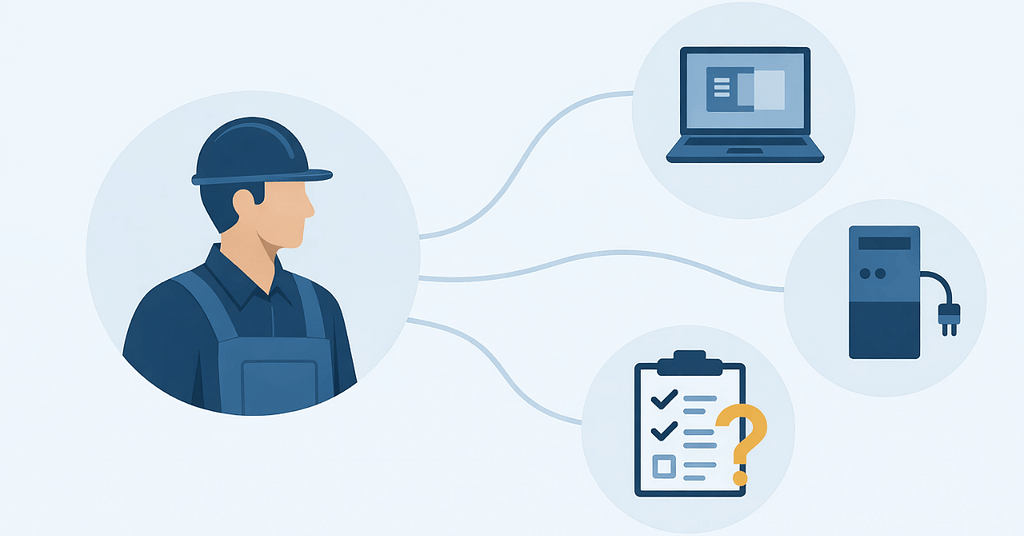
Let’s face it — most field service days don’t start at a desk.
They start with trucks pulling out early, crews checking schedules on their phones, dispatch juggling updates, and someone in the office trusting that everything will stay in sync.
And most days, it does… until it doesn’t.
…a work order doesn’t update.
…a tablet won’t connect.
…photos don’t upload until the end of the day.
…someone calls in because “the system’s acting weird again.”
None of this feels catastrophic. It just feels — familiar.
That’s the reality behind many IT challenges in skilled trades. The systems aren’t completely broken — they’re just held together by workarounds, manual checks, and crossed fingers.
Stability in this kind of environment doesn’t happen by accident. It takes more work because the technology has to support people who are constantly moving, adapting, and working outside a controlled office setting.
Recent workforce research highlights that frontline and mobile teams are more productive and less stressed when they have reliable technology and training — underscoring the importance of stable systems that work how these crews need them to.
Table of Contents
Why Field Service IT Breaks Differently Than Office-Based IT
At first glance, IT problems in skilled trade companies look like everyday tech issues. Devices glitch. Apps lag. Connections drop.
But the underlying issue is structural.
Most IT environments are designed around assumptions:
- People work from fixed locations
- Devices stay on desks
- Connectivity is consistent
- Users follow predictable routines
Field service work breaks every one of those assumptions.
Your teams move constantly. They rely on mobile devices. They work in places with uneven connectivity. And when something doesn’t work, there’s no IT desk down the hall.
That’s where IT challenges for mobile field teams start to compound — not because the technology is bad, but because it’s mismatched to the way the business operates.
The Hidden Cost of “It Usually Works”
Most field service leaders don’t wake up worried about IT.
What they worry about is:
- Jobs taking longer than expected
- Crews calling back to the office for help
- Information not lining up between field and dispatch
- Admin staff filling gaps manually
Here’s what often gets missed: those small issues aren’t isolated. They stack.
Every workaround becomes part of the workflow. Research shows that frequent technology disruptions — even those that don’t look like full outages — can translate into millions of dollars in lost productivity for mid- to large-sized organizations each year.
Every manual fix adds friction. And over time, your team stops expecting systems to work reliably — they just expect to compensate.
If your team needs workarounds to get through the day, IT isn’t stable — it’s tolerated.
This is one of the most underestimated IT challenges in skilled trades: the slow normalization of inefficiency.
Why Most IT Support Models Fall Short for Skilled Trade Teams
On paper, many skilled trade companies already have IT support.
They can call when something breaks. They can submit tickets. Someone eventually helps.
But reactive support alone doesn’t create stability — especially for mobile operations.

Traditional support models tend to focus on:
- Fixing individual issues
- Closing tickets
- Restoring service
What they don’t always address is:
- Whether devices are standardized
- Whether connectivity assumptions are realistic
- Whether systems are aligned with real workflows
- Whether problems are predictable — and preventable
That’s why skilled trade IT support often feels responsive but not reassuring.
Support that only reacts can’t create consistency for crews in skilled trades.
Where Instability Actually Shows Up Day to Day
In skilled trades, IT instability rarely announces itself as a crisis.
It shows up in smaller, operational ways:
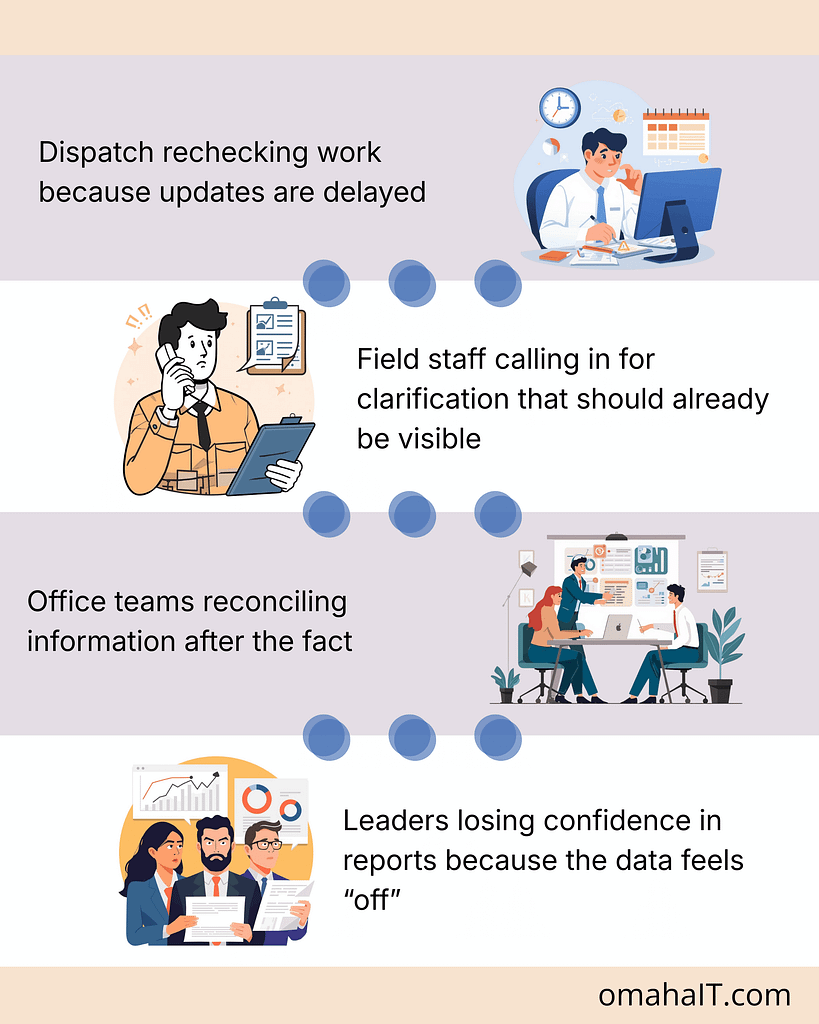
None of these are dramatic. But together, they erode trust in systems — and eventually, in decisions made from them.
What Stable IT Actually Looks Like in a Skilled Trade Business
This is where the conversation usually shifts.
Stable IT isn’t about having the newest tools or the most software. It’s about predictability.
In a stable skilled trade environment:
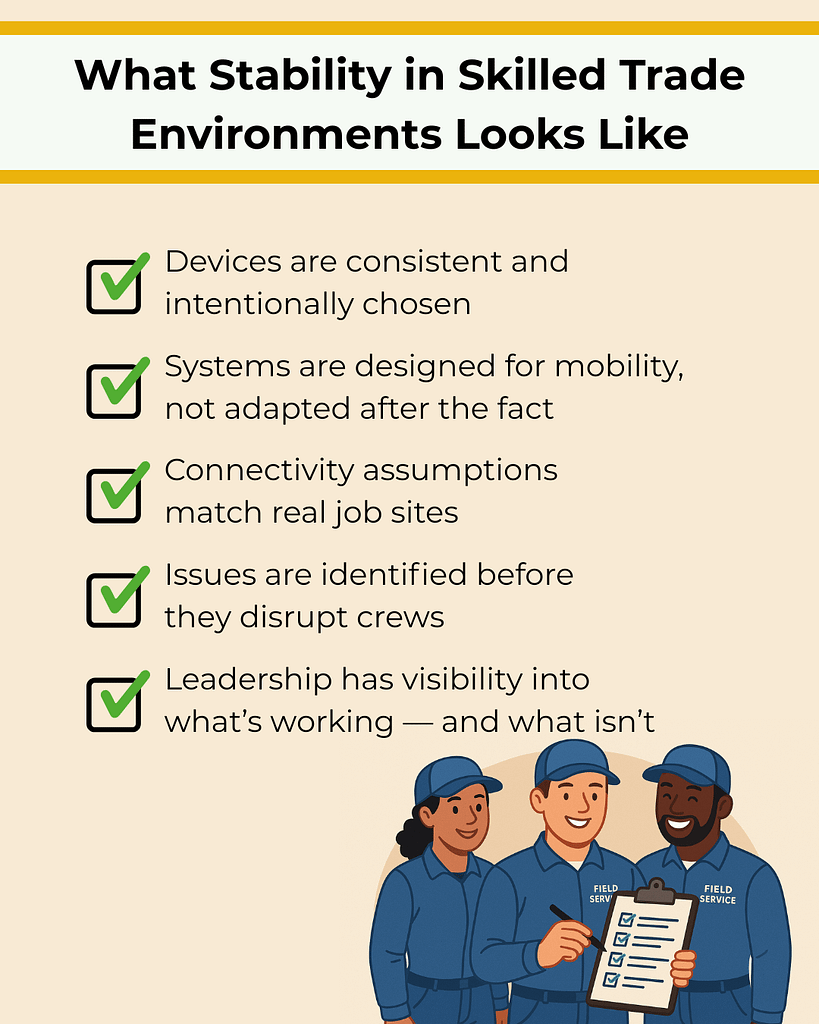
Stability shows up as fewer interruptions, clearer handoffs, and teams spending less time compensating for technology.
Stable IT doesn’t draw attention to itself. It just lets work move.
Stability Is a Leadership Decision, Not a Technology Upgrade
One of the biggest misconceptions is that IT stability comes from adding or replacing tools.
In reality, it comes from:
- Planning instead of reacting
- Understanding how work actually flows
- Making intentional decisions about systems and standards
- Treating IT as operational infrastructure, not just support
This is where leadership involvement matters. Not to choose software — but to define what reliability should look like for the business.
How to Reduce IT Friction Without Disrupting Operations
Improving stability doesn’t require ripping everything out or slowing teams down.
It starts with clarity:
- Where does instability show up most often?
- Which systems crews rely on daily?
- Where are people compensating manually?
- What assumptions no longer match reality?
From there, progress becomes intentional rather than reactive.
This approach is how skilled trade organizations move from constant fixing to quiet reliability — without adding chaos in the process.
Start With Clarity, Not Another Tool
If IT feels unreliable, the first step isn’t adding more technology.
It’s understanding where instability actually lives — and why.
A clear view of your systems, workflows, and assumptions makes it easier to decide what to fix, what to standardize, and what to leave alone.
That’s how stability starts.

Frequently Asked Questions
1. What are the most common IT challenges in skilled trades?
The most common issues involve device reliability, inconsistent connectivity, data syncing between field and office, and systems that weren’t designed for mobile workflows.
2. Why does IT feel less reliable for mobile crews?
Because many IT environments are built around office-based assumptions. When teams work across trucks, job sites, and remote locations, those assumptions break down.
3. How is skilled trade IT support different from office IT?
Skilled trade IT support must account for mobility, inconsistent environments, and workflow timing — not just devices and software.
4. What causes mobile workforce IT issues to persist?
Lack of standardization, reactive support models, and limited visibility into how systems perform in real-world conditions.
5. How can skilled trade companies improve IT stability?
By aligning IT decisions with actual workflows, standardizing devices and systems, and focusing on prevention and visibility rather than just response.