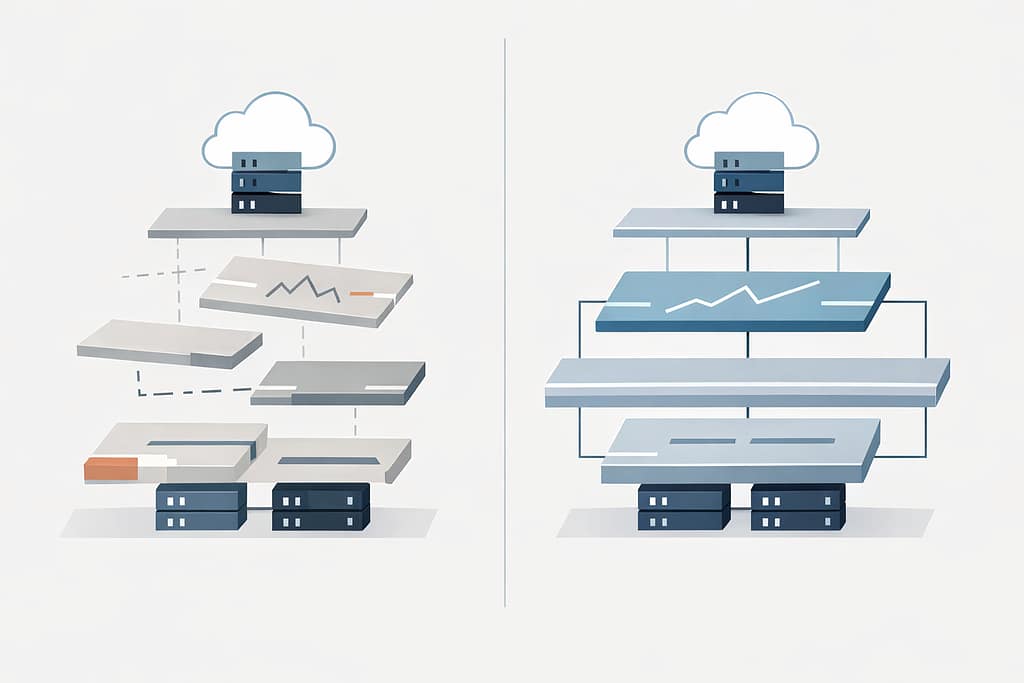
Let’s face it—most business leaders don’t wake up thinking about IT models.
You notice IT when something breaks. When systems slow down. When staff can’t log in. When a small issue turns into a day-long disruption.
And when that happens, it often feels like IT is constantly in reaction mode—even if you’re paying for support.
That’s where the real question shows up, usually unspoken:
Are we operating with proactive IT—or are we still stuck in reactive IT support?
The difference between the two isn’t about tools, buzzwords, or pricing tiers. It shows up in how your business operates day to day, how predictable your systems feel, and how often leadership gets pulled into preventable problems.
This is what proactive IT vs reactive IT actually looks like in real life.
Table of Contents
What “Reactive IT” Looks Like in Day-to-Day Operations
Reactive IT support is familiar because most businesses have lived with it.
Something goes wrong.
A ticket is opened.
A technician responds.
The immediate issue is fixed.
On the surface, it feels functional. Sometimes even fast.
But zoom out, and patterns start to appear.
- The same types of issues resurface every few months
- Updates happen after something breaks
- Security changes are triggered by incidents, not planning
- Leadership gets involved only when the situation escalates
Reactive IT focuses on restoring function, not improving the system.
And that’s the key distinction.
In a reactive model, IT is measured by response:
- How fast was the issue resolved?
- Was the system brought back online?
- Did users get back to work?
What rarely gets addressed is why the issue happened in the first place—or what conditions allowed it to happen again.
Why Reactive IT Support Always Feels Urgent
Reactive IT isn’t ineffective because technicians aren’t capable.
It feels urgent because the model itself is built around urgency.
When support is triggered only by problems:
- Every issue competes for attention
- Prioritization is driven by pain, not risk
- Small issues quietly stack until they become disruptive
This is where many leaders feel stuck.
From their perspective:
- IT is “handled,” but never feels settled
- Budgets fluctuate based on incidents
- Planning conversations are replaced by emergency decisions
Over time, reactive IT creates a cycle where leadership is constantly responding instead of steering.
And the business adapts around that instability—often without realizing it.
What Proactive IT Services Change Behind the Scenes
Proactive IT services shift the focus from incidents to intentional system design.
The goal isn’t to eliminate every issue.
It’s to reduce uncertainty, surface risk early, and make technology predictable enough that leadership can plan around it.
Behind the scenes, proactive IT looks like:
- Monitoring systems for trends, not just failures
- Applying updates and maintenance on a schedule—not after disruption
- Reviewing access, backups, and configurations before they’re tested by an incident
- Aligning IT decisions with how the business actually operates
The most important difference?
Problems are addressed when they’re still small, quiet, and inexpensive.
That’s rarely visible to end users—but it’s deeply felt by leadership.
Proactive IT vs Reactive IT: The Difference Leaders Actually Feel
From a leadership perspective, the difference between proactive IT vs reactive IT isn’t technical. It’s operational.
With reactive IT:
- IT conversations happen when something is already wrong
- Decisions are rushed
- Risk is discovered after impact
- Technology feels unpredictable
With proactive IT:
- IT discussions happen before disruption
- Decisions are made with context
- Risk is visible, not surprising
- Technology becomes a stabilizing force instead of a variable
Leaders don’t suddenly “think about IT more.”
They think about it less—because it stops interrupting everything else.
Managed IT vs Break Fix: Where Most Businesses Get Stuck
Many businesses believe they’ve moved past break-fix simply because they pay a monthly fee.
But managed IT vs break fix isn’t just about billing structure—it’s about intent.
You can have a managed services contract and still operate reactively if:
- Monitoring exists but insights aren’t acted on
- Reports are delivered but not translated into decisions
- Support is consistent, but planning is absent
True proactive IT requires more than tools and tickets.
It requires:
- Regular review of systems and risks
- Alignment between IT activity and business priorities
- Someone accountable for seeing the whole picture—not just individual issues
Without that, “managed” IT becomes reactive IT with better packaging.
How to Tell Which IT Support Model You’re Really Using
If you’re unsure where your organization falls, ask yourself a few practical questions:
- Do IT conversations mostly happen after problems occur?
- Are system improvements driven by incidents rather than planning?
- Does leadership get visibility into risk before it becomes disruption?
- Is there a clear understanding of why certain IT decisions are made?
If the answers lean toward reaction, urgency, or uncertainty, the model is likely reactive—regardless of how it’s labeled.
Proactive IT support models feel quieter, calmer, and more deliberate.
Not because nothing ever goes wrong—but because fewer things catch you off guard.
Why This Difference Matters More as Businesses Grow
Smaller organizations can sometimes tolerate reactive IT longer than they should.
But as businesses grow:
- Systems become more interconnected
- Downtime affects more people
- Security gaps carry larger consequences
- IT decisions ripple across departments
What once felt manageable becomes expensive, risky, and distracting.
Proactive IT services help organizations scale without scaling chaos.
They introduce structure where growth naturally creates complexity.
What “Good” Proactive IT Actually Looks Like
At its best, proactive IT doesn’t feel like a service—it feels like clarity.
- Leadership understands where risk lives
- Systems are designed intentionally, not inherited accidentally
- IT decisions support business goals instead of competing with them
- Technology becomes predictable enough to trust
This level of maturity doesn’t come from stacking more tools or reacting faster.
It comes from stepping back and asking better questions:
- What are we trying to protect?
- What can fail quietly before it fails loudly?
- What does stability actually require in our environment?
Frequently Asked Questions
1. What is the difference between proactive IT and reactive IT?
Reactive IT responds to issues after they occur. Proactive IT focuses on preventing issues, reducing risk, and designing systems intentionally so fewer disruptions happen in the first place.
2. Is proactive IT worth the cost?
For growing businesses, proactive IT often reduces long-term costs by preventing downtime, minimizing emergency fixes, and enabling better planning. The value is stability and predictability—not just faster fixes.
3. Can reactive IT ever be enough?
In very small or low-risk environments, reactive IT may be temporarily sufficient. As complexity, compliance, or reliance on technology increases, reactive models tend to create hidden risk and operational friction.
4. How do I know if my IT provider is proactive?
Proactive IT providers discuss risk, planning, and system improvements before incidents occur. If conversations only happen when something breaks, the model is likely reactive.
5. What does proactive IT look like in practice?
In practice, proactive IT includes scheduled maintenance, system monitoring, risk reviews, and ongoing alignment between technology decisions and business needs—without constant disruption.
A Better Starting Point: Clarity Before Change
Understanding proactive IT vs reactive IT isn’t about choosing a label.
It’s about understanding how technology actually behaves inside your business.
Before making changes, it helps to gain visibility:
- Where risk lives today
- Which issues are recurring—and why
- What stability would look like if systems were designed intentionally
That clarity is often the first step toward quieter operations, fewer surprises, and technology that supports growth instead of interrupting it. If you’re ready to understand what’s really happening inside your environment, start there.
