IT Strategy & Planning

Illustration of a broken chain link between cloud storage and on-premise servers, representing failure points in a Backup and Recovery Strategy and the risk of relying on a single recovery path.

Backup and Recovery Strategy: Why Backups Fail

Let’s walk through a moment that feels routine — until it isn’t.

A system crashes.

Maybe it’s ransomware. Maybe it’s a failed update. Maybe it’s just corruption.

Someone says, “We’re fine. We have backups.”

Restore begins.

Then the delay stretches.
Files are missing.
The restore fails.
Or worse — it completes, but the system doesn’t function properly.

That’s when most organizations realize they didn’t have a backup and recovery strategy.

They had backup jobs.

According to Veeam’s 2023 Data Protection Trends Report, 21% of enterprise recovery attempts fail due to corrupted or incomplete backups. Nearly one in five restore attempts does not succeed when it’s needed most.

That’s not a technical issue.

That’s an operational risk.

The Real Problem: Backup Success Is Not Recovery Success

Backup software tells you when a job completes.

It does not guarantee recoverability.

Recovery fails because:

  • Critical directories weren’t included
  • Configuration changes broke coverage
  • Retention rules removed needed restore points
  • Corruption went undetected
  • New systems were never added to the job

A strong backup and recovery strategy assumes drift will happen.

Systems change. Teams grow. Cloud apps are added. Infrastructure evolves.

If your backup plan doesn’t evolve with it, failure becomes statistical — not accidental.

Automation Without Oversight Creates Silent Gaps

Modern environments rely on automation.

But automation without monitoring creates invisible risk.

Backups degrade when:

  • Storage fills without alerting
  • Backup agents stop reporting
  • Virtual machines aren’t enrolled
  • SaaS workloads are excluded
  • Configuration updates break schedules

Industry findings consistently show organizations assume automation equals protection.

It doesn’t.

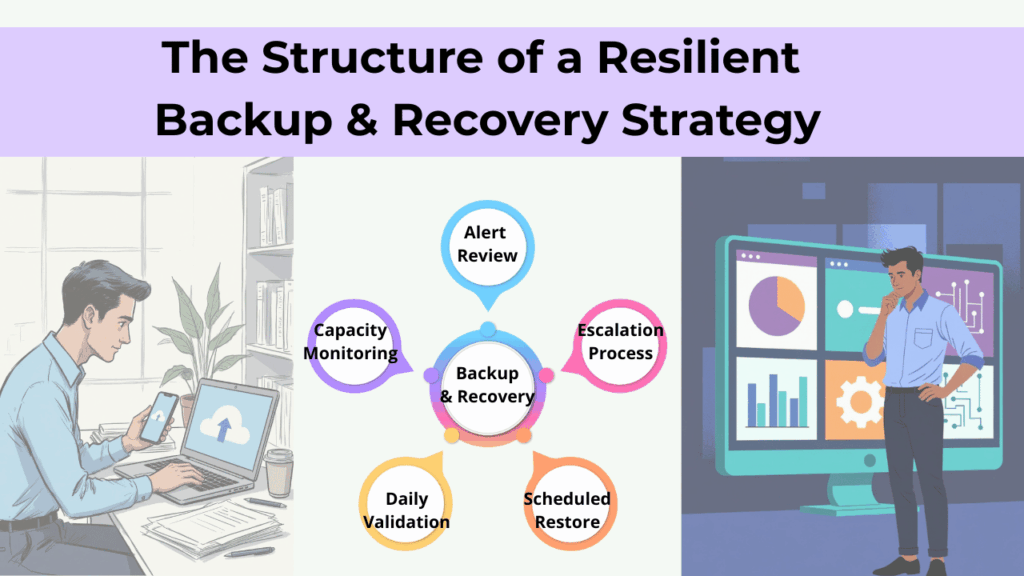
Diagram titled “The Structure of a Resilient Backup & Recovery Strategy” showing alert review, capacity monitoring, daily validation, escalation process, and scheduled restore surrounding a central backup and recovery system.

A resilient backup and recovery strategy includes:

  • Daily validation of backup jobs – confirms backups completed successfully and captured all required data.
  • Capacity monitoring – prevents storage limits from silently breaking backup coverage.
  • Alert review – ensures errors and warnings are investigated, not ignored.
  • Escalation processes – defines who responds and how quickly when backup issues occur.
  • Scheduled restore verification – regularly tests recovery to confirm data is actually usable.

Automation handles repetition. Strategy handles accountability.

Human Error Breaks Backup Systems More Often Than Hardware

human error 1

When restore attempts fail, leaders often assume infrastructure failure.

In reality, misconfiguration and oversight are more common causes.

Examples include:

  • Incorrect retention policies
  • Deleted backup definitions
  • Permission misalignment
  • Poor documentation
  • Untracked infrastructure changes

As environments grow, complexity compounds.

Without standardized processes and documented oversight, backups become dependent on individual memory — and memory is not a strategy.

A mature backup and recovery strategy reduces human-dependent failure points by:

  • Formalizing change control
  • Centralizing monitoring
  • Enforcing configuration standards
  • Limiting administrative access

That’s how resilience scales.

Ransomware Now Targets Backups First

The threat landscape has shifted.

Attackers don’t stop at encrypting production systems. They deliberately seek out backup repositories and credentials.

If backups are compromised, organizations face:

  • Paying ransom
  • Permanent data loss
  • Extended downtime
  • Regulatory and reputational damage

Modern ransomware backup protection requires:

  • Immutable backups (cannot be altered or deleted)
  • Offsite or air-gapped copies
  • Segmented administrative credentials
  • Multi-layered access control

If attackers can erase your recovery path, recovery becomes negotiation.

A real backup and recovery strategy assumes adversaries understand backup architecture — and designs accordingly.

Backups Without Testing Are a Liability

Having backups is not preparedness. Testing is.

Backup recovery testing answers questions leadership rarely sees documented:

  • How long does full recovery actually take?
  • Do restored systems function properly?
  • Are integrations intact?
  • Can SaaS and cloud workloads be restored independently?

Without testing, backups are theoretical.

A mature backup and recovery strategy includes:

  • Scheduled restore drills
  • Failover simulations
  • Validation across cloud, physical, and SaaS systems
  • Documented recovery timelines

Preparedness is proven under controlled stress — not assumed from green checkmarks.

Recovery Time Is the Hidden Cost Leaders Underestimate

Even when backups work, recovery delays compound quickly.

Operational disruptions cascade:

  • Teams wait on file access
  • Customer responses slow
  • Complaints increase
  • Revenue cycles stall

Industry operational analyses consistently show that even modest downtime produces measurable downstream effects.

A strategic backup and recovery strategy defines:

  • Recovery Time Objectives (RTO)
  • Recovery Point Objectives (RPO)
  • System restoration priority
  • Escalation workflows

Without defined expectations, downtime expands beyond what leadership anticipates.

Growth Quietly Breaks Backup Design

One of the most overlooked risks?

Business growth.

You added:

  • Remote workers
  • SaaS applications
  • Hybrid cloud environments
  • Larger datasets
  • Additional endpoints

But your backup architecture stayed the same.

Backup systems must scale alongside business complexity.

If they don’t, coverage gaps form silently — and surface only during failure.

A resilient backup and recovery strategy evolves continuously with:

  • Infrastructure expansion
  • Workforce shifts
  • Regulatory requirements
  • Data growth

Static design in a dynamic environment guarantees drift.

What a Mature Backup and Recovery Strategy Looks Like

Baseline resilience includes:

✓ Redundant backups
✓ Offsite copies
✓ Encryption at rest and in transit
✓ Defined retention policies

More mature environments include:

✓ Immutable backup storage
✓ Air-gapped or logically isolated copies
✓ Routine backup recovery testing
✓ Documented disaster recovery planning
✓ Continuous monitoring and alerting
✓ Defined RTO and RPO targets
✓ Coverage for SaaS and remote endpoints

The difference isn’t technical sophistication. It’s intentional alignment between risk and recovery capability.

The Question Leadership Should Be Asking

Not:

“Do we have backups?”

Instead:

  • When was our last full restore test?
  • Are backups protected against ransomware deletion?
  • Are all cloud systems included?
  • What is our realistic recovery time?
  • Who validates backup integrity daily?

If those answers aren’t clear, your recovery risk likely isn’t either.

Backups are tasks.

A backup and recovery strategy done right by a proactive managed IT service provider is operational confidence.

Frequently Asked Questions

1. What is a backup and recovery strategy?

A backup and recovery strategy is a structured plan for capturing, protecting, verifying, and restoring business data and systems after disruption.

2. Why do backups fail even when software says they succeeded?

Backup software confirms completion, not recoverability. Failures often stem from incomplete data sets, misconfiguration, or lack of testing.

3. How often should backup recovery testing occur?

Critical systems should be tested at least quarterly, with more frequent validation in complex or high-risk environments.

4. How does ransomware affect backups?

Modern ransomware actors target backup repositories to eliminate recovery options. Immutable and offsite backups reduce this risk.

5. Is backup the same as disaster recovery planning?

No. Backup copies data. Disaster recovery planning defines how and how quickly systems are restored to resume operations.

Closing Thought

Most organizations don’t discover weaknesses in their backup and recovery strategy until the moment they depend on it — often without the structure and oversight of a managed IT service.

Not because they ignored risk.

Because they assumed protection without validating recovery.

Clarity before crisis is far less expensive than recovery after failure.

Professional man using a tablet in an office setting with “Get in touch with our team” and InfiNet branding.

Backup and Recovery Strategy: Why Backups Fail Read More »

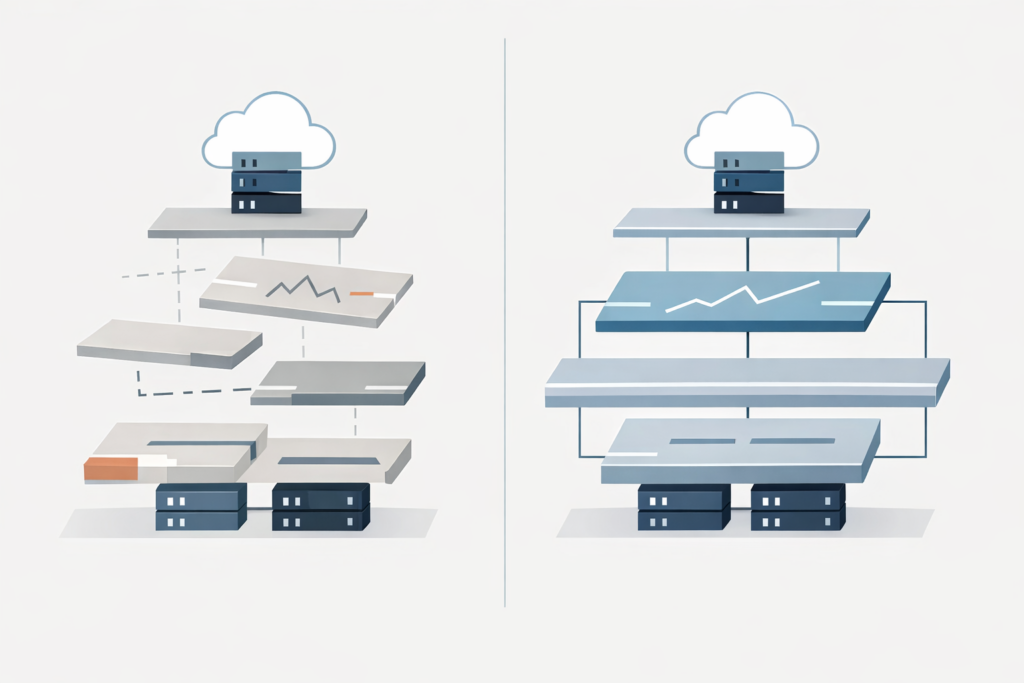
Diagram illustrating proactive IT vs reactive IT, contrasting an organized technology stack with a fragmented, reactive setup.

Proactive IT vs Reactive IT: The Costly Difference

Most business leaders don’t wake up thinking about IT models.

You notice IT when something breaks. When systems slow down. When staff can’t log in. When a small issue turns into a day-long disruption.

And when that happens, it often feels like IT is constantly in reaction mode—even if you’re paying for support.

That’s where the real question shows up, usually unspoken:

Are we operating with proactive IT—or are we still stuck in reactive IT support?

The difference between the two isn’t about tools, buzzwords, or pricing tiers. It shows up in how your business operates day to day, how predictable your systems feel, and how often leadership gets pulled into preventable problems.

This is what proactive IT vs reactive IT actually looks like in real life.

What “Reactive IT” Looks Like in Day-to-Day Operations

Reactive IT feels familiar because most businesses have lived with it.

  • Something breaks.
  • A ticket is opened.
  • A technician responds.
  • The immediate issue is fixed.

On the surface, it works. Sometimes it even feels fast.

But over time, patterns emerge:

  • The same issues resurface every few months
  • Updates happen after something fails
  • Security changes follow incidents, not planning
  • Leadership only gets involved when problems escalate

Reactive IT is about restoring function—not improving the system.

That’s the key difference.

In a reactive model, success is measured by response:

  • How quickly was the issue resolved?
  • Was the system brought back online?
  • Did users get back to work?

What rarely gets addressed is why the issue happened—or what made it likely to happen again.

What Proactive IT Services Change Behind the Scenes

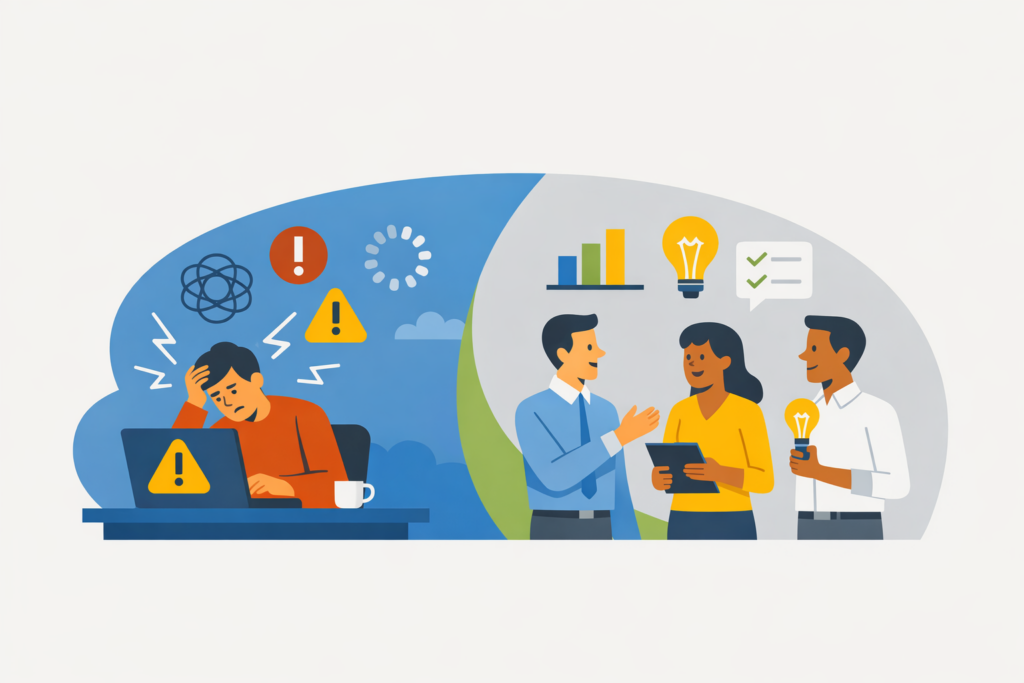
Proactive IT vs reactive IT illustrated through a connected cloud system, with professionals monitoring dashboards and workflows in real time to prevent issues rather than responding after disruptions occur.

Proactive IT services shift the focus from incidents to intentional system design.

The goal isn’t to eliminate every issue.
It’s to reduce uncertainty, surface risk early, and make technology predictable enough that leadership can plan around it.

Behind the scenes, proactive IT looks like:

  • Monitoring systems for trends, not just failures
  • Applying updates and maintenance on a schedule—not after disruption
  • Reviewing access, backups, and configurations before they’re tested by an incident
  • Aligning IT decisions with how the business actually operates

The most important difference?

Problems are addressed when they’re still small, quiet, and inexpensive.

That’s rarely visible to end users—but it’s deeply felt by leadership.

Proactive IT vs Reactive IT: The Difference Leaders Actually Feel

From a leadership perspective, the difference between proactive IT vs reactive IT isn’t technical. It’s operational.

With reactive IT:

  • IT conversations happen when something is already wrong
  • Decisions are rushed
  • Risk is discovered after impact
  • Technology feels unpredictable

With proactive IT:

  • IT discussions happen before disruption
  • Decisions are made with context
  • Risk is visible, not surprising
  • Technology becomes a stabilizing force instead of a variable
Comparison of proactive IT vs reactive IT from a leadership perspective, showing reactive IT with delayed responses, rushed decisions, and post-incident risk, versus proactive IT where risks are identified early, decisions are informed, and technology supports stable operations.

Leaders don’t suddenly “think about IT more.”
They think about it less—because it stops interrupting everything else.

What “Good” Proactive IT Actually Looks Like

At its best, proactive IT doesn’t feel like a service—it feels like clarity.

  • Leadership understands where risk lives
  • Systems are designed intentionally, not inherited accidentally
  • IT decisions support business goals instead of competing with them
  • Technology becomes predictable enough to trust

This level of maturity doesn’t come from stacking more tools or reacting faster.

It comes from stepping back and asking better questions:

  • What are we trying to protect?
  • What can fail quietly before it fails loudly?
  • What does stability actually require in our environment?

A Better Starting Point: Clarity Before Change

Understanding proactive IT vs reactive IT isn’t about choosing a label.
It’s about understanding how technology actually behaves inside your business.

Before making changes, it helps to gain visibility:

  • Where risk lives today
  • Which issues are recurring—and why
  • What stability would look like if systems were designed intentionally

That clarity is often the first step toward quieter operations, fewer surprises, and technology that supports growth instead of interrupting it. If you’re ready to understand what’s really happening inside your environment, start there.

Professional man using a tablet in an office setting with “Get in touch with our team” and InfiNet branding.

Frequently Asked Questions

1. What is the difference between proactive IT and reactive IT?

Reactive IT responds to issues after they occur. Proactive IT focuses on preventing issues, reducing risk, and designing systems intentionally so fewer disruptions happen in the first place.

2. Is proactive IT worth the cost?

For growing businesses, proactive IT often reduces long-term costs by preventing downtime, minimizing emergency fixes, and enabling better planning. The value is stability and predictability—not just faster fixes.

3. Can reactive IT ever be enough?

In very small or low-risk environments, reactive IT may be temporarily sufficient. As complexity, compliance, or reliance on technology increases, reactive models tend to create hidden risk and operational friction.

4. How do I know if my IT provider is proactive?

Proactive IT providers discuss risk, planning, and system improvements before incidents occur. If conversations only happen when something breaks, the model is likely reactive.

5. What does proactive IT look like in practice?

In practice, proactive IT includes scheduled maintenance, system monitoring, risk reviews, and ongoing alignment between technology decisions and business needs—without constant disruption.

Proactive IT vs Reactive IT: The Costly Difference Read More »

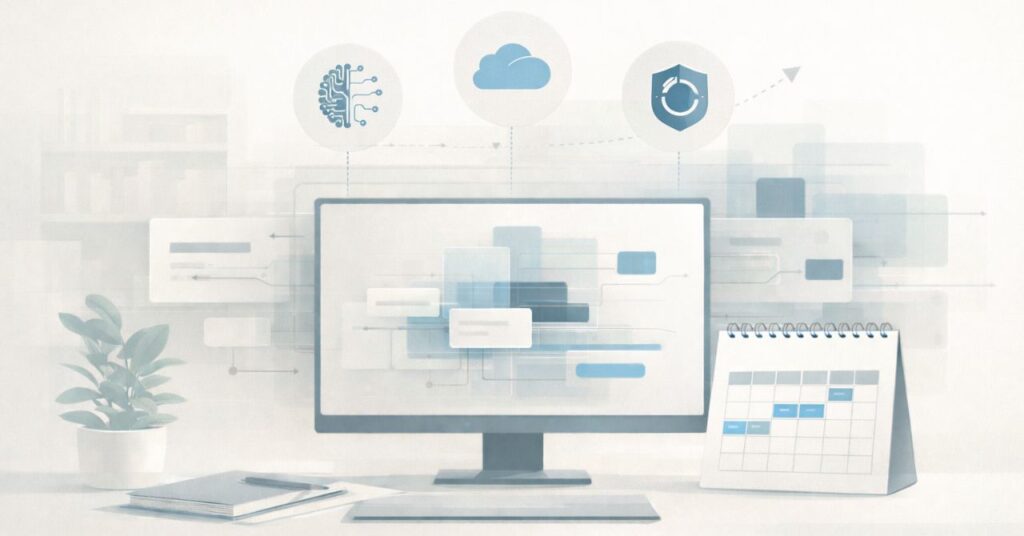
Flat illustration of a calm, modern IT planning workspace with a central monitor showing layered system blocks, a desk calendar indicating future timelines, and subtle icons representing AI, cloud services, and data backup. Muted colors and clean lines emphasize structure, readiness, and forward-looking planning.

2026 IT Planning for Omaha Businesses: What Matters Most

As 2025 winds down, many Omaha small and mid-sized businesses are already looking ahead to 2026 IT planning for Omaha businesses—especially when it comes to budgeting, infrastructure, and long-term technology decisions.

And they should.

The pace of change has shifted from “fast” to “blink and suddenly you’re navigating new cybersecurity requirements, rising costs, and more operational complexity than expected.”

Cyber Insurance Isn’t Optional — And Requirements Are Getting Tougher

Carriers aren’t playing anymore.

Expect 2026 policies to require:

  • Mandatory MFA across all apps
  • EDR (think SentinelOne, Huntress, etc.)
  • Encrypted backups
  • Documented incident response plans
  • Proof that you actually test your backups

If you can’t check these boxes, you’ll either pay more… or be denied.

Omaha SMBs should get ahead of this now while the requirements are still manageable.

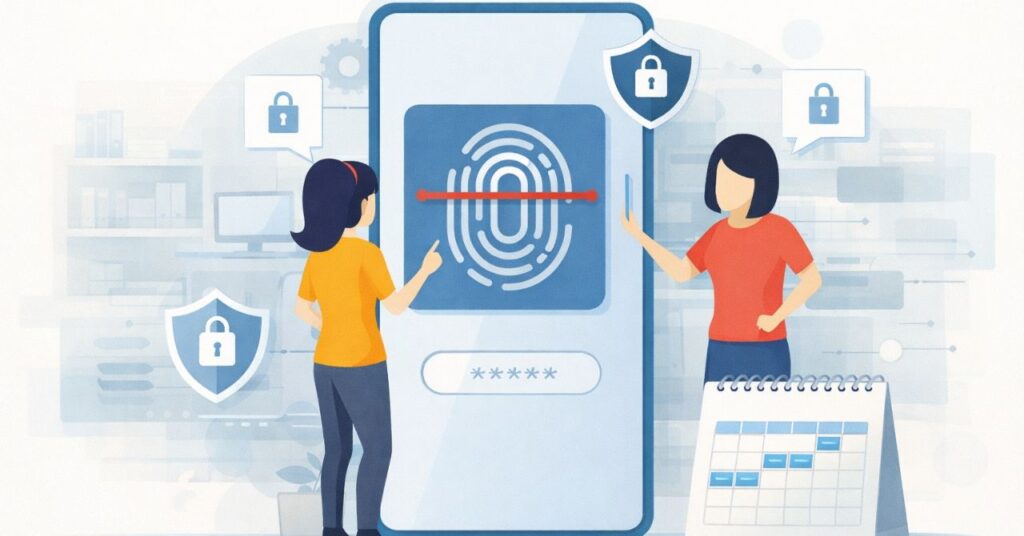
Illustration of multi-factor authentication on a mobile device, representing cybersecurity planning and identity security for 2026 IT planning for Omaha businesses.
Illustration representing written policies and documentation, supporting AI governance and planning in 2026 IT planning for Omaha businesses.

AI Tools Are Becoming Practical — But Also Risky

By 2026, AI won’t be “cool extra functionality.”
It’ll be baked into everything:

  • email triage
  • ticket deflection
  • quality control
  • meeting summarization
  • client communication
  • data analytics

But here’s the twist: the more AI you use, the more data governance and security of AI-connected apps matter.

Businesses should start setting policies NOW for:

  • what data AI tools can access
  • what tools are allowed
  • where proprietary files can (and cannot) go
  • how vendors handle retention

Your staff WILL adopt AI — with or without permission.
Better to make a plan before chaos unfolds.

Illustration representing written policies and documentation, supporting AI governance and planning in 2026 IT planning for Omaha businesses.
Cloud computing illustration representing Microsoft 365 services, storage, and increasing cloud costs.

Microsoft 365 & Cloud Costs Are Going Up

Not a scare tactic — a trend.

Across 2024–2025, Microsoft, Google, and most SaaS vendors introduced global price increases tied to:

  • added security tooling
  • increased storage
  • currency adjustments
  • bundled AI features

2026 will almost certainly continue that movement.

To prepare:

  • Audit who actually needs which license
  • Remove stale accounts
  • Adjust sharing/storage policies
  • Clean up unused services
  • Budget for cloud cost optimization
Illustration showing review of cloud services and licenses for cost optimization.
Visual symbolizing Azure Active Directory and cloud identity supporting hybrid work environments.

The Traditional Office Network Is Changing

By 2026, hybrid work will be the norm — even among Omaha businesses.

That means:

  • fewer on-prem servers
  • more cloud identity (Azure AD)
  • better VPN replacement tools
  • device management (Intune)
  • stronger remote monitoring

Businesses should plan for an environment where any employee, on any device, from any location still has to meet the same security standards.

This requires a different IT architecture than 2018.

Backup & Disaster Recovery Needs to Be Faster

For 2026, we’re recommending businesses move toward:

  • immutable backups
  • cloud-to-cloud replication
  • tested recovery timelines
  • documented failover plans
  • offsite + in-tenant redundancy

If your last backup test was “we think it’s fine,” 2026 will not be kind to you.

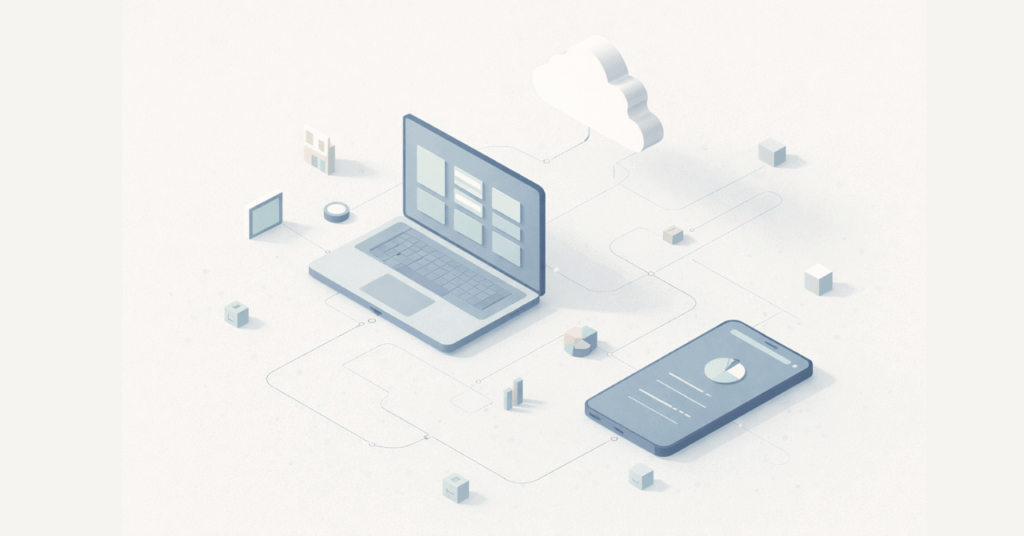
Cloud backup and disaster recovery illustration showing data replication across devices.
Role-based access control illustration representing identity and access management.

Businesses should prioritize:

  • passwordless options
  • strong MFA
  • conditional access rules
  • SSO consolidation
  • role-based access reviews
  • employee offboarding workflows

Your firewall matters.
Your identity architecture matters more.

Legacy Line-of-Business Apps Will Become a Liability

If you’re running something old, unsupported, or duct-taped onto Windows 11 “hoping it holds,” 2026 is the year that breaks you.

Vendors are aggressively sunsetting:

  • old databases
  • old client-server apps
  • outdated accounting systems
  • unsupported medical, real estate, or manufacturing software

Plan ahead so you’re not scrambling when updates are no longer optional.

Flat, muted illustration of a vintage desktop computer with a CRT monitor and base unit, shown front-on with a blank screen, representing legacy systems or outdated technology.

2026 Belongs to the Businesses Who Prepare Now

The companies that thrive in Omaha next year won’t be the ones with the fanciest tools —
they’ll be the ones with a clear plan, secure systems, and technology that actually supports their operations.

If you want help building a 2026 IT strategy — cybersecurity, cloud, Microsoft 365, backups, AI policy, budgeting — we’re here for you.

Flat-style digital illustration of an IT professional using a tablet in a calm, modern office. In the background, multiple workstations display structured system dashboards. Text reads: “Get in touch with our team.” InfiNet logo shown.

2026 IT Planning for Omaha Businesses: What Matters Most Read More »

Talk to our Team