Cybersecurity & Risk

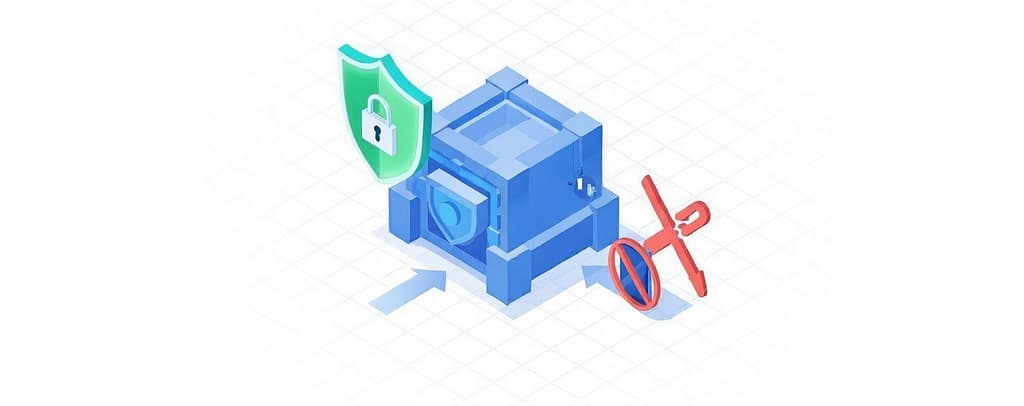
A cracked MFA shield next to a login warning icon, illustrating that MFA isn’t enough to protect against modern authentication threats.

MFA Isn’t Enough: What Businesses Need Beyond MFA to Stay Secure

Multi‑Factor Authentication (MFA) used to be the gold standard for preventing unauthorized access. But as threat actors have evolved, many businesses are learning the hard way that MFA isn’t enough anymore.

In reality, modern breaches don’t start with someone “breaking in.” They start with someone logging in.

The latest research shows cybercriminals now routinely bypass MFA using techniques such as phishing-as-a-service, MFA fatigue, session hijacking, and token theft.

Why MFA Isn’t Enough Anymore

Multi-Factor Authentication still matters. It stops a large volume of basic attacks. But professional cybercriminals don’t rely on basic tactics — and they haven’t for years.

Attackers Have Adapted Faster Than Defenses

Today’s attacks are designed specifically to defeat MFA, not avoid it.

Common techniques now include:

  • MFA fatigue attacks, where users are flooded with push notifications until one gets approved
  • Real-time phishing, where attackers capture login sessions and MFA tokens as they’re used
  • Session hijacking, which allows access after MFA has already been completed
  • SIM swapping and device compromise, intercepting one-time codes entirely
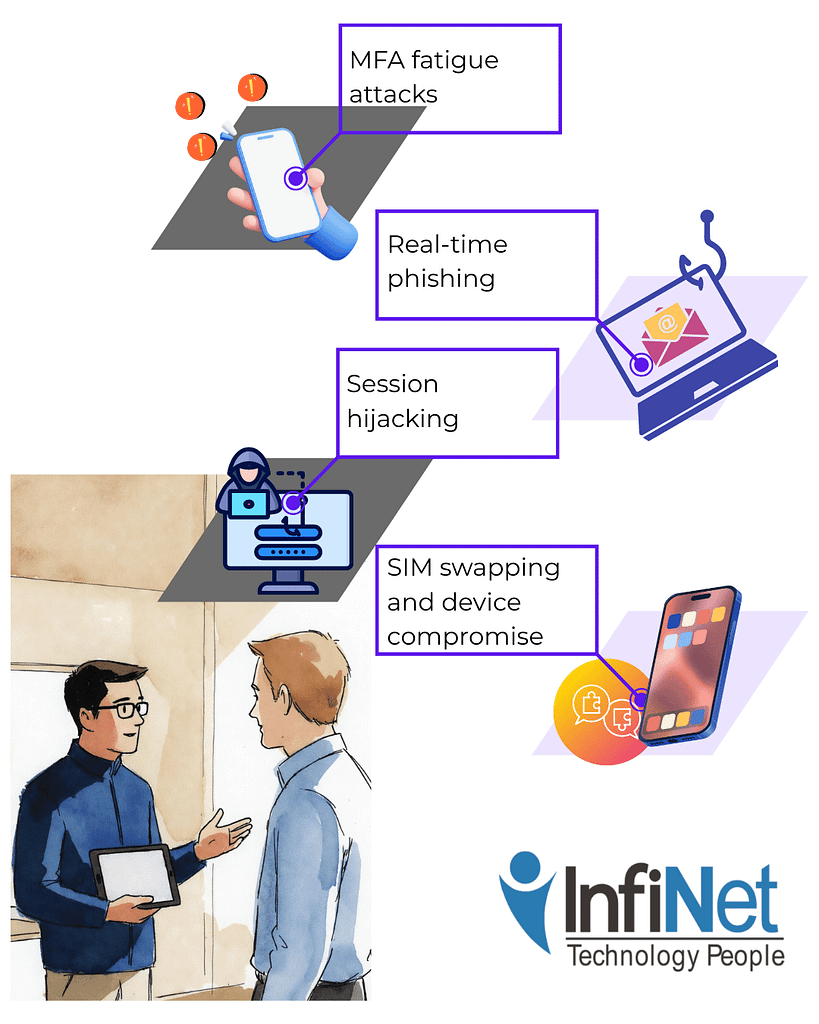
Illustration showing MFA fatigue attacks, real-time phishing, session hijacking, and SIM swapping to demonstrate why MFA isn’t enough, alongside two professionals discussing cybersecurity solutions with InfiNet's company logo displayed.

None of these rely on guessing passwords. They rely on exploiting trust, timing, and user behavior.

MFA still fires — it just fires too late.

The Attack Surface Has Quietly Expanded

Most businesses no longer operate inside a clean, controlled network.

Access now happens across:

  • Cloud applications
  • Hybrid and remote work environments
  • Personal or lightly managed devices
  • Public and home Wi-Fi networks

When MFA is applied without device controls, network context, or behavioral checks, it becomes a single gate protecting many open paths.

This is especially risky for small and mid-sized businesses, where device management and continuous monitoring are often inconsistent or fragmented.

Identity Is Now the Primary Target

Credential theft accounted for a significant portion of breaches in 2025, with billions of credentials harvested through infostealers and phishing campaigns.

Attackers don’t need malware if they can reuse valid identities.

This shift is why cyber insurance providers are no longer satisfied with “MFA enabled” as a security answer. They expect identity-aware controls that detect abuse after login — not just before it.

What Businesses Need Beyond MFA

If MFA is the lock on the door, everything below is what watches the building.

These are the layers that modern security strategies require — especially for organizations that don’t have internal security teams.
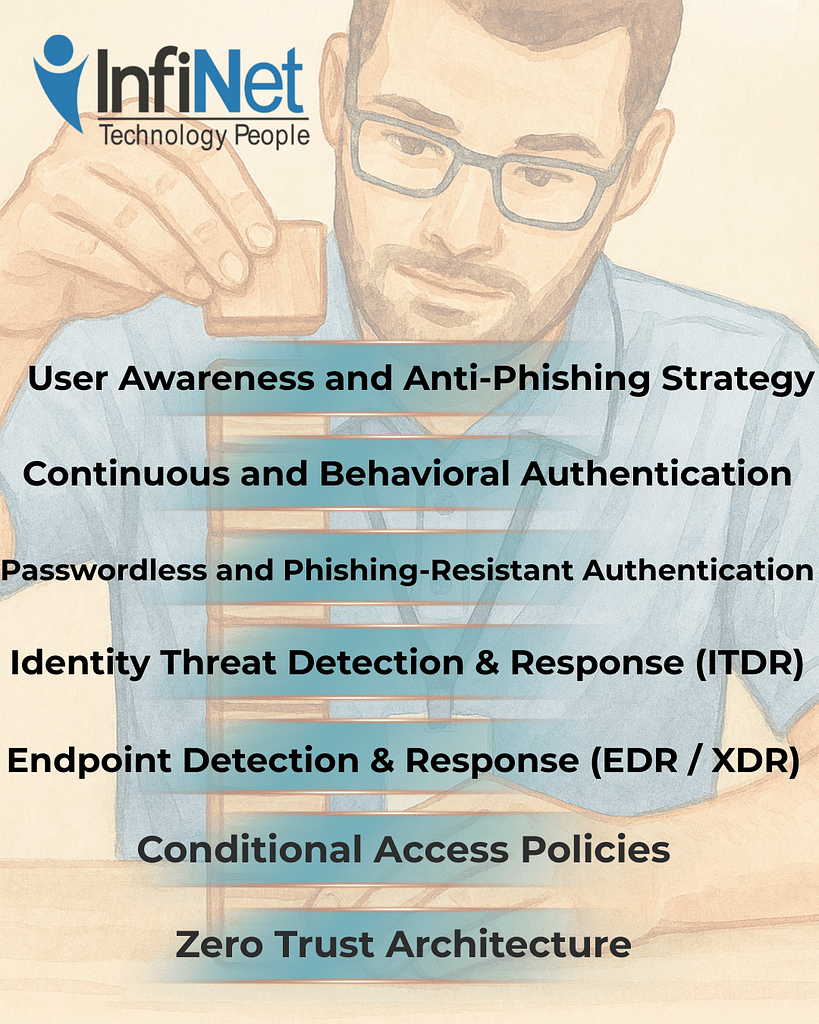
What Businesses Need Beyond MFA

1. Zero Trust Architecture

Zero Trust operates on a simple rule: never trust, always verify.

Instead of assuming a login is safe once MFA succeeds, Zero Trust continuously evaluates:

  • Who is accessing the system
  • What device they’re using
  • Where they’re connecting from
  • Whether behavior matches normal patterns

If something changes, access is restricted or challenged again.

This approach limits damage even when MFA is bypassed and aligns with established NIST security frameworks.

2. Conditional Access Policies

Conditional Access adds context to authentication decisions.

Instead of treating every login equally, access rules can:

  • Block sign-ins from unmanaged devices
  • Restrict access from risky locations
  • Require stronger verification for sensitive systems

The result isn’t more friction — it’s smarter friction, applied only when risk increases.

3. Endpoint Detection & Response (EDR / XDR)

When identity defenses fail, the endpoint becomes the last line of defense.

EDR and XDR tools monitor for:

  • Suspicious processes
  • Unauthorized privilege escalation
  • Malware and lateral movement
  • Indicators of session hijacking

These tools don’t wait for alerts from users. They watch behavior continuously and respond in real time.

4. Identity Threat Detection & Response (ITDR)

Identity Threat Detection focuses on what attackers do after they log in.

ITDR monitors for:

  • Compromised or abused accounts
  • Unusual access patterns
  • Privileged account misuse
  • Lateral movement across systems

This matters because modern attackers blend in. They use valid credentials, normal tools, and trusted access paths.

Without identity monitoring, breaches can remain invisible for weeks.

5. Passwordless and Phishing-Resistant Authentication

Not all MFA is equal.

Passwordless options like FIDO2 keys and passkeys reduce entire categories of attack, including:

  • MFA fatigue
  • Phishing token theft
  • SIM-based interception

They also simplify login experiences and reduce support tickets — a rare case where stronger security improves usability.

6. Continuous and Behavioral Authentication

Static login checks assume risk ends at authentication.

Continuous authentication assumes risk evolves.

By monitoring session behavior — typing patterns, device consistency, navigation flow — systems can detect when a session no longer looks legitimate, even if credentials were valid.

This is where authentication is heading, because attackers don’t behave like real users for long.

7. User Awareness and Anti-Phishing Strategy

AI-generated phishing now mimics internal communication styles, tone, and context.

That means annual training isn’t enough.

Effective programs include:

  • Ongoing phishing simulations
  • Social engineering awareness
  • Education tied to real attack patterns

The goal isn’t to blame users — it’s to reduce the odds that one moment of trust becomes a company-wide incident.

Why This Is Where a Managed IT Provider Matters

Tools alone don’t create security.

What businesses actually need is coordination — ensuring these layers work together and evolve as threats change.

A local Managed IT Service Provider brings:

  • Continuous monitoring of identity and endpoint threats
  • Policy tuning aligned with business operations
  • Ongoing updates to meet cyber insurance requirements
  • Rapid response when controls fail

Attackers don’t operate on office hours. Neither can effective security.

Flat-style illustration of a woman in business attire reviewing information on a tablet. She’s positioned in a quiet, professional IT office with digital displays behind her. Left side features the message: “Get in touch with our team.” InfiNet logo included.

The Bottom Line

MFA is still necessary — but MFA isn’t enough.

It blocks basic attacks. It does not stop professional ones.

Modern protection requires:

✅ Zero Trust principles

✅ Context-aware access

✅ Endpoint and identity monitoring

✅ Phishing-resistant authentication

✅ Ongoing user education

The role of your MSP isn’t to sell tools. It’s to help you understand where risk actually lives — and reduce it intentionally.

If you’re relying on MFA alone, the question isn’t if it will be bypassed. It’s whether you’ll see it happen in time.

Frequently Asked Questions

1. Is MFA still worth using?
Yes. MFA stops a large number of commodity attacks. It just can’t be the only control you rely on.

2. What does “security beyond MFA” actually mean?
It means monitoring identity, devices, and behavior continuously — not just verifying a login once.

3. Why do attackers target identities instead of systems now?
Because identities provide legitimate access. Logging in is quieter and harder to detect than breaking in.

4. Do small businesses really need Zero Trust?
Yes. Zero Trust scales well for SMBs because it reduces assumptions and limits blast radius.

5. Will cyber insurance require more than MFA?
Many providers already do, especially phishing-resistant MFA and identity controls.

6. Can an MSP manage all of this without disrupting operations?
When done intentionally, yes. The goal is fewer incidents, not more friction.

MFA Isn’t Enough: What Businesses Need Beyond MFA to Stay Secure Read More »
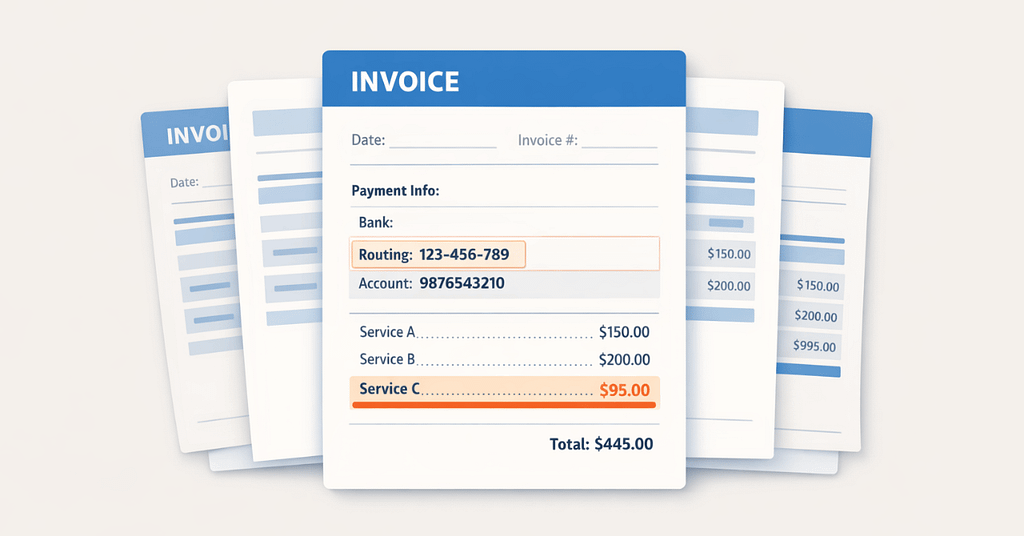
A calm, semi-flat illustration of several neatly stacked invoices, with one document showing a subtle misaligned bank detail and a highlighted routing field, representing how invoice fraud risk can appear within routine paperwork.

Invoice Fraud Risk for Resellers: Why It’s Rising and How to Reduce It

Most invoice fraud goes unnoticed at first, as it blends in with regular business activities. Invoices arrive, vendors ask for updates, and payments are prepared to meet deadlines. Sometimes, someone urgently requests a bank detail change to process an order on time; these situations should be reviewed carefully as they may signal invoice fraud risk.

This article breaks down why resellers are prime targets for invoice fraud, how modern attacks actually work, and what practical, evidence-based controls reduce risk without slowing the business down.

Why Invoice Fraud Hits Resellers First

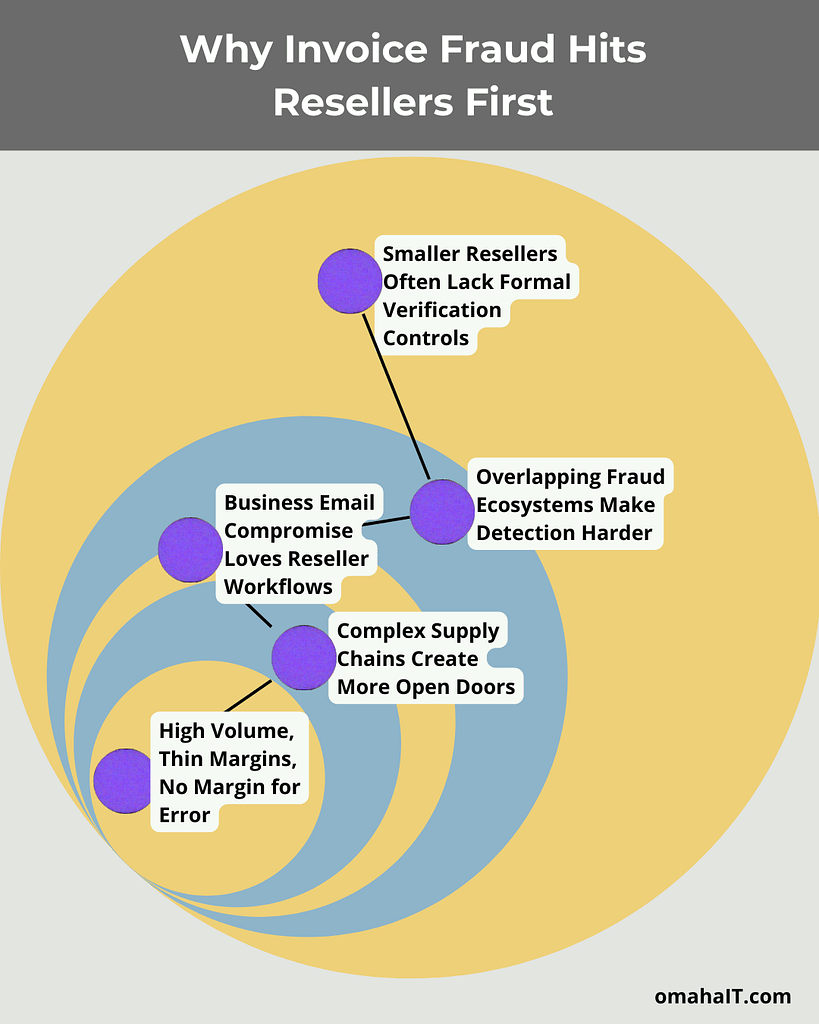
Diagram explaining invoice fraud risk for resellers, showing overlapping factors such as high invoice volume and thin margins, complex supply chains, business email compromise targeting reseller workflows, overlapping fraud ecosystems that make detection harder, and smaller resellers lacking formal verification controls.

High Volume, Thin Margins, No Margin for Error

Resellers process a high volume of transactions across multiple vendors, often with lean finance teams. That combination creates ideal conditions for fraud to blend in.

When teams are overloaded, anomalies don’t stand out — especially when fraudulent invoices closely mirror legitimate ones. And because reseller margins are often thin, one misdirected payment can have an outsized financial impact.

Complex Supply Chains Create More Open Doors

Resellers rely on layered supplier ecosystems: manufacturers, distributors, logistics partners, financing partners. Each added relationship expands the attack surface.

Attackers understand this. Instead of targeting the reseller directly, they often compromise upstream vendors, then impersonate them downstream. A familiar name and timing are usually enough.

Trust keeps supply chains moving — and that same trust becomes the vulnerability.

Business Email Compromise Loves Reseller Workflows

Invoice fraud is most commonly delivered through business email compromise (BEC). In the U.S. alone, BEC losses reach into the billions annually, and resellers are a favored target.

Why?

  • Payments are time-sensitive
  • Vendor communication is constant
  • Bank detail updates don’t feel unusual
  • Email remains the default channel for approvals

A fraudulent “payment update” request doesn’t look like an attack — it looks like daily operations.

Overlapping Fraud Ecosystems Make Detection Harder

Unauthorized reseller fraud, bulk purchasing scams, and invoice fraud increasingly overlap. The same criminal networks use:

  • Fake vendors
  • Synthetic identities
  • Impersonation tactics
  • Small, low-visibility transactions

When procurement teams already deal with chargebacks, returns, and vendor disputes, additional fraud signals are easier to miss.

Smaller Resellers Often Lack Formal Verification Controls

Large enterprises build friction into payment workflows. Many SMB resellers can’t — or haven’t yet.

Common gaps include:

  • Informal vendor onboarding
  • Single-person invoice approvals
  • Email-only payment change requests

These aren’t failures of diligence. They’re side effects of running lean — and attackers exploit that reality.

How Invoice Fraud Actually Works in Reseller Environments

Look-Alike Domains and Supplier Impersonation

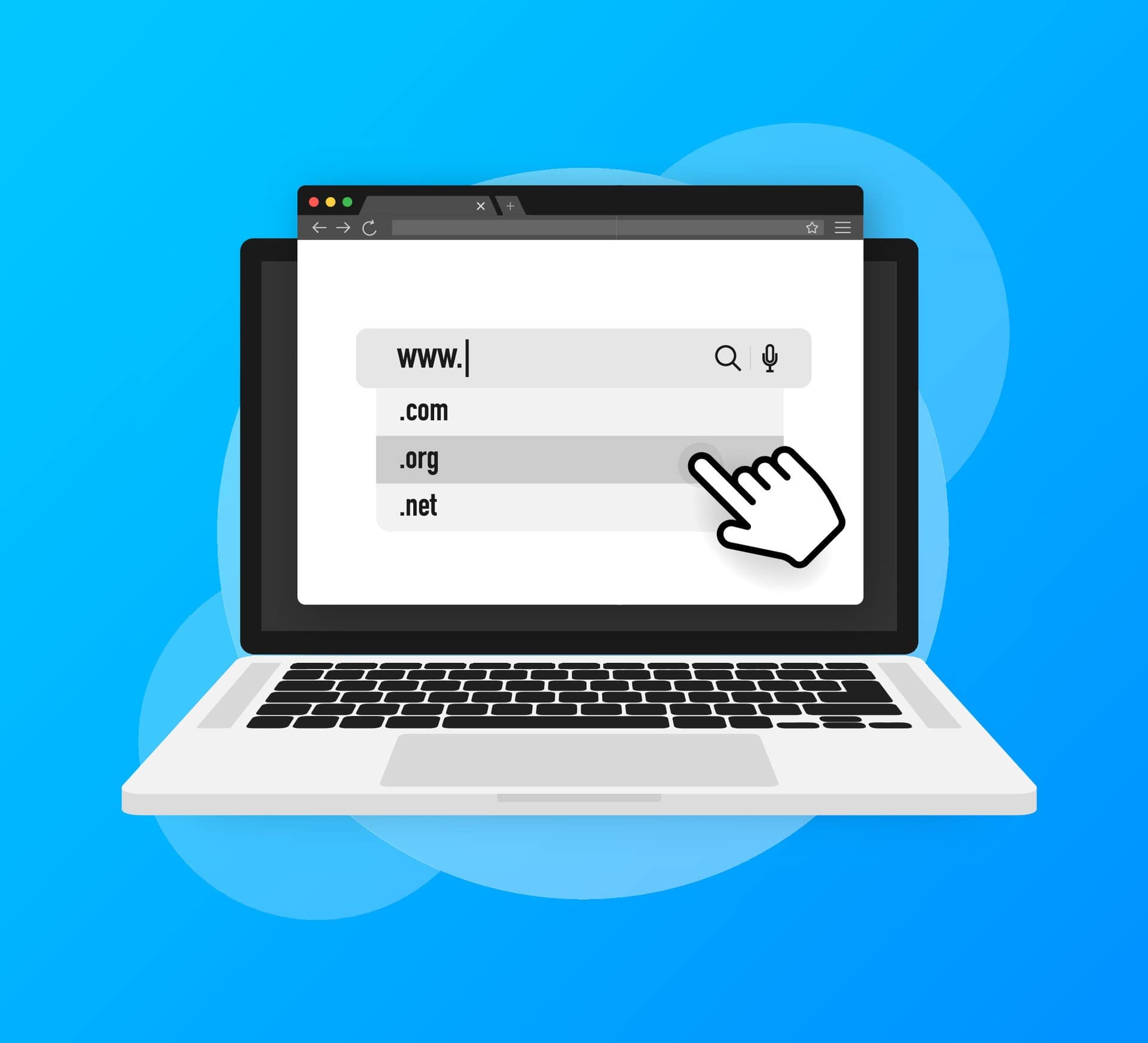
Illustration of a laptop displaying similar web domain options (.com, .org, .net) to represent look-alike domains and supplier impersonation, highlighting invoice fraud risk for accounts payable teams.

Attackers frequently register domains that differ by a single character from a real supplier’s email address. In some cases, they clone the supplier’s website and email signature entirely.

To a busy AP team, everything looks right — because it’s designed to.

Intercepted Invoices with Altered Payment Details

In many cases, the invoice itself is legitimate. The payment details are not.

After compromising a vendor’s email account, attackers modify invoices before forwarding them along. Same amounts. Same branding. Different bank account.

This is one of the most common invoice fraud patterns today — and one of the hardest to catch without process controls.

Phantom Vendors and Low-Dollar Invoices

Some fraud doesn’t target large payments at all.

Attackers create realistic but fake vendors and submit smaller invoices designed to slide under escalation thresholds. Over time, these add up — and often go undetected for months.

Illustration of a fake vendor profile labeled “FAKE” to represent phantom vendors and small fraudulent charges, highlighting invoice fraud risk from low-dollar invoices that bypass approval thresholds.

Social Engineering: Urgency Beats Accuracy

Fraudsters lean heavily on urgency and authority:

  • “We need this processed today.”
  • “The account changed due to an audit.”
  • “This is holding up shipment.”

When speed matters operationally, pressure works.

The Broader Cybersecurity Risks Resellers Face

Invoice fraud rarely exists alone. It thrives because of broader reseller cybersecurity risks, including:

Phishing and Authority Impersonation

A large percentage of phishing attacks against retail and reseller environments are BEC-related, impersonating executives or suppliers rather than delivering malware.

Supply-Chain Compromise

Many resellers identify vendors as their biggest cyber risk. One compromised supplier account can ripple across dozens of downstream partners.

AI-Driven Fraud and Synthetic Identities

Attackers increasingly use AI to automate invoice scams, spoof communications, and scale attacks. Fraud is becoming faster, cheaper, and more convincing — without requiring direct access to your systems.

How Businesses Reduce Invoice Fraud Risk (Without Slowing Down)

The most effective defenses aren’t flashy tools. They’re intentional controls that match how work actually gets done.

Strengthen Vendor Verification — Outside Email

Illustration of a computer screen with an invoice and credit card to represent vendor payment updates, emphasizing invoice fraud risk and the need to verify payment changes outside of email through trusted secondary channels.

Critical payment changes should always be verified through a second channel:

  • Phone confirmation using known contacts
  • Pre-approved banking details
  • Multi-person approval for changes

Email alone should NEVER be the source of truth.

Add Payment Controls and Anomaly Monitoring

Modern payment systems can flag unusual changes — new accounts, timing shifts, or mismatches between invoice history and behavior.

These controls catch problems early, when fixes are still easy.

Lock Down Email with Proper Authentication

Domain spoofing is a primary delivery method for invoice fraud. Enforcing DMARC, SPF, and DKIM dramatically reduces successful impersonation attempts.

This is foundational, not optional.

Illustration of a user login screen with security shields, keys, and gears to represent email authentication controls like DMARC, SPF, and DKIM, highlighting how stronger domain protection reduces invoice fraud risk from spoofed emails.

Reduce the Impact of Account Compromise

Because many attacks use real accounts:

  • Multi-factor authentication
  • Privileged access controls
  • Continuous login monitoring

…are essential for limiting damage when something slips through.

Train Staff for Reality — Not Theory

Illustration of a team in a training session reviewing payment and security scenarios on laptops, emphasizing employee awareness and education as a key defense against invoice fraud risk from urgent payment requests and domain variations.

Training should focus on what people actually see:

  • Urgent payment changes
  • Slight domain variations
  • New vendor requests
  • Authority pressure

Human judgment is one of the strongest defenses — when it’s supported, not blamed.

Automate Invoice Matching Where Possible

Automated matching between purchase orders, receipts, and invoices catches duplicates and phantom invoices early, especially in high-volume environments.

What This Means for Leadership

Invoice fraud risk isn’t a technology problem. It’s a workflow problem.

Resellers are targeted because their operations depend on trust, speed, and email — not because they’re doing something wrong. The businesses that reduce risk don’t slow everything down. They introduce clarity where assumptions used to live.

If you want clarity on where invoice fraud risk actually lives in your environment — and which controls would reduce exposure without disrupting operations — a focused review can surface that quickly.

Flat-style digital illustration of an IT professional using a tablet in a calm, modern office. In the background, multiple workstations display structured system dashboards. Text reads: “Get in touch with our team.” InfiNet logo shown.

Frequently Asked Questions

1. Why is invoice fraud risk higher for resellers than other businesses?
Resellers process high volumes of vendor payments, rely on complex supply chains, and operate on tight timelines — conditions that allow fraud to blend into daily operations.

2. Is invoice fraud a technical attack or a human one?
Most invoice fraud exploits trust and workflow gaps, not system vulnerabilities. Email impersonation and social engineering are the primary tools.

3. What’s the single most effective prevention step?
Out-of-band verification for payment changes. Email should never be the only confirmation method.

4. Does email security really matter if staff are trained?
Yes. Training helps people spot issues, but authentication controls stop many attacks before humans ever see them.

5. How quickly can these controls be implemented?
Many foundational controls — MFA, email authentication, approval workflows — can be implemented in weeks, not months.

Invoice Fraud Risk for Resellers: Why It’s Rising and How to Reduce It Read More »

A calm workspace scene with two people reviewing a grid of web‑related panels, some showing gaps that represent cybersecurity mistakes SMBs make.

The Top 10 Cybersecurity Mistakes SMBs Make — and How to Fix Them the Right Way

Most SMB leaders don’t ignore cybersecurity — they delegate it.

And that delegation often turns security into a collection of tools, tasks, and reminders rather than a system with clear priorities and ownership. The result isn’t negligence, but misalignment: effort without structure, protection without consistency.

That disconnect is why many cybersecurity failures feel surprising in hindsight, even though the warning signs were there all along.

For small and mid-sized businesses, cybersecurity risk usually builds through everyday decisions that seem reasonable at the time — especially with limited staff, tight budgets, and competing priorities.

Meanwhile, attackers have become faster and more automated. According to the Verizon Data Breach Investigations Report, credential theft, phishing, and exploited vulnerabilities now dominate how breaches begin — and SMBs are frequently targeted because defenses are inconsistent, not nonexistent.

Below are the 10 most common cybersecurity mistakes SMBs make, why they happen, and what fixing them the right way looks like from a business-first perspective.

1. Treating Cybersecurity as an IT Task Instead of a Business Risk

Many businesses leave cybersecurity entirely to IT, which often means leadership isn’t actively involved in risk decisions. Without clear ownership, priorities shift, decisions slow down, and security efforts become inconsistent.

The National Institute of Standards and Technology (NIST) emphasizes that cybersecurity is an enterprise risk — similar to financial or operational risk — and should be reviewed regularly by leadership. When leaders set expectations and direction, security decisions become clearer and more aligned with business goals.

2. Underestimating Identity Risk and Delaying Multi-Factor Protection

Stolen login credentials remain one of the most common ways attackers gain access, yet many SMBs still rely on passwords alone. This puts email, remote access, and cloud tools at unnecessary risk.

Animated illustration showing stolen login credentials, highlighting one of the common cybersecurity mistakes SMBs make.

The Cybersecurity and Infrastructure Security Agency (CISA) lists multi-factor authentication as one of the most effective and accessible protections for small businesses. Adding a second verification step dramatically reduces unauthorized access without major disruption.

3. Letting Software and Systems Go Unpatched

Outdated software continues to be a leading cause of cyber incidents because attackers quickly exploit known weaknesses. Many businesses delay updates due to fear of downtime or unclear responsibility.

It’s crucial to prioritize updates for the most exposed systems and maintain a predictable update schedule. Staying reasonably current matters far more than being perfect.

4. Treating Security Awareness as a Once-a-Year Activity

Annual training sessions don’t prepare employees for the constant stream of phishing emails and scam messages they face. The Federal Trade Commission (FTC) stresses that ongoing awareness and simple reporting habits are far more effective than one-time instruction.

When employees know what to watch for and how to report concerns quickly, incidents are caught sooner and cause less damage.

5. Assuming Backups Are Reliable Without Testing Them

Many businesses believe they’re protected because backups exist — but they’ve never tested whether those backups can actually be restored. In ransomware incidents, backups that are connected to live systems are often targeted first.

Isolating backups and routinely testing recovery are highly encouraged, so downtime is predictable instead of chaotic. A backup that hasn’t been tested is a risk, not a safeguard.

6. Lacking a Clear Incident Response Plan

When a cyber incident occurs, confusion costs time and money. Without a documented plan, teams struggle to decide who should act, what steps to take, and how to communicate.

Illustration of a professional at a desk facing a computer warning, with connected symbols showing a question mark, clock, and dollar sign—highlighting cybersecurity mistakes SMBs make when confusion during a cyber incident leads to lost time and increased costs.

Even small businesses have to maintain a simple, practiced response plan so actions are coordinated instead of reactive. Preparation turns high-stress moments into manageable situations.

7. Losing Visibility Over Apps and Tools in Use

Employees often adopt new software to stay productive, but unmanaged tools can create blind spots for data access and security. Over time, information spreads across systems no one fully tracks.

Businesses should maintain visibility into approved tools and control access through centralized accounts. Knowing what’s in use is the foundation of protecting it.

8. Assuming Security Tools Work Without Oversight

Installing security software is important, but tools alone don’t stop threats. Alerts need to be monitored, investigated, and acted on in real time. CISA highlights the importance of pairing technology with clear responsibility, so warnings lead to action, not silence. Security improves when there’s consistent attention, not just installed software.

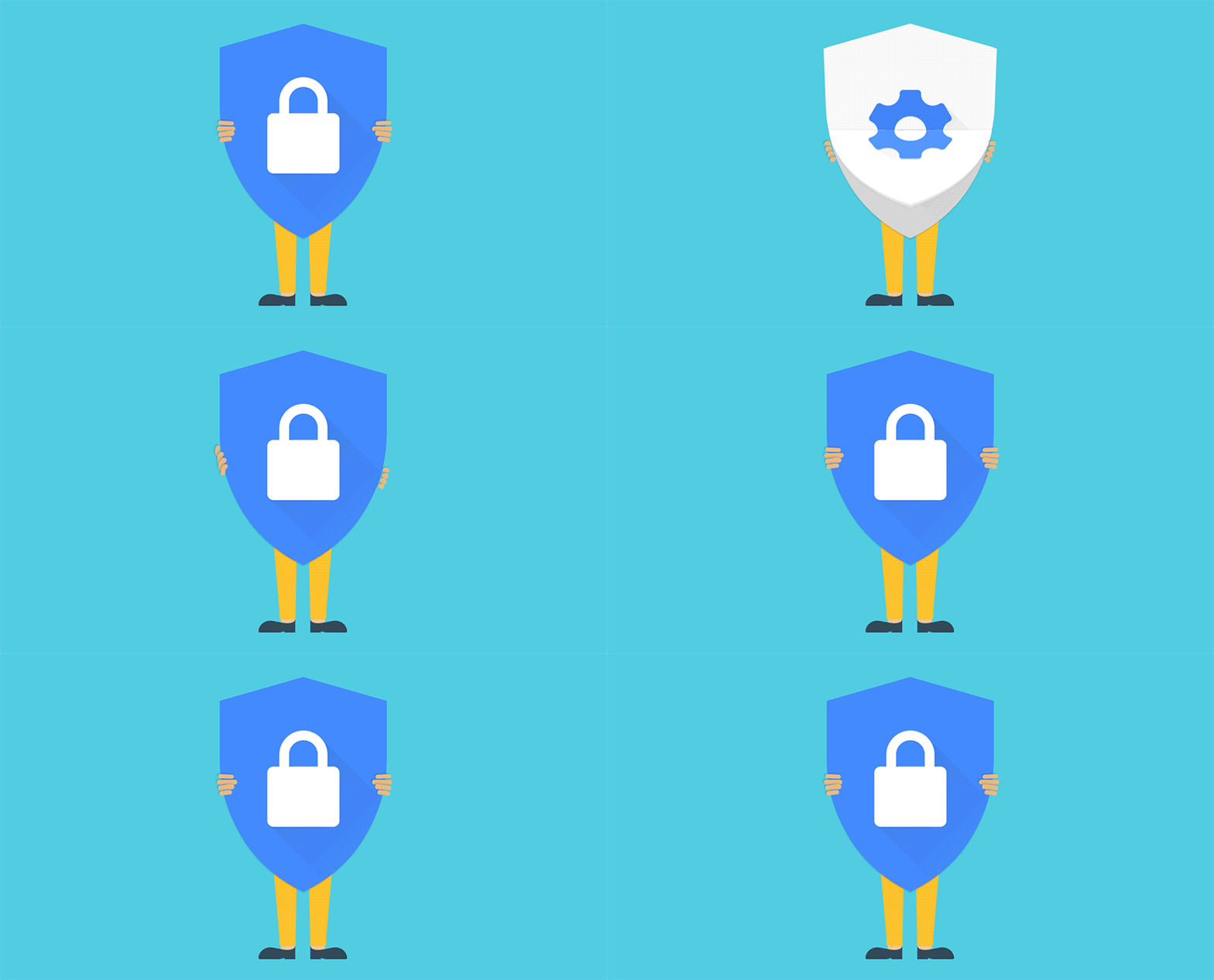
Animated visual of a person holding a shield with a lock, symbolizing reliance on security tools alone—one of the common cybersecurity mistakes SMBs make when protections are not actively monitored or managed.

9. Overlooking Risks Introduced by Vendors and Partners

Many SMBs share data or system access with vendors yet rarely verify how those partners protect information. If a third party is compromised, your business may still suffer the consequences. Hence, identifying which vendors are critical and setting minimum security expectations are essential. Trust matters — but visibility and accountability matter more.

Cyber incidents often come with legal and reporting obligations, especially when customer or employee data is involved. Many businesses only consider these requirements after an incident occurs. The FTC outlines clear expectations for protecting data and responding appropriately to breaches. Preparing in advance helps businesses act responsibly and avoid unnecessary penalties or reputational damage.

What This Means for SMB Leaders

Most cybersecurity mistakes SMBs make aren’t caused by neglect.

They’re caused by lack of structure.

Cybersecurity works best when it’s treated as an ongoing business system — one with ownership, priorities, testing, and visibility. The strongest security programs don’t rely on fear or complexity. They rely on clarity, consistency, and intentional decisions that reflect how the business actually operates.

A good next step isn’t buying another tool.
It’s understanding where risk truly lives in your environment — and whether your current approach matches that reality.

Flat-style digital illustration of an IT professional using a tablet in a calm, modern office. In the background, multiple workstations display structured system dashboards. Text reads: “Get in touch with our team.” InfiNet logo shown.

Frequently Asked Questions

1. What is the biggest cybersecurity risk for SMBs today?
Credential theft combined with weak identity controls remains the most common entry point.

2. How often should SMBs test backups?
At least quarterly for critical systems, with documented RTO/RPO.

3. Is MFA really necessary for small businesses?
Yes — especially for email, remote access, and admin accounts. It’s now baseline, not advanced.

4. Do SMBs need a formal incident response plan?
Yes. Even a one-page plan dramatically improves response speed and outcomes.

5. How does managed IT help with cybersecurity?
By providing structure: governance, monitoring, prioritization, and accountability — not just tools.

The Top 10 Cybersecurity Mistakes SMBs Make — and How to Fix Them the Right Way Read More »

Microsoft Entra Phishing Attacks When Legitimate Login Pages Are Abused

Microsoft Entra Phishing Attacks: Real Login Page Risks

Microsoft Entra phishing attacks are changing how credential theft happens. Traditional phishing gets caught because the domain looks wrong. The certificate is odd, or email scanners flag the URL. These new tricks sidestep a lot of those controls by working through Microsoft’s own endpoints or by using legitimate tenant branding and redirects.

The result: email gateways and users who check the URL can be fooled more easily, and the phishing page can behave like a normal login flow — even asking for additional “info” (custom attributes) or re-prompting for MFA — and still be on a Microsoft domain. That’s why defenders and detection engineers are now treating OAuth and Entra sign-in telemetry as first-class hunting signals.

What attackers can actually do

  • Trick users into signing into a malicious tenant or redirect chain that still uses login.microsoftonline.com.
  • Capture passwords, session cookies, or OAuth tokens and then exchange them for access.
  • Use custom branding or fonts to visually spoof email addresses or buttons, making the experience look legitimate.
  • Abuse self-service signup flows and custom attributes to capture credentials without redirecting off Microsoft pages.
  • Even intercept on-prem password validation (PTA) flows to grab clear-text passwords and OTPs in some cases.

So — how worried should you be?

If you’re using Microsoft 365/Entra with standard settings, there’s risk, especially for high-value targets (execs, finance, IT) and users who receive external links often. The bad news: these attacks are stealthier than classic phishing. The good news: they leave telemetry.

If you know where to look (OAuth grants, weird client IDs, suspicious device registration activity, token exchanges), you can detect and respond. Security hygiene still matters and it still helps — it’s just a little more technical now.

9 Practical Steps to Prevent Microsoft Entra phishing attacks (We’ll Do These for You)

1. Enforce phishing-resistant MFA (FIDO2 / Windows Hello / certificate-based)

Diagram illustrating phishing-resistant MFA methods like FIDO2 and Windows Hello used to defend against Microsoft Entra phishing attacks.

Move high-risk and admin accounts away from SMS/OTP and toward hardware or platform-bound MFA. Attackers capturing an OTP or password may still be stopped by phishing-resistant methods.

2. Tighten Conditional Access & Block Risky Flow

  • Deny legacy and less secure auth flows unless explicitly required.
  • Require device compliance and limit token lifetimes where practical.
  • Block sign-ins that request unusual OAuth scopes or originate from unknown client IDs.
    These controls increase the attacker effort and create signal for detection.
Illustration of Conditional Access and secure authentication flow used to reduce exposure to Microsoft Entra phishing attacks.
Graphic showing restrictions on app registrations and consent permissions to prevent rogue apps in Microsoft Entra phishing attacks.
  • Limit who can register applications and consent to permissions.
  • Disable or tightly control self-service app signup and external user self-service where not needed.
  • Implement admin-approved app consent policies to stop rogue apps from getting persistent access.

4. Lock down custom branding & review tenant configuration

Custom branding can be abused to spoof UI elements or fonts.

Audit branding changes, remove unnecessary tenant templates, and treat brand files like code — only trusted admins can change them.

Configuration interface graphic representing tenant branding controls that help prevent spoofing in Microsoft Entra phishing attacks.

5. Hunt for OAuth/Entra anomalies

Security monitoring illustration highlighting OAuth and token anomaly detection used to identify Microsoft Entra phishing attacks.

We’ll set up detection rules to look for:

  • unexplained token exchanges,
  • refresh token usage by unusual client IDs,
  • device registration spikes,
  • concurrent sign-ins from geographically disparate IPs, and a
  • authorization flows that finish but then promptly register devices.

These are high-value signals Elastic, Volexity and others flag as red flags.

6. Monitor PTA & on-prem auth paths

If a tenant uses Pass-Through Authentication (PTA) or has on-prem agents, monitor and limit who can install agents. Treat PTA endpoints like critical servers and protect them accordingly — they can leak plaintext passwords if compromised.

Infrastructure security diagram showing monitoring of Pass-Through Authentication paths to detect Microsoft Entra phishing attacks.

7. Tighter app-and-redirect hygiene

Illustration of auditing app registrations and redirect URIs to reduce risk from Microsoft Entra phishing attacks.

Only allow trusted redirect URIs; remove old app registrations; and require admin approval for apps that request high-impact scopes (mail.read, files.read.all, Directory.Read.All).

Think of app registrations like service accounts: audit them monthly.

8. User education — but realistic

Train users to expect unusual MFA prompts and to verify consent dialogs, but don’t rely on humans alone. Teach execs to verify unexpected “re-sign in” requests with a quick call.

We also recommend regular, realistic phishing simulations that include OAuth-style flows so users and controls are tested together.

Workplace security training illustration showing employees learning to recognize Microsoft Entra phishing attacks.

9. Incident plan: tokens ≠ passwords

Security response illustration explaining token revocation and credential rotation after Microsoft Entra phishing attacks.

What’s next?

This class of attacks shows attackers leveling up: they’re weaponizing trust — not just tricking users into typing passwords, but using Microsoft’s trust signals against us. That means prevention and detection must work together: harden the platform and hunt the telemetry.

The good news: these techniques leave footprints if you know what to look for. We do. You don’t have to learn every obscure attack; you just need an MSP who does.

Flat-style illustration of a seated male professional using a digital tablet in an IT operations center. The background shows multiple system monitors and other staff at work. Branding includes the message “Get in touch with our team” and the InfiNet logo.

Microsoft Entra Phishing Attacks: Real Login Page Risks Read More »

Call Now Button