

Let’s walk through a moment that feels routine — until it isn’t.
A system crashes.
Maybe it’s ransomware. Maybe it’s a failed update. Maybe it’s just corruption.
Someone says, “We’re fine. We have backups.”
Restore begins.
Then the delay stretches.
Files are missing.
The restore fails.
Or worse — it completes, but the system doesn’t function properly.
That’s when most organizations realize they didn’t have a backup and recovery strategy.
They had backup jobs.
According to Veeam’s 2023 Data Protection Trends Report, 21% of enterprise recovery attempts fail due to corrupted or incomplete backups. Nearly one in five restore attempts does not succeed when it’s needed most.
That’s not a technical issue.
That’s an operational risk.
Table of Contents
The Real Problem: Backup Success Is Not Recovery Success
Backup software tells you when a job completes.
It does not guarantee recoverability.
Recovery fails because:
- Critical directories weren’t included
- Configuration changes broke coverage
- Retention rules removed needed restore points
- Corruption went undetected
- New systems were never added to the job
A strong backup and recovery strategy assumes drift will happen.
Systems change. Teams grow. Cloud apps are added. Infrastructure evolves.
If your backup plan doesn’t evolve with it, failure becomes statistical — not accidental.
Automation Without Oversight Creates Silent Gaps
Modern environments rely on automation.
But automation without monitoring creates invisible risk.
Backups degrade when:
- Storage fills without alerting
- Backup agents stop reporting
- Virtual machines aren’t enrolled
- SaaS workloads are excluded
- Configuration updates break schedules
Industry findings consistently show organizations assume automation equals protection.
It doesn’t.
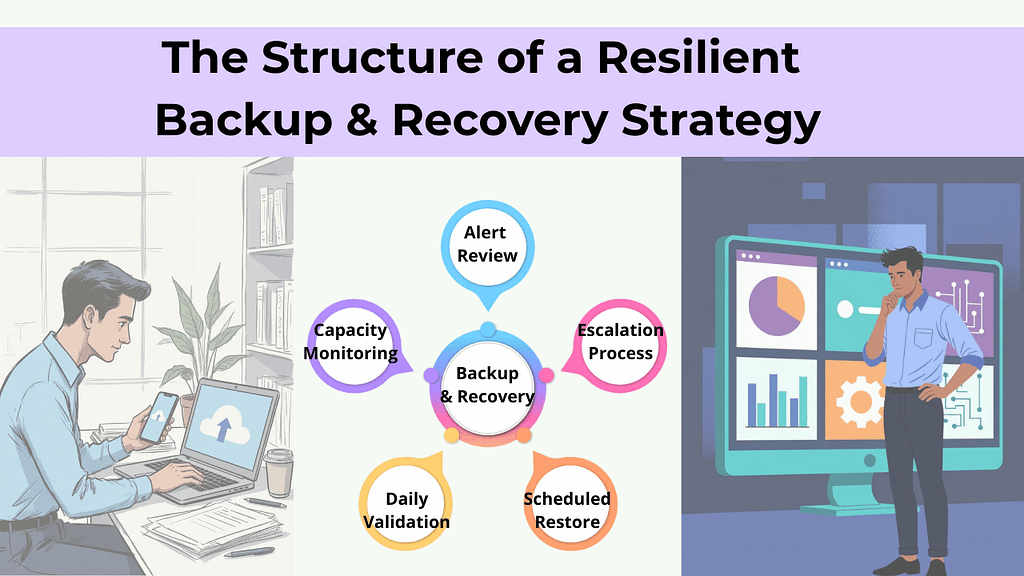
A resilient backup and recovery strategy includes:
- Daily validation of backup jobs – confirms backups completed successfully and captured all required data.
- Capacity monitoring – prevents storage limits from silently breaking backup coverage.
- Alert review – ensures errors and warnings are investigated, not ignored.
- Escalation processes – defines who responds and how quickly when backup issues occur.
- Scheduled restore verification – regularly tests recovery to confirm data is actually usable.
Automation handles repetition. Strategy handles accountability.
Human Error Breaks Backup Systems More Often Than Hardware
When restore attempts fail, leaders often assume infrastructure failure.
In reality, misconfiguration and oversight are more common causes.
Examples include:
- Incorrect retention policies
- Deleted backup definitions
- Permission misalignment
- Poor documentation
- Untracked infrastructure changes
As environments grow, complexity compounds.
Without standardized processes and documented oversight, backups become dependent on individual memory — and memory is not a strategy.
A mature backup and recovery strategy reduces human-dependent failure points by:
- Formalizing change control
- Centralizing monitoring
- Enforcing configuration standards
- Limiting administrative access
That’s how resilience scales.
Ransomware Now Targets Backups First
The threat landscape has shifted.
Attackers don’t stop at encrypting production systems. They deliberately seek out backup repositories and credentials.
If backups are compromised, organizations face:
- Paying ransom
- Permanent data loss
- Extended downtime
- Regulatory and reputational damage
Modern ransomware backup protection requires:
- Immutable backups (cannot be altered or deleted)
- Offsite or air-gapped copies
- Segmented administrative credentials
- Multi-layered access control
If attackers can erase your recovery path, recovery becomes negotiation.
A real backup and recovery strategy assumes adversaries understand backup architecture — and designs accordingly.
Backups Without Testing Are a Liability
Having backups is not preparedness. Testing is.
Backup recovery testing answers questions leadership rarely sees documented:
- How long does full recovery actually take?
- Do restored systems function properly?
- Are integrations intact?
- Can SaaS and cloud workloads be restored independently?
Without testing, backups are theoretical.
A mature backup and recovery strategy includes:
- Scheduled restore drills
- Failover simulations
- Validation across cloud, physical, and SaaS systems
- Documented recovery timelines
Preparedness is proven under controlled stress — not assumed from green checkmarks.
Recovery Time Is the Hidden Cost Leaders Underestimate
Even when backups work, recovery delays compound quickly.
Operational disruptions cascade:
- Teams wait on file access
- Customer responses slow
- Complaints increase
- Revenue cycles stall
Industry operational analyses consistently show that even modest downtime produces measurable downstream effects.
A strategic backup and recovery strategy defines:
- Recovery Time Objectives (RTO)
- Recovery Point Objectives (RPO)
- System restoration priority
- Escalation workflows
Without defined expectations, downtime expands beyond what leadership anticipates.
Growth Quietly Breaks Backup Design
One of the most overlooked risks?
Business growth.
You added:
- Remote workers
- SaaS applications
- Hybrid cloud environments
- Larger datasets
- Additional endpoints
But your backup architecture stayed the same.
Backup systems must scale alongside business complexity.
If they don’t, coverage gaps form silently — and surface only during failure.
A resilient backup and recovery strategy evolves continuously with:
- Infrastructure expansion
- Workforce shifts
- Regulatory requirements
- Data growth
Static design in a dynamic environment guarantees drift.
What a Mature Backup and Recovery Strategy Looks Like
Baseline resilience includes:
✓ Redundant backups
✓ Offsite copies
✓ Encryption at rest and in transit
✓ Defined retention policies
More mature environments include:
✓ Immutable backup storage
✓ Air-gapped or logically isolated copies
✓ Routine backup recovery testing
✓ Documented disaster recovery planning
✓ Continuous monitoring and alerting
✓ Defined RTO and RPO targets
✓ Coverage for SaaS and remote endpoints
The difference isn’t technical sophistication. It’s intentional alignment between risk and recovery capability.
The Question Leadership Should Be Asking
Not:
“Do we have backups?”
Instead:
- When was our last full restore test?
- Are backups protected against ransomware deletion?
- Are all cloud systems included?
- What is our realistic recovery time?
- Who validates backup integrity daily?
If those answers aren’t clear, your recovery risk likely isn’t either.
Backups are tasks.
A backup and recovery strategy done right by a proactive managed IT service provider is operational confidence.
Frequently Asked Questions
1. What is a backup and recovery strategy?
A backup and recovery strategy is a structured plan for capturing, protecting, verifying, and restoring business data and systems after disruption.
2. Why do backups fail even when software says they succeeded?
Backup software confirms completion, not recoverability. Failures often stem from incomplete data sets, misconfiguration, or lack of testing.
3. How often should backup recovery testing occur?
Critical systems should be tested at least quarterly, with more frequent validation in complex or high-risk environments.
4. How does ransomware affect backups?
Modern ransomware actors target backup repositories to eliminate recovery options. Immutable and offsite backups reduce this risk.
5. Is backup the same as disaster recovery planning?
No. Backup copies data. Disaster recovery planning defines how and how quickly systems are restored to resume operations.
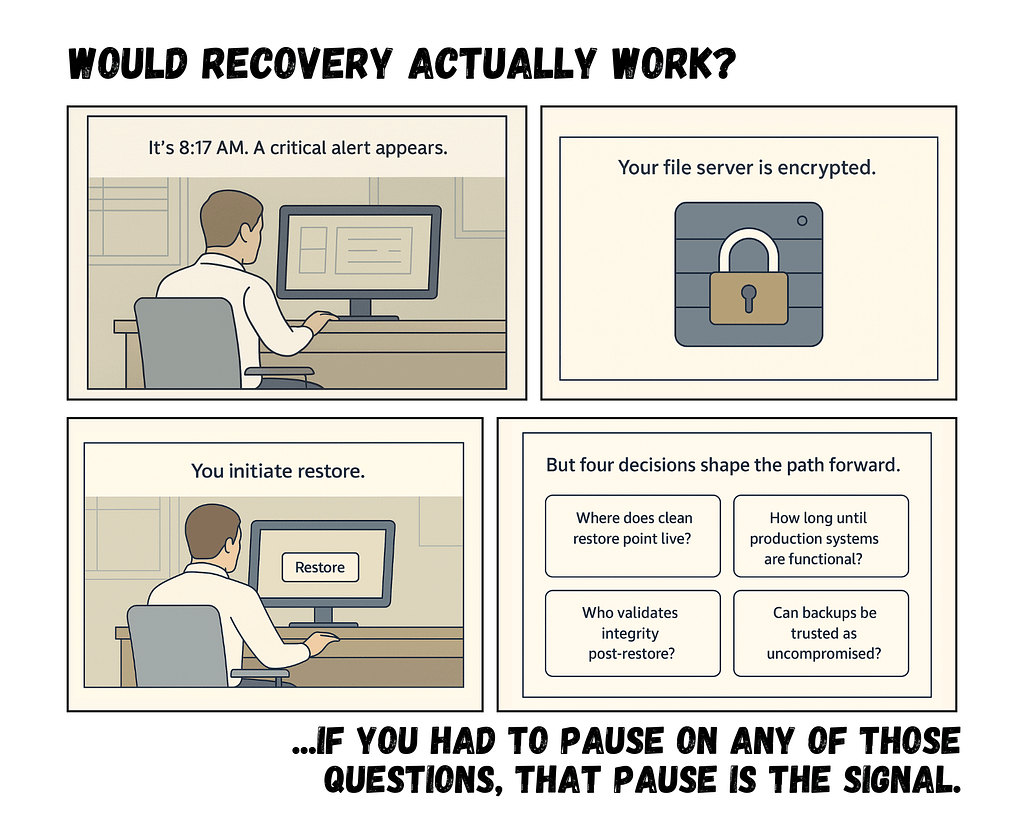
Quick Scenario:
Closing Thought
Most organizations don’t discover weaknesses in their backup and recovery strategy until the moment they depend on it.
Not because they ignored risk.
Because they assumed protection without validating recovery.
Clarity before crisis is far less expensive than recovery after failure.
