Infinet

ThinkstockPhotos 971626996

What Are Code Signing SSL Certificates and Why Use Them?

The concept of Code Signing SSL Certificates includes protecting users against phony software and assuring that the software is not infected with a virus. Most reputable companies require this certificate before accepting a product and using it. In today’s world, it’s the safest method of guaranteeing that software has not been altered or compromised.

Code Signing

Types of Code Signing SSL Certificates

There are several types of Code Signing SSL Certificates. The Business Validation SSL certificate requires that the software manufacturer or developer provide verification documents to the Certificate Authority. Once these documents are submitted, it can take three days for approval. This approval guarantees the authenticity of the digital program.

Code Signing SSL Certificates for Individuals are used less, though still important. If an individual programmer creates an app or software product and wants to include a Code Signing SSL Certificate, then the programmer must provide documents that prove his/her identity.  The Certificate Authorities check to make sure this person is who he says and that he is the author of the digital work.

What is a Code Signing SSL Certificate?

This certificate is a way for the programmer to digitally sign his or her work. An authentic Code Signing SSL Certificate includes a company or individual’s name, their signature, and often a timestamp, though this is not required. With this certificate, end users can feel confident that the program will work as promised.  SSL Certificates are used on software programs, applications, script, code, and drivers.

Improving Internet Security

Security on the World Wide Web has become an important commodity. There are phishing attacks launched daily. Along with that, ransomware has become quite prevalent. Attackers lock your computer files then demand a ransom be paid, usually in Bitcoin. Add to that so many computer viruses and worms hid within suspicious links that it’s difficult to keep up today.

In spite of the great amount of publicity about these attacks, many are successful due to a poorly educated public. Most users admit they sometimes click on links or visit sites they probably shouldn’t. It’s human to think that bad things only happen to other people.

Large reputable companies like Microsoft simply can’t take chances with their security or risk exposing end users to harm. The cost in both time and money would be too great; not to mention the damage to their reputation. That makes the Code Signing SSL Certificate very critical to businesses with a strong reputation to protect.

With this certificate, we can be assured of two important elements:

  • Content Source Authentication — ensures the developer’s code legitimacy
  • Content Integrity — verifies that the code is authentic and has not been tampered with

How to view the SSL Certificate

To authenticate a software program, click on the certificate that has been issued. You should be able to view the publisher’s name. There may be other information such as the timestamp. If it isn’t there, then the software originates from an “Unknown Publisher”. It may or may not be authentic. It could contain spyware, ransomware, malware, or other viruses. In some cases, thieves download authentic-looking programs onto your computer with a dangerous script running in the background. These lines of code can allow the Software Pirate to steal passwords and/or personal information.

How do Code Signing SSL Certificates work?

Just like other SSL Certificates, the Code Signing Certificate is created based on the public-private key pair. Though a key pair is related mathematically, the private key can only be decrypted by its original owner. Public keys are made available to anyone with access to the public repository. If you have a message that you only want one person to be able to read, this can be done using a private key. It always remains confidential and private to its respective owner.

This history of Cryptography

The concept of cryptography began as early as 1874 when William Stanley Jevons wrote a book called The Principles of Science. In it, he described various ways of creating a message that could only be read by the intended party. His theory was to produce a long random number that could only be known by one other person. For years, various mathematicians worked on the idea until 1970 when a British cryptographer working for the UK government came up with what he called, “non-secret encryption”.

Cryptographers and scientists saw the important applications for military use. Being able to send messages that the enemy could not read became a vital function of national security for all governments. Though this type of cryptography is still used today, it’s more common usage now is to protect software programs from alteration.

Why are SSL Certificates necessary?

When an application or program does not have a Code Signing SSL Certificate, any programmer can go into it and change lines of code however they want. This leaves everyone vulnerable. Maybe the programmer improved the software but maybe he added a Trojan worm.  Individuals and especially companies have a lot at risk and simply cannot afford to download malware or ransomware that would lock up all their files.

Reputable software manufacturers want to ensure that their products are free from tampering and the Code Signing SSL Certificate makes alteration impossible. It’s the perfect way to let users know that the software or app is authentic.

The process of creating a Code Signing SSL Certificate

There are multiple steps required in the process of creating the Code Signing SSL Certificate. The process begins with the actual code signing itself. This confirms the identity of the person or company that created the software. The steps are briefly outlined below:

  1. The software developer requests a Code Signing SSL Certificate.
  2. The identity of the developer is certified.
  3. A special Code Signing program is used to attach the SSL certificate to the software as a digital signature.
  4. The developer can now send the program out to publishers.
  5. Publishers double check to make sure the digital signature is authentic.
  6. A time stamp is often entered so that the certificate doesn’t expire.

Conclusion

Once you have a Code Signing SSL Certificate, you can assure users that it’s safe to use and contains no viruses or malware. Big publishers often require these certificates so they can use this as a selling point when reselling the software or app to end users. Many people will not buy a piece of software if it does not have this certificate.

What Are Code Signing SSL Certificates and Why Use Them? Read More »

ThinkstockPhotos 151333002

THE 7 C’S OF COMMUNICATION

From the word go, the term communication indicates that there is more than one party involved in the conversation. For there to be effective communication, both parties must understand what the other is saying. Communication in business is somewhat different from casual communication, say among friends. In business, the stakes are higher. Much more is involved and there is much more to lose, therefore, it is important that the communication is as effective as possible.

Effective Communications

There are certain rules that need to be followed for communication to be effective. These have been summarized as the 7C’s and are believed to guide communication especially in business. The 7C’s of communication is meant to inform people who do not know much about the rules of communication. Below, we discuss the 7C’s of good business communications.

  • Conciseness

First of all, communication needs to be concise. Conciseness simply means that you get to the point. Communication in business that does not convey to the other party exactly what the person is saying can be frustrating. It not only wastes time but can also lead to mistakes when the information conveyed is not understood. For this purpose, it is important that the message is conveyed in a concise manner. Of course, don’t be abrupt or rude, but be sure that you make your point. In today’s fast-moving world, business people appreciate it when you say what you mean and don’t leave listeners wondering.

  • Completeness

The message communicated needs to be complete. Do not assume that the person you are talking to will fill in the blanks or read between the lines. Ensure that before the conversation comes to an end, the person you are talking to has understood you completely. It is common knowledge that different people react in various ways to information that is presented to them. In addition, each person’s level and speed of understanding varies. Leaving people to complete information for themselves opens up the material being conveyed to misinterpretation. Depending on the level of communication, mistakes that arise as a result of incomplete information being passed can end up being quite costly to the business.

  • Clarity

Always remember that clarity is key. Imagine a situation in which you need an employee to make certain purchases for your business. You give the employee the instructions, focusing mainly on the exact items to be purchased, the quantities needed, and the budget. The employee when making the purchases, however, ends up purchasing the wrong items or the wrong quantity. Can you imagine the impact that this would have on your business? This is just one of the reasons why there needs to be clarity on the information being passed. Say exactly what you mean, exactly how you mean it.

  • Consideration

Keep in mind, whenever you are communicating with someone else that the other party is a human being with needs, feelings, life experiences, and certain biases. Knowing your audience is important if you are going to communicate effectively. Whether you know your audience or not, however, strive to be thoughtful in all your communications. Consider the other person’s feelings, their beliefs, their culture, and their biases. This can ensure that the message you are conveying is not received in a negative light. If possible, ensure that the message resonates well with your client.

  • Correctness

Correctness means that the message you are delivering must be accurate. Do not rely on fake news sources, for example, to inform the information passed. Instead, verify the facts before communicating with others. This will maintain your credibility with the other party and increase their trust in you. Secondly, the correctness of information reduces the chance of misleading information being passed on to others. This, in turn, protects you from liability for misrepresentation. Even large news organizations report incorrect information nowadays. Though this can temporarily improve their ratings, it also tarnishes their reputation. People will always return to the most reliable news source at the end of the day.

  • Confidence

First impressions are everything. They matter a lot. First impressions dictate how your audience will receive the piece of information that you are attempting to pass on to them. A good communicator is confident. This inspires confidence in listeners. A poised speaker is more likely to be received in a positive light. Their message will be regarded as important.

  • Conversational

Communication that is conversational is important for both parties. Such communication ensures that no one is left out and that, at the end of the day, the ideas of both parties are taken into consideration. Conversational communication prompts both parties to listen well and respond appropriately. It can prevent misunderstandings.

Final thoughts

Good communication is an important part of the business. Business owners who communicate well are often more successful than those who don’t. They’re more respected in the community and more likely to build healthy, long-standing relationships. The art of being a good communicator is something that comes naturally to a few people but it can be taught. And, it’s well worth the time and effort to learn this trait. Especially, if you’re planning on being in business for a long time.

THE 7 C’S OF COMMUNICATION Read More »

ThinkstockPhotos 598525368

Google Ready to Roll Out Mobile-First Indexing

For many business owners, Google’s announcement to switch over to mobile-first indexing comes as a real shocker. It’s a revolutionary thing to do in a world of disruptive technology. Since the beginning of the World Wide Web, a company’s desktop website was their first and foremost consideration when developing a marketing plan. With the new changes announced by Google, all that changes. Now, a company’s mobile website is what must be in prime condition.

Mobile SEO

For some business owners, this change will just be a bump in the road. For others, it’s a huge sinkhole where their profits could fall in and never be seen again. Many business owners still struggle to get their mobile website in excellent working order.

One business owner commented recently, “My mobile website comes up with these huge, looming images and you can’t really read much of the text.”

If this is you, then it’s time to get serious about fixing those issues. The top 5 problems that business owners face with their mobile website are:

  1. Being denied access- Users hate getting those little messages that the mobile site they’re searching for isn’t viewable on their device. Or, some say, “Mobile support coming soon.”
  2. Performance- Why can’t a mobile website just work the same as a regular one? That’s a big question with lots of answers. Sometimes the mobile device is at blame. Sometimes it’s the load speeds/internet connection.
  3. Design- Many users have landed on mobile sites where the images overlay the text, so you can’t really read anything. It’s frustrating and it usually ends with the user going someplace else to shop.
  4. URL redirects- This confounded message has been the scourge of surfing the web for many years. There are several reasons why you might get a redirect message. It could be that you typed the wrong thing in your browser. Sometimes links are broken. Other times, the website owner simply has several pages that refer to the same site and they need to do some maintenance. It can also be the result of phishing attempts.
  5. Confusing apps- There’s no excuse for this but many business owners have attempted to save money by doing it themselves or hiring a non-professional to design their app.

Why is Google Doing This?

Back in November 2016, Google announced their initial mobile-first indexing effort. They called it “an experiment” and it seemed like a good idea on the face of it. However, no business owners could foresee that the Tech Giant might eventually decide that mobile sites were more valuable than desktop sites.

The reasons they give seem pretty concrete. Almost 60 percent of all searches are performed from a mobile device now. A report from 2015, verified that 56 percent of global search queries originate from a mobile phone. Mobile traffic was responsible for about 49 percent of all website traffic according to this report.[1]

These numbers are expected to rise significantly over the next ten years. Google has a long reputation of knowing where the next big trends will take place so you can trust their word when it comes to topics like this. The only thing left to do is make sure your mobile website is amazing!

The Good News

Google has repeatedly said that they will transition into this new phase slowly. That’s the good news. All this will not take place overnight. Instead, Google will give business owners time to fix whatever they need to so their mobile site will be first-class.

The other piece of good news is that Google has assured business owners that if they do not have a mobile site, the google bots will still continue to crawl the desktop version of the site. That means your revenue stream should not decline for lack of a high-performing mobile site.

The Google announcement says, “If you only have desktop content, you will continue to be represented in our index.”

Further Clarity Needed

Google also made it clear that mobile-first indexing does not mean that there will now be two separate indexes performed. There will still be only one and it will focus on mobile sites, not desktop sites.

The reason they cite for this is:

“…To better help our primarily mobile users find what they’re looking for.”

For those who don’t know, mobile-friendliness has always been a major factor in determining how a site is ranked. Of course, it’s not the only factor, but it is still a component of ranking your website. Google is quick to point out that if a non-mobile-friendly page has the best (most relevant) information, it will still rank higher than a mobile site with similar content.

The Bottom Line

All business owners should begin to see more traffic in their logs from Googlebot Smartphone. Google search results will contain snippets that have been generated from the content on the mobile version. Though Google has historically used the desktop version of your site for its indexing purposes, times they are a’changin’.

We can either get on board with the changes or be left out in the cold. Most business owners are already hard at work making sure their mobile website is the best it can be. For those who are willing to go the extra mile, this could be a great time of increases in traffic and sales. The sites that are ready to go are the ones that consumers will flock to for all their buying needs.

[1] https://searchengineland.com/report-nearly-60-percent-searches-now-mobile-devices-255025

Google Ready to Roll Out Mobile-First Indexing Read More »

ThinkstockPhotos 957837752

The Facts About GDPR Compliance

Tune into our complimentary GDPR training online.
Watch our GDPR Training Video here.

The rise of cybercrime has led to the increasing need for protecting data from these criminals. Countries all over the world are working incessantly towards finding a lasting solution to cybercrime. In this regard, the EU has enacted a new directive, the General Data Protection Regulation (GDPR) which governs member countries on data protection. These regulations also promote privacy for persons in the European Union and address export of data from outside the European Union. The main aim of these regulations is to give power to individuals over their data, thus to ensure the protection of personal data to the extent agreeable to individuals. Adopted in 2016, the deadline for compliance with this regulation is 25th May 2018.

GDPR Compliance

The Statistics

Various organizations dealing with data are hurriedly working to comply. To date, there may be as many as 90% of these organizations that are just not ready. In fact, a majority of these organizations have not put in place the required protocols to ensure the smooth transition into compliance.

What you need to know about GDPR

These regulations apply, basically, to all organizations which have access to the internet and which provide data services to members of the European Union. It also applies to persons and organizations that reside outside the European Union if they collect and process the personal data of those residing within the European Union.

What this means in simple terms is that if someone from a European Union nation visits your website and fills out the contact form, then you must follow these regulations when processing their personal information.

Member States of the European Union are also required, pursuant to these rules to establish an independent supervisory authority, which will be mandated to hear and investigate complaints and to sanction administrative offenses.

In accordance with these regulations, in certain circumstances, data can be lawfully processed. Lawful processing of data occurs when:

  • An individual has given consent to have their personal data processed for one or more specific reasons.
  • Processing of data must be done in order to fulfill a contract or in circumstances where the data must be processed before a contract can be entered into.
  • There is a legal obligation to process the data.
  • Processing must be carried out in order to protect the interests of a person or entity.
  • Processing must be carried out in order to protect public interests or the official authority vested in the controller.
  • Processing is necessary to achieve the fundamental rights and freedoms of an individual, especially a child.

Requirements for compliance

In requiring compliance with the GDPR, large corporations are the main targets. This does not, however, mean that small businesses that deal with and process data can easily get away with non-compliance.

To ensure the implementation of these regulations, rather severe penalties have been adopted. With such significant penalties, businesses should work hard to be in full compliance.

Compliance and business size

The bulk of businesses which will be affected by these regulations are the big corporations that process a great deal of information each day. Though small businesses must also comply, they are not seen as primary targets or at as much risk of having to pay the penalties for non-compliance. Small businesses should not be too comfortable as to wait for the deadline before beginning the process since compliance may be somewhat complicated, especially when it comes to putting in place the necessary protocols for compliance. Though some experts see large organizations more as targets for GDPR watch groups, small businesses can also be fined for non-compliance.

Getting ready

Before one can attempt to comply with these regulations, one must completely understand them. People affected by these regulations are required to understand their scope and particularly, the type of data protected. The data covered includes identity, web, health and genetic info, biometric data, mental, cultural, economic, and social and political identities.

Goal of GDPR

Over the years, and with the advancement in technology, the need for data protection has increased. Cybercriminals are constantly creating new ways of breaching confidentiality and stealing and manipulating data. Affected countries are therefore put to task to ensure that these practices are prevented. This is the goal of the GDPR. Its main purpose is to protect the data of individuals. This need was advanced by the Cambridge Analytica scandal. Following the revelations of this group, the need to protect data became much more real. Lack of appropriate measures ensuring cybersecurity can have dire effects to individuals and to nations.

Final thoughts

With the deadline for compliance already passed, it is important that all those affected by these regulations do comply. These regulations are meant to protect individuals, businesses, organization, and even governments from cyber theft and data manipulation. Having considered the penalties for non-compliance, it is imperative that organizations avoid the last minute rush and put in place measures now to ensure their full compliance.

The Facts About GDPR Compliance Read More »

word image 41

Wish That You Could Use Excel Like A Pro? Now You Can!

Excel Like A Pro Part III

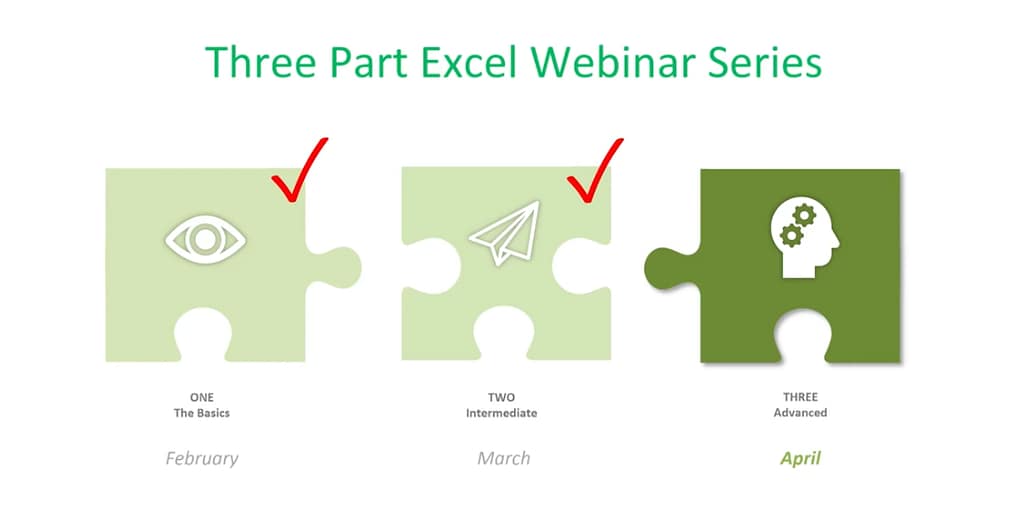
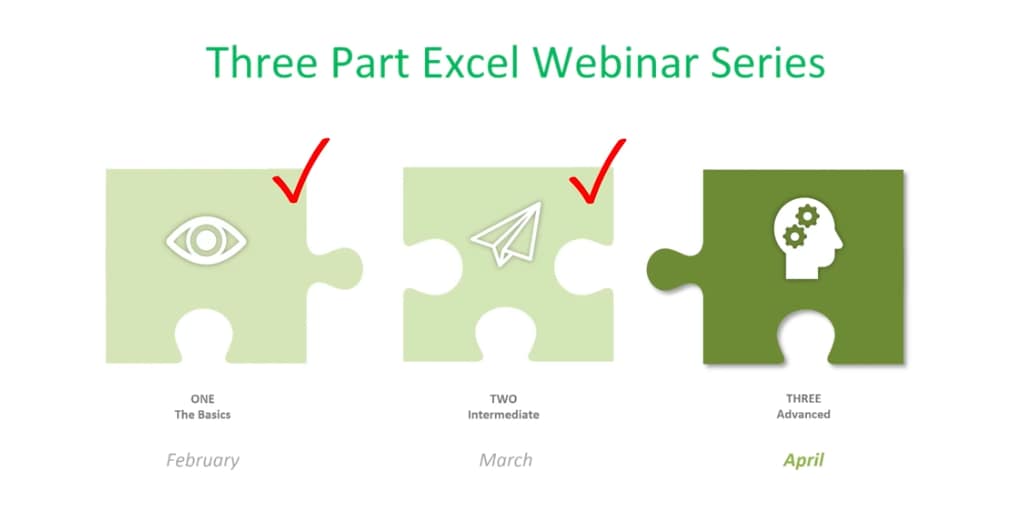
This is the final of a three-part series about using Microsoft Excel 2016. It will cover some of the more advanced topics. If you aren’t great with numbers, don’t worry. Excel does the work for you. With the 2016 version of Excel, Microsoft really upped its game. Excel’s easy one-click access can be customized to provide the functionality you need.

word image 41

If you haven’t read Part I and Part II of this series, it’s suggested that you do so. The webinar versions can also be found on our site or on YouTube.

This session will discuss the following:

More with Functions and Formulas

  • Naming Cells and Cell Ranges
  • Statistical Functions
  • Lookup and Reference Functions
  • Text Functions

Documenting and Auditing

  • Commenting
  • Auditing Features
  • Protection

Using Templates

  • Built-In Templates
  • Creating and Managing Templates

More With Functions And Formulas

Naming Cells And Cell Ranges

How do you name a cell? You do so by the cell’s coordinates, such as A2 or B3, etc. When you write formulas using Excel’s coordinates and ranges you are “speaking” Excel’s language. However, this can be cumbersome. For example, here G12 is significant because it refers to our Team Sales.

You can teach Excel to speak your language by naming the G12 cell Team Sales. This will have more meaning to you and your teammates. The benefits of naming cells in this fashion are that they are easier to remember, reduce the likelihood of errors, and use absolute references (by default).

word image 42

To name our G12 cell Team Sales, right-click on the cell, choose Define Name, and type “Team Sales” into the dialog box. You can also add any comments you want here. Then click Ok.

word image 44

word image 45

Another way to do this is to click on the G12 cell and go up to the Name Box next to the Formula Bar, then type your name there.

word image 46

And, there’s a third option at the top of the page called “Define Cells” that you can use.

word image 47

Notice that there’s an underscore between Team and Sales (Team_Sales). There are some rules around naming cells:

  • You’re capped at 255 characters.
  • The names must start with a letter, underscore or a backslash ().
  • You can only use letters, numbers, underscores or periods.
  • Strings that are the same as a cell reference, for example B1, or have any of the following single letters (C,c,R,r) cannot be used as names.

How To Name A Range

Highlight an entire range of cells and name your range (we’re doing this in the upper left-hand corner).

word image 48 word image 49

Then you can easily use the name to produce the sum you need:

word image 50

You won’t have to go back and forth from spreadsheet to spreadsheet clicking on specific cells to calculate your formula. You simply key in the name of the cell range you want to add. Just be sure to remember the names as you build your spreadsheets over time.

If you ever make a mistake or want to change names, you can go to Name Manager to do this.

word image 51

Remember that if you move the cells, the name goes with it.

Statistical Functions

The three statistical functions are:

  1. Average If
  2. Count If
  3. Sum If

The Average If can be used to figure out the average of a range based on certain criteria. Here we’re going calculate the Average If of the ERA of 20+ Game Winners from the spreadsheet we developed in our last session.

word image 52

We’ve already named some of our cell ranges (wins, era). And we want to know the average greater than 19.

word image 53

Hit Enter and you have the average.

You can use this feature across a wide variety of scenarios. For example, if you wanted to know the average sales of orders above a certain quantity – or units sold by a particular region, or the average profit by a distinct quarter.

Count If is used for finding answers to questions like, “How many orders did client x place?” “How many sales reps had sales of $1,000 or more this week?” or “How many times have the pitchers of the Philadelphia Phillies won the Cy Young Award?”

word image 54

As you can imagine, it’s essential that you type in the text exactly the way you named that particular cell.

Hit Enter and you get your answer

word image 55

Now we’re going to use the Sum If function to calculate the number of strikeouts by the pitchers on this list who are in the Baseball Hall of Fame.

word image 56

word image 57

Sum If is a good way to perform a number of real-world statistical analyses. For example, total commissions on sales above a certain price, or total bonuses due to reps who met a target goal, or total earnings in a particular quarter year-over-year.

Lookup and Reference Functions

These are designed to ease the finding and referencing of data, especially in large tables. Here, cells A1 and E3 relate to a variable interest rate that is paid on a bank account. For balances under $1,000, the interest rate is 3% – between $1,000 and $10,000, the interest rate is 4%, etc.

word image 58

Cell A6 shows the balance of a specific account. The Lookup Function is used in B6. It looks up the interest rate and applies it to the account balance of $45,000. This is what the formula looks like in the bar at the top:

word image 59

The vector form of the Excel Lookup Function can be used with any two arrays of data that have one-to-one matching values. For example, two columns of data, two rows of data, or even a column and a row would work, as long as the Lookup Vector is ordered (alphabetically or numerically), and the two data sets are the same length.

V Lookup and H Lookup are used to pull information into reports. We’re going to use Report Setup. Here, we have a worksheet that references salespeople, sales data, pricing, revenue, and the clients that they sold to. You’ll see on the top right where we set up a report with names referencing sales data.

word image 60

You can access the sales reps in the drop-down menu. Pick a rep and use the V Lookup Function to find the price.

word image 61

To Find Price, key in =vlookup and the corresponding cell number for Rep 16, plus the table array which is the entire table not including the header at the top.

word image 62

word image 63

word image 64

Then you need the column index number. This is the number of columns to the right of your lookup value column, which is column A. It’s the 4th column from column A (Price).

Enter 4,

word image 65

For range lookup we’re using true or false. We are entering false here.

word image 66

Hit Enter and this is what you have for your Find Price value.

word image 67

Now we’ll do a similar V Lookup for the Client. Copy and Paste:

word image 68

Make the necessary changes in your formula:

word image 69

Client 16 goes with Rep 16. word image 70 1

Note: If you change the Sales Rep, all the corresponding values will change.

word image 71

If you have a lot of data and long tables, V Lookup helps you find information easily. The V stands for Vertical (or by column), because columns are vertical. H Lookup is for Horizontal-like column headers.

Text Functions

Text Functions contain some very powerful tools to adjust, rearrange and even combine data. These functions are used for worksheets that contain information and function as a database such as mailing lists, product catalogs, or even Cy Young Award Winners.

The first text function we’ll show you is concatenate. It links things together in a chain or series. Here, we have our Cy Young list. But we no longer need to see our Wins and Losses in a separate column.

word image 72

To do this easily rather than manually, create a new column where your data will reside.

word image 73

Hit Enter

word image 74

Now, just go in and hide the Wins and Losses columns. Don’t delete them or your new column will have a reference error.

word image 75

If you do want to delete the Wins and Losses columns, you must first make a new column. Copy the W-L numbers and Paste Value in the new column. This way you’ve moved from a formula to the new information. If you delete your source information without taking this step you’ll be left with nothing.

word image 76 word image 77

Combine as many columns as you need with the concatenate function to make the data appear as you need it to.

The Left Mid and Right Functions

These are used to tell Excel that you only want part of a text string in a particular cell. Here, we have a product list and product IDs that tell us the date of manufacturer, the item number, and the factory where it was made. We’re going to pull the data out so we can put it in columns to use in different ways.

word image 78 word image 79 word image 80

word image 81 word image 82

We use the Mid Function here.

word image 83 word image 84 word image 85

This works because each of the product IDs are the same length. If they were different lengths you’d have to do something more creative.

Documenting and Auditing

You want to make your Excel files easy to understand for both yourself and others who need to use them – and this includes auditors. An organized worksheet results in clear error-free data and functions.

Commenting

The purpose of commenting is to provide notes to yourself or especially to others. Comments can include reminders, explanations or suggestions.

You’ll find the New Comment button at the top under the Review Menu. Simply click the cell where you want the comment to go and click New Comment. Then type your comment and click outside the box to close it. The comment will disappear but it’s still there. Anywhere you see a red flag, there’s a comment.

word image 86 word image 87 word image 88

If your name doesn’t appear in the comment, go to File>Options>General and personalize your copy of Excel (in this case Microsoft Office) under the User Name. You won’t need to go back and change each comment; Excel will do this for you.

word image 89

To format a comment, click inside the comment box and a drop down will come up where you can format the text.

word image 90 word image 91

You can change the color of the box and lines around the box. Some managers have different colors for members of their teams.

If you change the default color, it will change that for all your Microsoft products.

To delete a comment, go to the cell that hosts it, then go up and hit delete.

If you have a lot of comments, grab the handle on the box and resize it.

Auditing

What we really mean is formula auditing. This is an advanced way to check your work.

The yellow diamond on the left of this cell indicates that there’s an error.

word image 92

Or to find any errors, go to Formula Auditing in the top menu.

word image 93 word image 94

You have a number of helpful tools here. Trace Precedents shows where the formula looks for information. Click the formula you want and click Trace Precedents. It will display where your data came from.

word image 95

Here’s a more complex formula and trace auditing:

word image 96

To hide the arrows, click “Remove Arrows.”

word image 97

Show Formulas

This expands all of your columns and shows all of them in a bigger way. You can go in and check your formulas on the fly very easily. Click Show Formulas again and the worksheet goes back to the way it was before.

word image 98

word image 99

Error Checking

This feature lets you check all formulas at once.

word image 100 1

This makes it easy to find errors and correct them.

Evaluate Formula

This feature allows you to check a formula step-by-step. It shows the results of each individual part. It’s another great way to de-bug a formula that isn’t working for you. Click the formula you want to evaluate. Click Evaluate Formula and you’ll get a dialog box.

word image 101 word image 102 word image 103

Click Evaluate and it will change the formula to the actual value that you can review. Each time you click Evaluate, it will take you through the steps of how you got to the final formula. You can trace your way through to see if you made any errors.

Protection

With protection you can lock in your changes in individual cells, spreadsheets, and entire workbooks. You can also protect comments from being moved or edited.

This is how to protect an entire workbook. It’s the highest level of protection.

You’ll want to do this if your workbook contains confidential information like:

  • Pre-released quarterly results
  • Employee salary tables
  • Staff member evaluations

Click File>Info>Protect Workbook>Encrypt with Password.

Enter your password and be sure to make note of it because it can’t be recovered if you lose it. You can use password management software to keep track of your passwords.

word image 104

word image 105

Once complete, click OK and your Protect Workbook function turns yellow indicating that you’ve protected your workbook.

word image 106

To take off protection, retrace your steps.

You can also protect a current sheet you’re working on. It will take you back to your worksheet where you’ll be presented with a variety of options.

word image 107 word image 108

You can also protect cells and comments from this option.

In the same way you protected the worksheet, you can protect your workbook.

word image 109

Using Templates

To see the variety of templates you can use in Excel, click File>New and you’ll be presented with a collection of 25 templates you can choose from.

word image 110

For example, there’s a great Loan Amortization Schedule you can use. Formulas are built in for you. All you need to do is change the numbers.

word image 111

You can also go online while inside Excel to find more. You don’t want to download templates from outside Excel because they may contain macros that are contaminated with viruses.

On the right side of the page, you have a huge selection to choose from.

word image 112

It even provides employee time sheets you can use that can save you so much time trying to figure out formulas. word image 113

Creating and Managing Templates

Go to File>Info>Save As and save the template to your location, then save as an Excel Template.

word image 114

word image 115

Before you save as a template you want to:

  • Finalize the look and feel of your template
  • Use review and auditing tools
  • Remove unnecessary data and information
  • Unprotect cells and sheets as appropriate
  • Create comments as guides

Congratulations! Now you’re an Excel Pro! This completes our Excel Like a Pro Series. If you have any questions or need assistance, feel free to contact our Excel 2016 experts.

Wish That You Could Use Excel Like A Pro? Now You Can! Read More »

Talk to our Team