Infinet

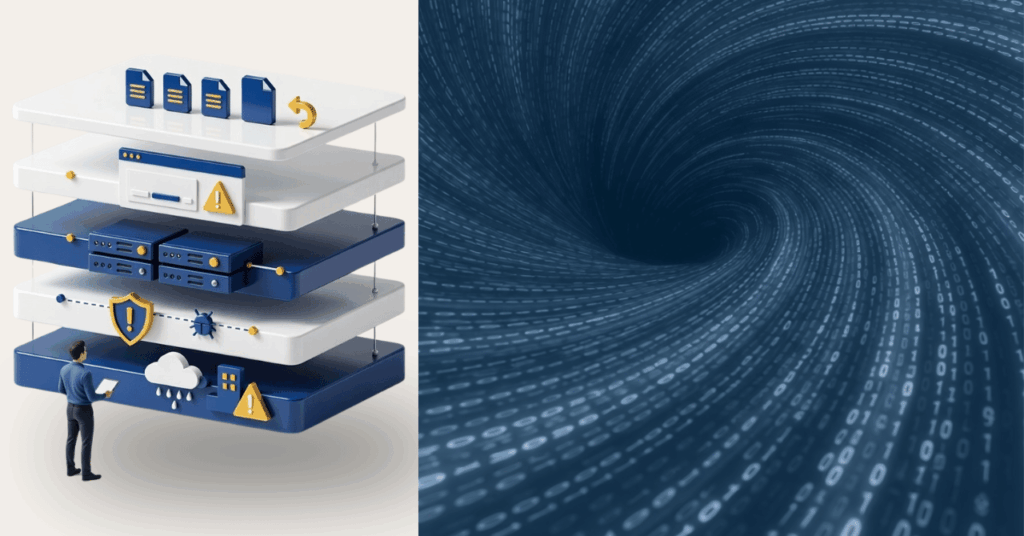
Illustration of an IT professional monitoring dashboards showing backup completion and disaster recovery status with green “GO” indicators, representing Disaster Recovery vs. Backups and their role in maintaining business continuity.

Disaster Recovery vs. Backups for Business Continuity

In September 2023, MGM Resorts International was hit by a large‑scale ransomware attack that disrupted operations across its Las Vegas and U.S. properties.

The company had backups.

Customer data was not permanently lost.

But critical systems—including hotel check‑in, digital room keys, slot machines, payment systems, and reservations—were taken offline for days.

MGM ultimately recovered.

But not quickly.

Restoration required rebuilding domain controllers, reinstalling systems, and reconstructing network trust relationships across global offices.

This is where the conversation around Disaster Recovery vs. Backups becomes more than technical terminology.

Backups protect data.
Disaster recovery protects operations.

And when the distinction isn’t clearly defined, businesses often discover—at the worst possible moment—that they were protected… but not prepared.

Backups Preserve Data. Disaster Recovery Restores Operations.

A backup is a copy of data stored separately from production systems. Its purpose is preservation.

Backups protect against:

  • Accidental deletion
  • File corruption
  • Limited hardware failure

They do not automatically restore:

  • Authentication systems
  • Network configuration
  • Server infrastructure
  • Application dependencies
  • Email platforms
  • Workflow integrations

Disaster recovery is different.

A disaster recovery plan defines how the business resumes operations when infrastructure is compromised.

It answers questions like:

  • How fast must we recover? (RTO)
  • How much data loss is acceptable? (RPO)
  • Where do systems fail over?
  • Who executes recovery procedures?
  • Has this process been tested?

Backups answer, “Can we restore the file?”

Disaster recovery answers, “Can we function?”

The Real Lesson from MGM Isn’t About Enterprise Scale

It would be easy to assume that MGM’s situation was unique because of its size.

But the operational lesson scales down.

Modern businesses — regardless of size — rely on:

  • Identity systems
  • Cloud authentication
  • Email infrastructure
  • Line-of-business software
  • Vendor integrations
  • Secure network trust

If those systems fail, file restoration alone does not restore operations.

Large enterprises have dedicated security teams, infrastructure engineers, and global vendor contracts.

Most small and mid-sized businesses do not.

Which means the difference between disaster recovery and backups can have even more significant operational impact in SMB environments.

Not because infrastructure is larger.

But because margin for downtime is smaller.

Why Backups Alone Create a Risk Blind Spot

1. Backup Success Does Not Equal Recovery Speed

Industry research consistently shows gaps between backup completion and operational recovery.

Organizations report:

  • Long recovery timelines
  • Backup failures under stress
  • Lack of disaster recovery testing

The issue is rarely whether backups exist.

It is whether recovery assumptions have been validated.

If a system has never been rebuilt under real-world conditions, recovery timelines are theoretical.

2. Downtime Is Financially Material

Recent industry data shows:

  • 100% of surveyed organizations report revenue loss due to outages.
  • Mid-sized businesses report downtime costs exceeding $300,000 per hour.
  • Over one-third of ransomware recoveries extend beyond one month.

Downtime is not an IT inconvenience.

It is an operational event.

And the longer recovery takes, the more consequences compound — financially, reputationally, and legally.

3. Ransomware Now Targets Recovery Infrastructure

Modern ransomware attacks routinely encrypt:

  • Local backups
  • Attached storage
  • Cloud-synced drives

Unless backups are:

  • Off-site
  • Immutable
  • Isolated from production environments

They can be compromised alongside primary systems.

A backup that can be altered is not resilience.

It is exposure deferred.

Disaster Recovery vs. Backups: The Core Differences

Graphic titled “Disaster Recovery vs. Backups: What Actually Restores Operations?” comparing linear backup recovery steps with structured disaster recovery failover processes.

Backups are components of a resilience strategy.

Disaster recovery is the strategy.

What “Good” Disaster Recovery Looks Like

A mature disaster recovery posture includes:

1. Off-Site, Immutable, Versioned Backups

Backups must be isolated and protected from alteration.

2. Secondary Infrastructure or Cloud Failover

Warm or hot standby environments reduce downtime dramatically.

3. Defined RTO and RPO

Leadership must determine acceptable downtime and acceptable data loss — explicitly.

4. Documented Runbooks

Recovery procedures must be clear and executable under stress.

5. Regular Testing

Testing remains one of the most common gaps identified in recovery research.

If it hasn’t been tested, it hasn’t been validated.

6. Clean Recovery Environments

Cyber incidents require verified rebuild processes before systems are reintroduced.

Disaster recovery is not a product.

It is structured preparedness.

What This Means for Businesses in Omaha

If you rely on a managed IT provider in Omaha, disaster recovery planning should extend beyond backup verification.

Leadership should understand:

  • How fast operations must resume (RTO)
  • How much data loss is tolerable (RPO)
  • Whether infrastructure can fail over
  • Whether recovery has been tested under stress

Backups are expected.
Continuity planning is differentiating.

What This Means for SMB Leaders

If a global enterprise with infrastructure depth required weeks to fully rebuild after a cyber incident — despite having backups — the relevant leadership question becomes:

Have we defined how our organization would resume operations if core systems became unavailable?

Not whether data exists.

But whether authentication, applications, and workflows can be restored within acceptable timelines.

If RTO and RPO targets are undefined, the organization is backup-protected — but not recovery-ready.

That distinction is strategic, not technical.

The Decision That Matters

Backups are necessary.

However, they are not sufficient.

Disaster recovery defines how your business responds under stress.

One preserves information.

The other preserves continuity.

If your organization relies on backups without a tested disaster recovery plan, the exposure is not visible — until it becomes operational.

The lesson from MGM isn’t alarmist. It’s clarifying.

Resilience requires both preservation and restoration.

Frequently Asked Questions

1. What is the difference between disaster recovery and backups?

Backups create copies of data for restoration. Disaster recovery restores full operational systems, infrastructure, and applications after disruption.

2. Why didn’t backups prevent downtime in the MGM cyberattack?

Because backups protect data, not operations.

In MGM’s 2023 cyberattack, data was largely recoverable—but critical systems were unsafe to bring back online. Attackers compromised identity and access platforms, meaning systems couldn’t be restored until authentication, permissions, and trust relationships were rebuilt.

3. What are RTO and RPO?

RTO (Recovery Time Objective) defines how quickly operations must resume.
RPO (Recovery Point Objective) defines how much data loss is acceptable.

4. Are cloud backups enough for ransomware protection?

Not necessarily. If backups are not immutable or isolated, ransomware can encrypt them alongside production systems.

5. Do small businesses need disaster recovery plans?

Yes. SMBs often have fewer internal resources to recover quickly, making structured disaster recovery planning even more important.

6. How often should disaster recovery plans be tested?

At minimum annually — ideally more frequently — to ensure recovery timelines are realistic and executable.


If you’re evaluating your disaster recovery posture with a managed IT provider in Omaha, the first step is defining what recovery actually means for your organization.

Not just whether data exists.

But whether operations can continue.

Because the difference between disaster recovery vs. backups is not technical.

It’s operational.

Flat-style digital illustration of an IT professional using a tablet in a calm, modern office. In the background, multiple workstations display structured system dashboards. Text reads: “Get in touch with our team.” InfiNet logo shown.

Disaster Recovery vs. Backups for Business Continuity Read More »

Alt text: A group of construction workers with tools and equipment, surrounded by digital warning icons and devices, illustrating how IT risks for contractors can impact everyday job-site operations and decision-making.

The Overlooked IT Risks for Contractors That Quietly Disrupt Job Sites

For skilled trade businesses, most job sites feel like controlled chaos that somehow works. Crews are moving, phones are buzzing, photos are getting sent, and jobs keep progressing. From the outside, nothing looks “broken.” Technology is doing its job—right.

Until one day, it doesn’t.

A missing photo delays billing. A lost device raises questions. A login issue stalls a crew mid‑task. These moments don’t usually come from dramatic failures or cyberattacks. More often, they come from everyday job‑site technology issues—that’s where IT risks for contractors quietly build over time, until they interrupt the work itself.

Where Job-Site Technology Risks Actually Show Up

The biggest risks aren’t hidden in systems — they’re visible in everyday workflows.

Industry research shows construction teams can lose up to 35% of their time to avoidable inefficiencies when systems and information aren’t aligned. In practice, that lost time doesn’t just affect productivity — it creates gaps in visibility, accountability, and consistency.

At the same time, studies show field service technicians can spend 1–2 hours per day navigating inefficiencies caused by fragmented mobile tools. When critical work happens across disconnected apps and devices, it becomes harder to track who did what, when, and using which information.

When technology isn’t designed around real‑world workflows, those inefficiencies quietly become risk — and they show up first in the tools crews use every day.

Illustration highlighting IT risks for contractors, showing a field worker standing beside a large clock and stacked systems—representing how misaligned tools and disconnected workflows lead to time loss, reduced visibility, and operational inefficiencies on job sites.

1. Phones and Tablets in the Field

A construction worker using a tablet on a job site, illustrating how IT risks for contractors often stem from mobile device use and mixed work-personal data.

Phones and tablets are essential on job sites. But they also create one of the most overlooked risks.

Devices get:

  • Lost, replaced, or upgraded
  • Shared between team members
  • Used for both work and personal tasks

Photos, emails, job notes, and apps all live in the same place—with no clear separation.

There’s rarely a clean line between “work data” and “everything else.”

Over time, that creates uncertainty around where critical information actually lives.

2. Shared Access and Informal Workarounds

When work needs to get done, crews find a way.

That often looks like:

  • Shared logins
  • Apps left signed in
  • Passwords reused across tools

Not because it’s ideal—but because stopping work isn’t an option.

These workarounds solve immediate problems. But they also remove visibility and accountability.

No one is fully sure:

  • Who accessed what
  • When something changed
  • Or how to trace issues when they arise
A worker accessing shared systems and tools, representing how IT risks for contractors develop through shared logins and limited visibility on job sites.

3. Data Moving Faster Than Visibility

A job-site worker surrounded by connected systems and data flows, showing how IT risks for contractors arise when information moves faster than visibility.

Job-site data moves constantly:

  • Photos from the field
  • Notes from trucks
  • Emails to the office
  • Files between systems

But visibility doesn’t always keep up.

There’s often no single place to answer:

  • Where is this data stored?
  • Who has access to it?
  • Is it complete or missing pieces?

This is where job-site technology risks become operational—not technical.

What “Intentional” Job-Site Technology Actually Looks Like

A worker managing structured digital systems on a job site, demonstrating how reducing IT risks for contractors requires organized and intentional technology use.

The goal isn’t to slow crews down.

It’s to make the right way of working the easiest way.

That usually comes down to three things:

1. Clear Ownership of Devices and Access

Every device, account, and workflow has defined ownership—supported by Mobile Device Management (MDM) to ensure devices are known, secured, and appropriately governed, without adding friction for the field.

2. Guardrails That Work Automatically

Instead of relying on people to remember processes, systems handle consistency in the background.

3. Visibility That Matches Real Workflows

Leaders can see what’s happening across job sites—without needing crews to change how they work.

Good systems adapt to the job site.

Crews shouldn’t have to adapt to IT.


If you’re like most contractors, the question isn’t whether technology is in place—it’s whether it’s actually supporting how work gets done day to day.

That answer usually reveals where IT risks for contractors quietly build over time—and why managed IT services in Omaha are increasingly focused on aligning systems to real‑world field workflows, not just maintaining tools.

If it’s unclear, that’s a good place to start.

Professional man using a tablet in an office setting with “Get in touch with our team” and InfiNet branding.

Frequently Asked Questions

1. What are the most common IT risks for contractors?

For most contractors, the biggest IT risks aren’t cyberattacks — they’re everyday issues that quietly disrupt operations. That includes lost or replaced devices, shared logins, unclear ownership of job‑site data, and inconsistent workflows across crews. Over time, these gaps affect billing, scheduling, and accountability.

2. Why are job‑site technology risks so easy to miss?

Because day‑to‑day work still gets done. Photos are sent, jobs move forward, and crews adapt. The risk only becomes visible when something slows down or goes missing — a delayed invoice, a dispute over documentation, or a stalled crew waiting on access. By then, the issue has usually been building for a while.

3. How do phones and tablets used by crews create risk?

Phones and tablets are essential on job sites, but they often serve multiple roles at once. Devices are shared, upgraded, or replaced. Work and personal use overlap. Critical photos, emails, and job notes live on individual devices instead of in systems with clear visibility. That makes it harder to track information, verify work, or respond quickly when questions arise.

4. Are field service IT issues different from office IT issues?

Yes. Office IT is typically built around fixed locations and predictable access. Field service environments are mobile, time‑sensitive, and shared. Crews need fast access without friction, which means traditional office‑style controls don’t always translate well. The risk comes from forcing field teams to work around systems that don’t match how the job actually runs.

5. What does better job‑site technology management look like?

It starts with clarity — knowing where job‑site data lives, who owns it, and how it flows between the field and the office. Strong setups support how crews already work, instead of slowing them down. The goal isn’t adding more tools; it’s creating visibility, consistency, and accountability across jobs.

The Overlooked IT Risks for Contractors That Quietly Disrupt Job Sites Read More »

Illustration of a broken chain link between cloud storage and on-premise servers, representing failure points in a Backup and Recovery Strategy and the risk of relying on a single recovery path.

Backup and Recovery Strategy: Why Backups Fail

Let’s walk through a moment that feels routine — until it isn’t.

A system crashes.

Maybe it’s ransomware. Maybe it’s a failed update. Maybe it’s just corruption.

Someone says, “We’re fine. We have backups.”

Restore begins.

Then the delay stretches.
Files are missing.
The restore fails.
Or worse — it completes, but the system doesn’t function properly.

That’s when most organizations realize they didn’t have a backup and recovery strategy.

They had backup jobs.

According to Veeam’s 2023 Data Protection Trends Report, 21% of enterprise recovery attempts fail due to corrupted or incomplete backups. Nearly one in five restore attempts does not succeed when it’s needed most.

That’s not a technical issue.

That’s an operational risk.

The Real Problem: Backup Success Is Not Recovery Success

Backup software tells you when a job completes.

It does not guarantee recoverability.

Recovery fails because:

  • Critical directories weren’t included
  • Configuration changes broke coverage
  • Retention rules removed needed restore points
  • Corruption went undetected
  • New systems were never added to the job

A strong backup and recovery strategy assumes drift will happen.

Systems change. Teams grow. Cloud apps are added. Infrastructure evolves.

If your backup plan doesn’t evolve with it, failure becomes statistical — not accidental.

Automation Without Oversight Creates Silent Gaps

Modern environments rely on automation.

But automation without monitoring creates invisible risk.

Backups degrade when:

  • Storage fills without alerting
  • Backup agents stop reporting
  • Virtual machines aren’t enrolled
  • SaaS workloads are excluded
  • Configuration updates break schedules

Industry findings consistently show organizations assume automation equals protection.

It doesn’t.

Diagram titled “The Structure of a Resilient Backup & Recovery Strategy” showing alert review, capacity monitoring, daily validation, escalation process, and scheduled restore surrounding a central backup and recovery system.

A resilient backup and recovery strategy includes:

  • Daily validation of backup jobs – confirms backups completed successfully and captured all required data.
  • Capacity monitoring – prevents storage limits from silently breaking backup coverage.
  • Alert review – ensures errors and warnings are investigated, not ignored.
  • Escalation processes – defines who responds and how quickly when backup issues occur.
  • Scheduled restore verification – regularly tests recovery to confirm data is actually usable.

Automation handles repetition. Strategy handles accountability.

Human Error Breaks Backup Systems More Often Than Hardware

human error 1

When restore attempts fail, leaders often assume infrastructure failure.

In reality, misconfiguration and oversight are more common causes.

Examples include:

  • Incorrect retention policies
  • Deleted backup definitions
  • Permission misalignment
  • Poor documentation
  • Untracked infrastructure changes

As environments grow, complexity compounds.

Without standardized processes and documented oversight, backups become dependent on individual memory — and memory is not a strategy.

A mature backup and recovery strategy reduces human-dependent failure points by:

  • Formalizing change control
  • Centralizing monitoring
  • Enforcing configuration standards
  • Limiting administrative access

That’s how resilience scales.

Ransomware Now Targets Backups First

The threat landscape has shifted.

Attackers don’t stop at encrypting production systems. They deliberately seek out backup repositories and credentials.

If backups are compromised, organizations face:

  • Paying ransom
  • Permanent data loss
  • Extended downtime
  • Regulatory and reputational damage

Modern ransomware backup protection requires:

  • Immutable backups (cannot be altered or deleted)
  • Offsite or air-gapped copies
  • Segmented administrative credentials
  • Multi-layered access control

If attackers can erase your recovery path, recovery becomes negotiation.

A real backup and recovery strategy assumes adversaries understand backup architecture — and designs accordingly.

Backups Without Testing Are a Liability

Having backups is not preparedness. Testing is.

Backup recovery testing answers questions leadership rarely sees documented:

  • How long does full recovery actually take?
  • Do restored systems function properly?
  • Are integrations intact?
  • Can SaaS and cloud workloads be restored independently?

Without testing, backups are theoretical.

A mature backup and recovery strategy includes:

  • Scheduled restore drills
  • Failover simulations
  • Validation across cloud, physical, and SaaS systems
  • Documented recovery timelines

Preparedness is proven under controlled stress — not assumed from green checkmarks.

Recovery Time Is the Hidden Cost Leaders Underestimate

Even when backups work, recovery delays compound quickly.

Operational disruptions cascade:

  • Teams wait on file access
  • Customer responses slow
  • Complaints increase
  • Revenue cycles stall

Industry operational analyses consistently show that even modest downtime produces measurable downstream effects.

A strategic backup and recovery strategy defines:

  • Recovery Time Objectives (RTO)
  • Recovery Point Objectives (RPO)
  • System restoration priority
  • Escalation workflows

Without defined expectations, downtime expands beyond what leadership anticipates.

Growth Quietly Breaks Backup Design

One of the most overlooked risks?

Business growth.

You added:

  • Remote workers
  • SaaS applications
  • Hybrid cloud environments
  • Larger datasets
  • Additional endpoints

But your backup architecture stayed the same.

Backup systems must scale alongside business complexity.

If they don’t, coverage gaps form silently — and surface only during failure.

A resilient backup and recovery strategy evolves continuously with:

  • Infrastructure expansion
  • Workforce shifts
  • Regulatory requirements
  • Data growth

Static design in a dynamic environment guarantees drift.

What a Mature Backup and Recovery Strategy Looks Like

Baseline resilience includes:

✓ Redundant backups
✓ Offsite copies
✓ Encryption at rest and in transit
✓ Defined retention policies

More mature environments include:

✓ Immutable backup storage
✓ Air-gapped or logically isolated copies
✓ Routine backup recovery testing
✓ Documented disaster recovery planning
✓ Continuous monitoring and alerting
✓ Defined RTO and RPO targets
✓ Coverage for SaaS and remote endpoints

The difference isn’t technical sophistication. It’s intentional alignment between risk and recovery capability.

The Question Leadership Should Be Asking

Not:

“Do we have backups?”

Instead:

  • When was our last full restore test?
  • Are backups protected against ransomware deletion?
  • Are all cloud systems included?
  • What is our realistic recovery time?
  • Who validates backup integrity daily?

If those answers aren’t clear, your recovery risk likely isn’t either.

Backups are tasks.

A backup and recovery strategy done right by a proactive managed IT service provider is operational confidence.

Frequently Asked Questions

1. What is a backup and recovery strategy?

A backup and recovery strategy is a structured plan for capturing, protecting, verifying, and restoring business data and systems after disruption.

2. Why do backups fail even when software says they succeeded?

Backup software confirms completion, not recoverability. Failures often stem from incomplete data sets, misconfiguration, or lack of testing.

3. How often should backup recovery testing occur?

Critical systems should be tested at least quarterly, with more frequent validation in complex or high-risk environments.

4. How does ransomware affect backups?

Modern ransomware actors target backup repositories to eliminate recovery options. Immutable and offsite backups reduce this risk.

5. Is backup the same as disaster recovery planning?

No. Backup copies data. Disaster recovery planning defines how and how quickly systems are restored to resume operations.

Closing Thought

Most organizations don’t discover weaknesses in their backup and recovery strategy until the moment they depend on it — often without the structure and oversight of a managed IT service.

Not because they ignored risk.

Because they assumed protection without validating recovery.

Clarity before crisis is far less expensive than recovery after failure.

Professional man using a tablet in an office setting with “Get in touch with our team” and InfiNet branding.

Backup and Recovery Strategy: Why Backups Fail Read More »

Secure client access illustration showing hands holding a laptop with user login, a smartphone with a security lock, and encrypted folders, representing Zero Trust identity protection and access control.

Secure Client Access in 2026: Why Access Control Is Everything

Access issues are often more complex than they appear.

– A team member logs in from a new device.

– A vendor still has credentials from a project that ended months ago.

– An employee downloads files they technically have permission to access—but shouldn’t need anymore.

Nothing looks like a breach.

Yet these small access gaps are where many modern incidents begin.

In 2026, secure client access is no longer just an IT configuration. It’s a core operational control that determines who can reach systems, data, and applications—and under what conditions.

For organizations working with a managed IT Omaha partner, the conversation increasingly centers on identity and access rather than firewalls alone. Systems are no longer confined to office networks. Employees work from multiple locations, cloud platforms host sensitive data, and vendors often require temporary access to internal systems.

In that environment, access management becomes the new security perimeter.

What “Secure Client Access” Means in 2026

Today, secure client access means ensuring only the right people and devices can reach the right resources—at the right time, and nothing more.

Every access request must answer three questions:

Who is requesting access?

What are they trying to reach?

Is this access expected right now?

Older security models assumed anything inside the network could be trusted.

Modern environments operate differently.

Instead of trusting a login automatically, organizations adopt a Zero Trust model, where every session is evaluated continuously. Even after a user authenticates, systems may still check:

  • Device health
  • Login location
  • Behavioral patterns
  • Network conditions

If something deviates from the norm, access can be limited or re-verified immediately.

For example:

If a staff member normally logs in from Nebraska but suddenly appears from another country, modern access systems may require additional verification—or block the session entirely.

This “never trust, always verify” principle has become the foundation of secure access in modern organizations.

Illustration representing secure client access, showing a professional reviewing a server stack and laptop while pointing to a pinned access note, symbolizing the “never trust, always verify” approach to managing and validating system access.

Why Identity Has Become the New Security Perimeter

Illustration related to secure client access, showing a laptop connected to multiple devices including a smartphone and tablet, representing identity verification, device validation, and controlled access to cloud-based business systems across different endpoints.

The shift to cloud platforms, mobile work, and distributed teams has dissolved traditional network boundaries.

Most organizations now rely on:

  • Microsoft 365
  • Cloud line-of-business applications
  • Remote work environments
  • Third-party integrations

Because users connect from many locations and devices, identity credentials are now the main gateway to business systems.

That’s why modern security strategies prioritize:

  • Identity verification
  • Access restrictions by role
  • Device validation
  • Session monitoring

A stolen password alone should never be enough to access business systems.

Secure access frameworks ensure multiple layers of verification are always in place.

Key Secure Access Best Practices in 2026

Modern MSP environments rely on a combination of controls that reinforce each other.

If one layer fails, another still limits risk.

1. Multi-Factor Authentication (MFA)

Multi-factor authentication requires users to verify identity using two or more factors, such as:

  • Password
  • Authenticator app
  • biometric login
  • hardware security keys

MFA dramatically reduces risk from credential theft.

In 2026, most organizations are moving away from SMS codes and toward phishing-resistant authentication methods like authenticator apps or FIDO2 security keys.

Illustration showing multi‑factor authentication on a mobile device, representing how MFA strengthens secure client access by verifying user identity with multiple factors.

2. Least Privilege and Role-Based Access

Illustration explaining secure client access through least-privilege access controls, showing different users with approved or restricted permissions, representing role-based access where individuals can only reach the systems necessary for their job responsibilities.

Not every user should have access to everything.

Least privilege access ensures users can only reach the systems necessary for their role.

Examples include:

  • Accounting staff accessing finance systems but not HR files
  • Front desk teams accessing scheduling platforms but not server infrastructure
  • Vendors receiving temporary system access for specific tasks

Many organizations now implement Privileged Access Management (PAM) tools to control administrative accounts and prevent permanent high-level access.

This significantly reduces the damage a compromised account could cause.

3. Zero Trust Network Access (ZTNA)

Legacy VPNs often gave users broad network access once they logged in.

ZTNA systems work differently.

Instead of granting network-wide access, they authorize connections per application session.

Users connect only to the specific systems they need, and nothing else.

Benefits include:

  • Reduced lateral movement during breaches
  • location-independent access
  • improved visibility into application activity

ZTNA is now a common component of modern secure access management strategies.

Illustration representing secure client access using Zero Trust Network Access (ZTNA), showing a professional securely connecting to a specific application through a verified session while security controls and system settings manage and monitor the connection.

4. Context-Based Access Policies

Illustration depicting secure client access with contextual access controls, showing professionals reviewing security policies while a shield and system dashboard represent risk-based access decisions based on device compliance, location, login behavior, and network conditions.

Modern access systems evaluate context, not just credentials.

Security policies may consider:

  • device compliance
  • geographic location
  • login timing
  • connection network
  • behavioral patterns

If risk appears elevated, systems can:

  • request additional authentication
  • restrict certain actions
  • block access entirely

This dynamic approach ensures security adjusts automatically based on real-world conditions.

5. Continuous Monitoring

Access security does not stop at login.

Organizations increasingly deploy monitoring platforms such as:

  • Endpoint Detection & Response (EDR)
  • Security Information and Event Management (SIEM)
  • user behavior analytics

These tools detect unusual activity such as:

  • large data downloads
  • unexpected system access
  • suspicious login patterns

For businesses working with managed IT Omaha providers, centralized monitoring across systems and devices helps identify issues before they escalate.

Illustration related to secure client access, showing cybersecurity monitoring tools detecting suspicious activity such as phishing emails, unusual logins, and malware through systems like EDR, SIEM, and user behavior analytics.

6. Secure Offboarding and Vendor Access

Illustration showing secure client access management through user account oversight, depicting an organizational hierarchy and administrator reviewing user access to prevent ghost accounts, enforce role-based permissions, and maintain secure system access.

Access risk often comes from accounts that should no longer exist.

Best practices now include:

  • immediate access removal when employees leave
  • automatic role-based adjustments during promotions
  • documented third-party vendor access
  • regular access audits

These controls prevent ghost accounts and reduce exposure to external compromise.

Frequently Asked Questions

1. What is secure client access?

Secure client access refers to the systems and policies that ensure only authorized users can reach specific applications, systems, or data—based on identity verification, device checks, and contextual security rules.

2. What is Zero Trust access?

Zero Trust is a security model where no user or device is automatically trusted. Every access request must be verified continuously, even after login.

3. Is multi-factor authentication enough to secure access?

MFA is essential but not sufficient alone. Modern secure access strategies also include role-based permissions, device validation, behavioral monitoring, and session-based controls.

4. Why is least privilege important?

Least privilege ensures users receive only the access they need for their role. This limits damage if credentials are compromised.

5. How do MSPs help manage secure client access?

Managed service providers implement and monitor identity systems, access policies, endpoint security, and compliance frameworks across client environments.

Final Thoughts

Access is one of the most overlooked risk points in modern organizations.

Most incidents don’t start with sophisticated attacks.

They start with ordinary credentials being used in unexpected ways.

Secure client access frameworks reduce that risk by ensuring access is intentional, monitored, and continuously validated.

For organizations evaluating their security posture, the real question is not simply whether systems are protected.

It’s whether access decisions are being made deliberately—and reviewed regularly.


If you want clarity around how access is currently structured in your environment, start with visibility. Understanding who can access what—and why—is often the first step toward building a more resilient technology environment.

Professional man seated and using a tablet with office background, featuring InfiNet logo and contact message.

Secure Client Access in 2026: Why Access Control Is Everything Read More »

3-2-1 Backup Rule explained for businesses using managed IT, featuring layered local and cloud data protection strategy

3-2-1 Backup Rule Explained for Businesses with Managed IT

Let’s start with something simple.

Your server goes down at 10:14 AM on a Tuesday.

Not dramatically. Not with sparks. Just… down.

Your team can’t access shared files. Accounting can’t pull invoices. Someone tries to open a folder and gets an error message that feels far too calm for what’s happening.

You call IT. They say, “We’ll restore from backup.”

And that’s the moment that matters.

Because what happens next depends entirely on whether your environment follows the 3-2-1 backup rule — or whether someone assumed one copy was enough.

What the 3-2-1 Backup Rule Actually Means

The 3-2-1 backup rule requires:

  • 3 copies of your data (production + two backups)
  • 2 different types of storage media
  • 1 copy stored offsite (cloud or physically separate location)

This structure is consistently defined by backup vendors like Acronis and reinforced by guidance from the Cybersecurity & Infrastructure Security Agency (CISA), which recommends the 3-2-1 model as a baseline for resilience against ransomware and system failure.

Why the consistency?
Because this framework solves multiple types of failure at once.

And most businesses underestimate how many failure types actually exist.

Why the 3-2-1 Backup Rule Is Critical for Ransomware Protection

Modern ransomware doesn’t just encrypt production data.

It looks for backups.

Attackers increasingly attempt to:

  • Encrypt local NAS backups
  • Delete connected backup repositories
  • Compromise backup credentials
  • Target cloud backup consoles

Security researchers and enterprise infrastructure providers have documented this shift, which is why newer models like 3-2-1-1 are emerging — adding:

  • 1 immutable or offline copy (cannot be altered or deleted)
immutable or offline copy

Immutability means once the backup is written, it cannot be modified — even by administrators — for a defined retention period.

For managed IT clients in 2026, ransomware backup protection isn’t optional.
It’s architectural.

If your backups can be deleted, they can be weaponized against you.

Business Continuity Isn’t About Backups. It’s About Time.

Here’s a more important question:

How long can your business operate without systems?

The 3-2-1 backup rule supports two types of recovery:

1. Local Restore (Speed)

Illustration of the 3-2-1 Backup Rule showing a computer and on-premise server with bidirectional arrows, representing one of the local backup copies used for fast data recovery.

A local backup — such as a NAS or backup appliance — allows fast recovery from:

  • Accidental deletions
  • File corruption
  • Routine hardware failures

This protects operational continuity.

2. Offsite Restore (Survival)

An offsite copy — cloud or geographically separate — protects against:

  • Fire
  • Flood
  • Theft
  • Building outages
  • Regional disasters

On-prem-only backups fail during physical disasters.

The 3-2-1 structure ensures you can survive large-scale events, not just everyday mistakes.

This is foundational to effective business continuity planning — something many organizations only evaluate after disruption occurs.

Illustration of the 3-2-1 Backup Rule showing a cloud connected to a backup folder with a refresh symbol, representing offsite cloud storage for secure and redundant data recovery.

What “Good” Looks Like for Managed IT Clients in 2026

Not all backup systems are equal — even if they use the term “3-2-1.”

Here’s what maturity looks like.

Baseline: True 3-2-1 Structure

A strong managed IT backup strategy typically includes:

  • Production data on servers/workstations
  • Local backup on a NAS or dedicated appliance
  • Encrypted offsite backup in the cloud

Enterprise vendors like Acronis and federal guidance from CISA both emphasize this structure as foundational.

Healthy environments also include regular restore testing — because a backup that hasn’t been tested is a theory, not a recovery plan.

Better: Enhanced 3-2-1 with Modern Protections

Top-performing MSPs now add:

  • Immutable storage (cannot be altered or deleted)
  • Air-gapped or logically isolated copies
  • Automated backup integrity checks

You may see this described as 3-2-1-1-0:

  • 3 copies
  • 2 media
  • 1 offsite
  • 1 immutable
  • 0 errors (verified backups)

This evolution exists for one reason: attackers now target backup systems directly.

Your backup strategy must assume that.

Best: Fully Managed Backup Lifecycle

The strongest environments include more than infrastructure.

They include process.

  • Continuous monitoring and alerting
  • Automated verification
  • Scheduled test restores
  • Documented recovery plans
  • Multi-tiered retention (daily, weekly, monthly)
  • Coverage for remote worker devices and SaaS platforms
  • Cloud geo-redundancy

At this level, backup is no longer a product.
It’s part of operational maturity.

And that’s where managed IT shifts from reactive support to leadership-level partnership.

Frequently Asked Questions

1. What is the 3-2-1 backup rule in simple terms?

The 3-2-1 backup rule means keeping three total copies of your data, stored on two different types of media, with one copy stored offsite. It is widely recommended by cybersecurity authorities like CISA as a baseline for resilience.

2. Is cloud storage the same as backup?

No. Cloud file sync services replicate changes — including deletions and ransomware encryption. A true backup maintains separate, restorable copies that are not instantly overwritten.

3. How does the 3-2-1 backup rule protect against ransomware?

It ensures at least one copy is stored offsite and ideally isolated or immutable, so attackers cannot encrypt or delete every recovery point.

4. Do small businesses really need this level of backup structure?

Yes. Single points of failure disproportionately impact SMBs because downtime affects revenue, operations, and reputation immediately. The 3-2-1 model is specifically designed to prevent total data loss.

5. What is 3-2-1-1-0?

An evolution of the 3-2-1 backup rule that adds one immutable/offline copy and zero unverified backups (meaning restore testing is performed regularly).

Final Thought

Backups are easy to assume.

Recovery is harder to design.

The 3-2-1 backup rule isn’t about technical best practice — it’s about removing uncertainty from moments that would otherwise disrupt your business.

If you’d like clarity from a trusted managed IT provider on whether your current environment truly meets that standard — or just sounds like it does — that’s a conversation worth having.

Professional man seated and using a tablet with office background, featuring InfiNet logo and contact message.

3-2-1 Backup Rule Explained for Businesses with Managed IT Read More »

Talk to our Team