Workflow & Efficiency

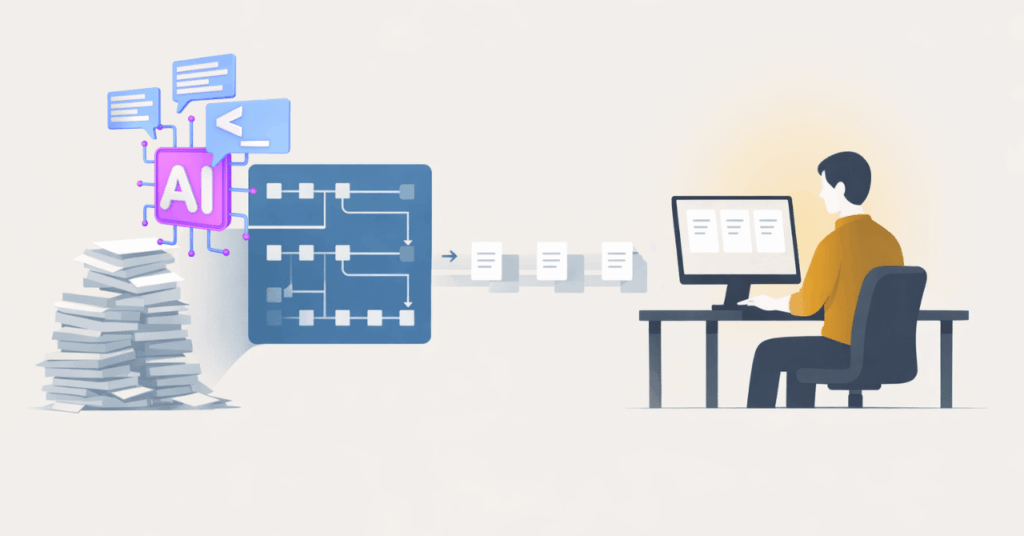
Illustration of AI organizing tasks and documents to improve AI workflow efficiency and streamline everyday business operations

AI Workflow Efficiency: 4 Real Workplace Gains

Most teams don’t question whether AI works. The challenges show up elsewhere.

Work takes longer than expected. Decisions stall while teams look for context. Results vary based on who is doing the work and how much capacity they have.

This is where AI workflow efficiency becomes relevant.

When applied intentionally, AI doesn’t feel disruptive. It reduces friction in everyday work. Tasks move faster. Decisions are easier to support. Output becomes more consistent across teams.

1. Work Starts Moving Again
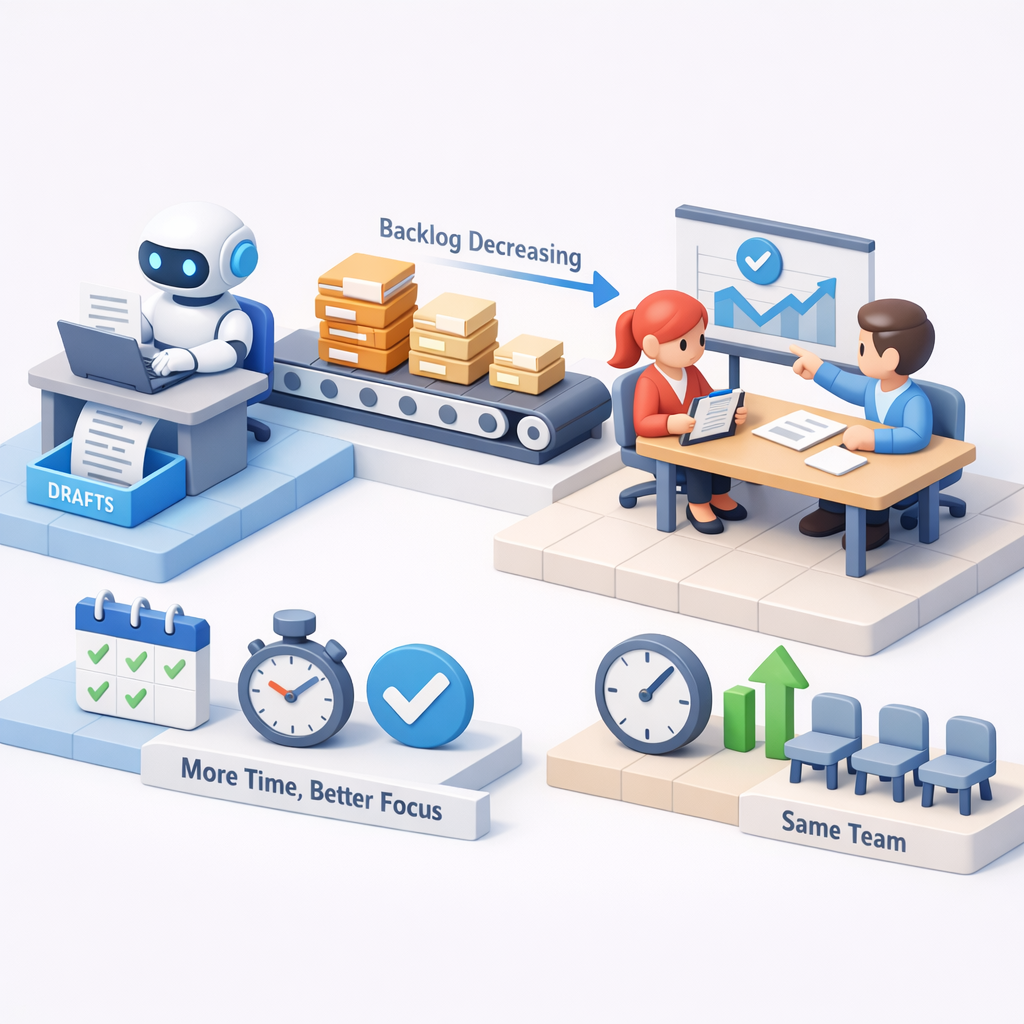
Illustration of AI assisting with tasks and reducing backlog, representing AI workflow efficiency that helps work move faster and smoother

This tends to show up in small, repeatable moments. Drafts appear faster. Backlogs shrink. Routine tasks stop piling up.

AI handles the first pass. People focus on judgment.

What to keep in mind:
When work stops dragging, teams gain time without adding headcount.

2. Decisions Don’t Stall on Context

Most teams don’t lack information—they lack alignment.

AI pulls context together quickly. It summarizes, connects inputs, and highlights what matters. Instead of chasing answers, teams move forward.

What to keep in mind:
Faster clarity improves momentum without adding meetings.

Illustration of AI connecting data and teams to support faster decisions, highlighting AI workflow efficiency through improved clarity and alignment

3. Output Becomes More Predictable

Illustration of AI standardizing processes and outputs, showing how AI workflow efficiency improves consistency across teams

This tends to show up as fewer inconsistencies. Writing improves. Documentation stabilizes. Routine work becomes more uniform.

AI raises the floor.

What to keep in mind:
Consistency reduces rework and makes outcomes easier to trust.

4. Small Gains Compound Into Real Impact

Early improvements don’t look dramatic—but they add up.

A few minutes saved here. A faster decision there. Less back-and-forth across teams.

Over time, that becomes noticeable operational lift—and that’s where it begins to pay for itself.

What to keep in mind:
Efficiency shows up first. Financial impact follows.

Illustration of growth and performance metrics representing how AI workflow efficiency compounds into measurable business impact over time

Start Where Work Feels Friction

The fastest AI wins don’t come from transformation plans.
They come from fixing what already feels slow, unclear, or inconsistent.

Start where work gets stuck. Where decisions take too long. Where output varies more than it should. That’s where AI makes the biggest difference first—and where guidance from a local managed IT service can help align AI use with real workflows instead of abstract goals.

If AI could remove friction in just one of your core processes today, do you know where that value would show up first?

Professional man using a tablet in an office setting with “Get in touch with our team” and InfiNet branding.

Frequently Asked Questions

1. How does AI workflow efficiency improve daily operations?

AI workflow efficiency improves daily operations by reducing time spent on drafting, summarizing, and repetitive tasks. It helps teams move faster, make decisions with clearer context, and produce more consistent output without adding complexity.

2. Where should businesses start with AI workflow efficiency?

Most organizations see early value by applying AI to one specific workflow—like drafting content, summarizing information, or preparing reports—where delays or rework already exist. Starting small makes the impact easier to measure and scale.

3. Does AI workflow efficiency always lead to ROI?

AI workflow efficiency typically shows up first as faster work, clearer decisions, and more consistent output. As those improvements compound, they reduce wasted time and effort—allowing ROI to follow naturally over time.

AI Workflow Efficiency: 4 Real Workplace Gains Read More »

Flat illustration of an IT professional reviewing systems on a planning board, representing an IT reset for businesses through structured evaluation and oversight.

New Year IT Reset for Businesses: Setting the Year Up Right

January has a way of exposing things you managed to live with all year.

Budgets reset. Projects resurface. Leadership asks new questions. And suddenly, the technology decisions you made incrementally—one tool here, one fix there—are sitting under a brighter light.

For many organizations, this is when an IT reset for businesses turns into a checklist exercise: patch systems, review backups, renew licenses, move on.

But the businesses that start the year strongest don’t treat January as a technical cleanup.
They treat it as a strategic IT reset.

A reset shouldn’t just involve asking, “Is everything working?”—but instead, “Is our technology truly aligned with the business’s goals for this year?

That distinction matters—because misaligned IT doesn’t usually fail loudly. It quietly creates risk, waste, and friction that compounds long before anyone notices.

Why an IT Reset Matters for Businesses in January

January is one of the few moments when IT strategy for business can be made proactively, not reactively.

You have:

  • A clear view of last year’s breakdowns and near-misses
  • Fresh financial context
  • Leadership attention before the year accelerates

Handled correctly, an IT reset for businesses lets you:

  • Reduce meaningful risk early in Q1
  • Reclaim wasted spend before it compounds
  • Align systems to real business outcomes—not assumptions

Handled poorly, January becomes a rushed audit that checks boxes without changing trajectory.

The difference isn’t effort.
It’s how you frame the work.

January is one of the few moments where technology decisions can be made proactively, not reactively.

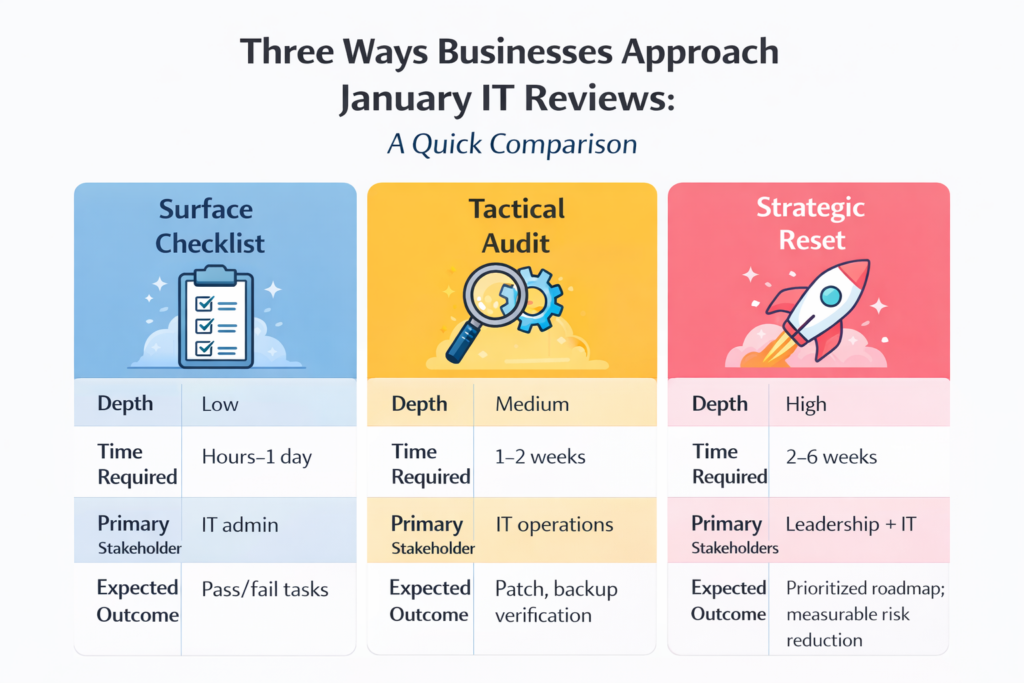
A Quick Comparison: Three Ways Businesses Approach January IT Reviews

Comparison graphic titled “Three Ways Businesses Approach January IT Reviews” showing Surface Checklist (low depth, quick pass/fail tasks), Tactical Audit (medium depth, patch and backup verification), and Strategic Reset (high depth, leadership-driven roadmap and measurable risk reduction), illustrating an IT Reset for businesses.

Most businesses operate in the middle by default.

The organizations that mature fastest intentionally move up the stack—not by doing more, but by deciding better.

A Practical New Year IT Reset: What to Review (and How to Go Deeper)

Below isn’t a list of tools.
It’s a set of decision areas that determine whether IT supports or silently undermines the business.

Align Technology to the Business Plan

Start by identifying your top three business priorities for the year.

Then map:

  • Which systems support each priority
  • Required performance expectations (SLAs, uptime, response)
  • What failure would cost the business

If a system doesn’t map to a priority, it raises a hard but necessary question:
Why are we funding this?

This is where many organizations uncover shadow spend and legacy tools that survived without justification.

Treat Backups as Recoverability Projects

Backups often give leaders a false sense of security.

Most businesses assume that if data is being backed up, it can be restored quickly when something goes wrong. In reality, many organizations don’t discover gaps until they’re already under pressure—during a ransomware event, a system failure, or an accidental deletion that disrupts operations.

The real question isn’t whether backups exist.
It’s whether your business can actually recover fast enough to avoid downtime, lost revenue, or operational chaos.

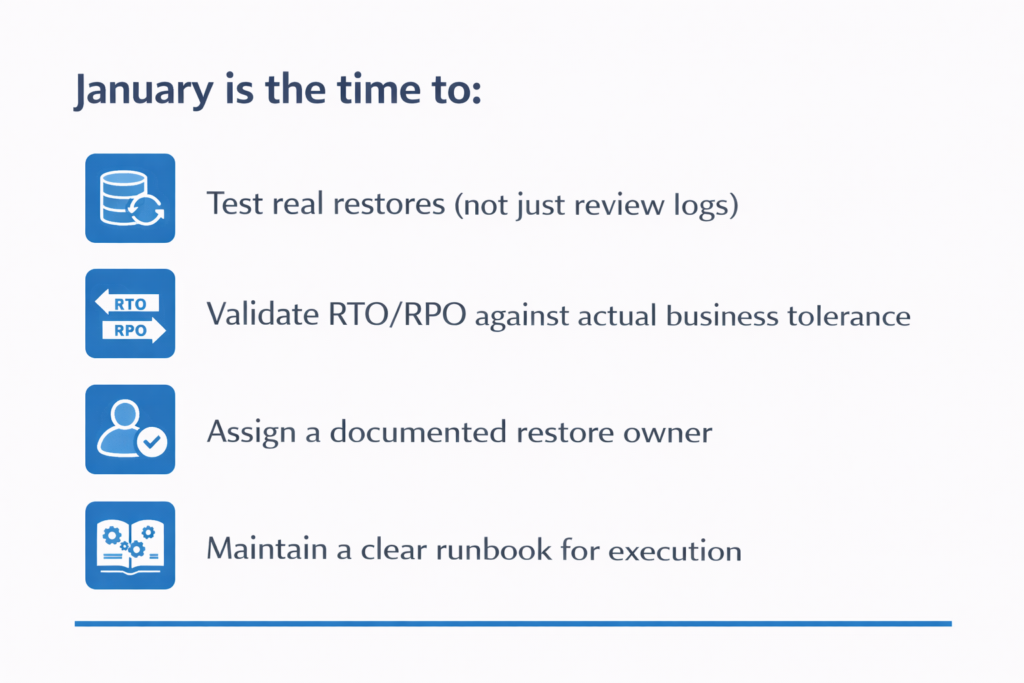
That’s why January is the right time to treat backups as a recoverability exercise, not a checkbox.

Calm, structured checklist graphic outlining four January IT Reset for businesses tasks: testing real restores, validating RTO/RPO, assigning a restore owner, and maintaining a clear runbook. Minimal blue icons appear beside each item in a clean, systems‑oriented layout.

The question isn’t “Do we have backups?”
It’s “Can we recover fast enough to avoid real damage?”

Move from Vulnerability Lists to Attack-Path Reduction

Scanning tools generate noise. Attackers exploit pathways.

A stronger January reset focuses on:

  • Identity and privileged access
  • Exposed services
  • Lateral movement opportunities

Breaking attacker chains reduces risk more effectively than chasing every CVE.

This shift requires context, prioritization, and leadership buy-in—not just alerts.

Rationalize SaaS and Licensing Spend

Most organizations underestimate how much budget disappears into unused or overlapping subscriptions.

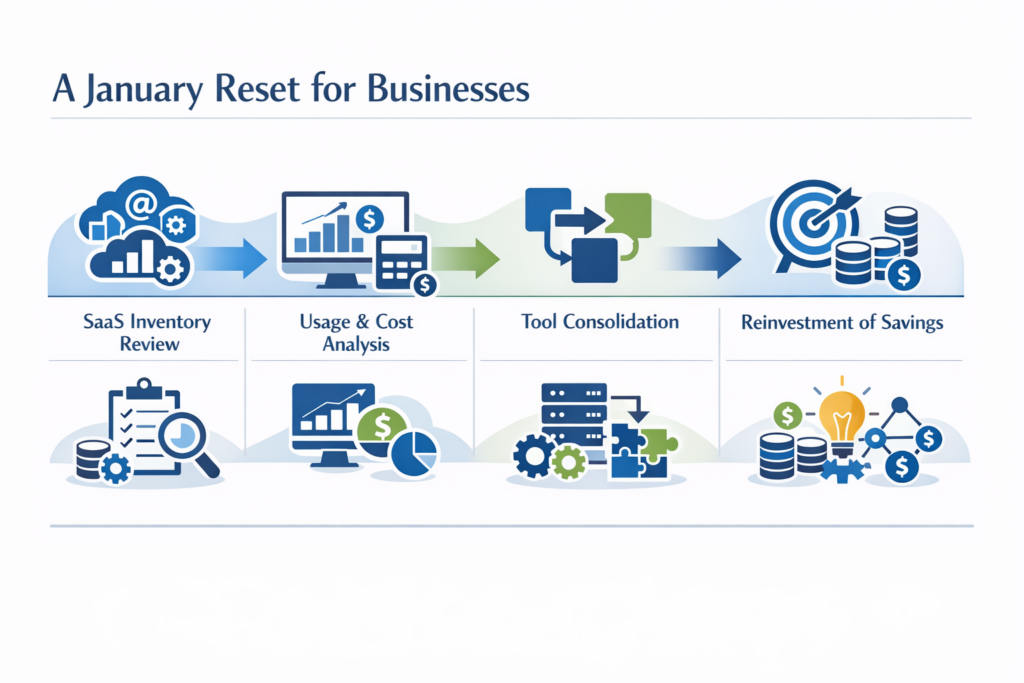
A January reset should include:

  • Full inventory of SaaS tools
  • Usage vs. cost analysis
  • Consolidation where it reduces complexity
  • Intentional reinvestment of savings
Structured horizontal process graphic illustrating four components of an IT Reset for businesses: SaaS inventory review, usage and cost analysis, tool consolidation, and reinvestment of savings. Uses calm tech-focused icons, restrained blues and greens, and a systematic left‑to‑right flow consistent with InfiNet’s brand aesthetic.

This is often where businesses fund higher-impact security or automation—without increasing total spend.

Rebuild Observability and Runbooks

Alerts without action create fatigue.

Effective systems ensure:

  • Every alert maps to a documented response
  • Clear ownership and escalation paths
  • Tabletop exercises for the top two incident types

When something breaks, the goal isn’t speed alone—it’s clarity under pressure.

Review Vendor and Contract Health

January is the safest time to examine:

  • SLA performance
  • Renewal timelines
  • Exit clauses
  • Vendor risk concentration

Consolidation only makes sense when it reduces risk and friction—not when it’s driven by convenience.

Address People and Skills Gaps

Technology maturity stalls without the right human support.

Rather than trying to fix everything, identify:

  • One critical skills gap
  • One short-term training or advisory investment
  • One clear owner for cross-team coordination

Progress beats perfection—especially early in the year.

What “Good” Looks Like Coming Out of January

By the end of a true IT reset, leadership should be able to answer:

  • Where does our biggest risk actually live?
  • Which systems matter most—and why?
  • What are we intentionally not fixing yet?
  • Who owns the next 90 days?

If those answers are clear, the year starts on stable footing.

If they’re vague, the organization is already behind.

Frequently Asked Questions

1. What is an IT reset?

An IT reset is a structured review of systems, risk, and spend that aligns technology decisions to business goals—rather than a simple technical checklist.

2. Why is January the best time to review IT?

January offers fresh budgets, leadership focus, and the opportunity to reduce Q1 risk before issues compound later in the year.

3. How is an IT reset different from an IT audit?

Audits confirm compliance and configuration. An IT reset prioritizes outcomes, tradeoffs, and forward-looking decisions.

4. Do small businesses need a strategic IT reset?

Yes—often more than larger organizations. Smaller teams feel the impact of outages, waste, and misalignment faster and more directly.

5. What role does a vCIO play in an IT reset?

A vCIO provides leadership-level guidance, translating technical findings into business decisions and building a prioritized roadmap.

6. How long should a proper IT reset take?

Typically 2–6 weeks, depending on complexity. The value comes from clarity and prioritization—not speed alone.

A Thoughtful Next Step

If January already feels busy, that’s exactly why clarity matters.

A short, focused conversation can help you understand:

  • Where risk is underestimated
  • Where spend is misaligned
  • What a realistic 90-day plan looks like

That’s how strong years begin. Here’s to a clear, intentional start.

Professional man seated and using a tablet with office background, featuring InfiNet logo and contact message.

New Year IT Reset for Businesses: Setting the Year Up Right Read More »

Talk to our Team