Beyond Basic IT: What Architecture & Engineering Firms Really Need
Architecture and engineering firms ask a lot more of their technology than the average office.
Large Revit models, CAD files, rendering software, plotters, high-performance workstations, and years of project data all have to work together. Add contractors, consultants, and clients who need access to project information, and even a relatively small firm can have a fairly complex IT environment.
That means the technology supporting an A&E firm needs to be built around how the firm actually works — not around a standard office setup.
Here are some of the areas that matter most.
Project Files Need More Than Basic Backup
For an A&E firm, project files aren’t just documents sitting on a server. They’re active work product, project history, and often the result of hundreds or thousands of hours of work.
Losing access to a model or drawing set can delay a project quickly. Even losing a few hours of recent work can create a significant headache when a deadline is approaching.
Backups should be designed around that reality.
That means determining how much recent work the firm can reasonably afford to lose, protecting the systems and project data that matter most, and keeping backup copies separate from the primary environment.
It also means testing restores.
A backup can report that it completed successfully every night, but that doesn’t necessarily tell you whether the data can be recovered when you actually need it. Regular restore testing helps make sure the recovery plan works before there’s an emergency.
Workstations Are Part of the Production Environment
A computer used primarily for email and Microsoft Office has very different requirements from one running Revit, AutoCAD, Civil 3D, or rendering software all day.
Memory, graphics capability, processors, storage, and even the way the workstation is configured can affect how well those applications perform.
And simply buying the most expensive workstation isn’t necessarily the answer.
Hardware should match the applications, project sizes, and workloads your team actually uses. It also needs to be maintained with those applications in mind.
The same goes for support. If an administrative computer is having a minor issue, that’s inconvenient. If a project team’s workstation can’t open a model the day a drawing set is due, that’s a production problem.
IT support should understand the difference.
Software Versions Can Get Complicated Fast
A&E firms also deal with something many other businesses don’t: different clients, consultants, and projects may require different versions of the same software.
One project might still be in an older version of Revit while a new project starts in the latest release. A consultant may be using a different AutoCAD version. Certain plugins or add-ons may only work with specific releases.
Updating everything at once isn’t always practical — and doing so without planning can create compatibility problems.
IT needs to understand which versions are required, how updates affect active projects, and when upgrades can happen without disrupting production.
That also means keeping track of licensing, plugins, workstation requirements, and dependencies instead of treating every software update like a routine “click install” situation.
Plotters and Other Equipment Matter Too
In a typical office, a printer problem is annoying.
In an architecture or engineering firm, a plotter problem can hold up a deliverable.
Plotters, scanners, conference-room technology, specialized peripherals, and other production equipment should be treated as part of the firm’s overall technology environment.
That includes maintaining the network connections, drivers, permissions, and configurations those devices rely on.
It’s easy to overlook this equipment when thinking about IT, right up until something stops working when the team needs it.
Collaboration Has to Work Outside the Office
Architecture and engineering projects involve a lot of people who don’t work for your firm.
Contractors, structural engineers, MEP consultants, owners, and other partners may all need to exchange files or review project information.
Business cloud services can make that much easier, but they also need to be configured properly.
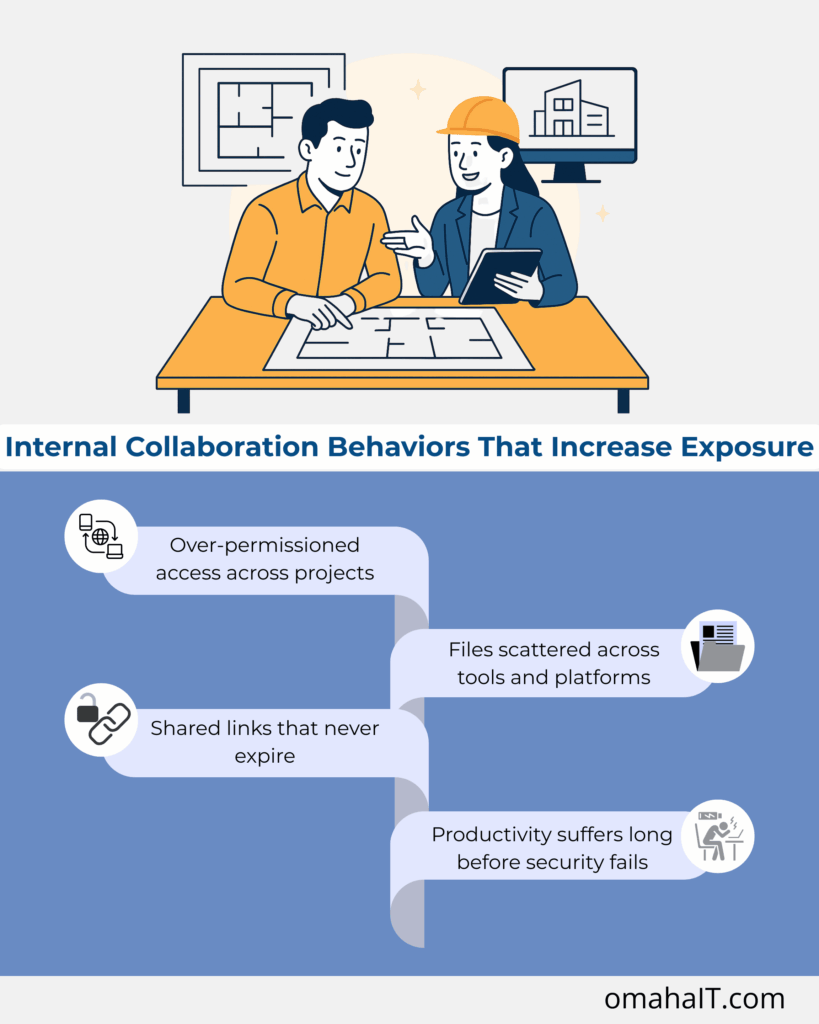
External users shouldn’t have access to more information than they need. Old project links shouldn’t remain open indefinitely. Employees shouldn’t have to fall back on personal accounts or improvised file-sharing methods because the approved process is too difficult to use.
The goal is straightforward: make collaboration easy enough that people actually use the right tools while keeping access controlled and visible.
Security Can’t Get in the Way of Getting Work Done
Security matters, but so does usability.
If security controls make everyday project work unnecessarily difficult, people tend to find ways around them. On the other hand, leaving everything wide open creates obvious risk.
A practical cybersecurity plan should protect accounts, devices, project data, and backups without turning routine work into an obstacle course.
That can include multi-factor authentication, endpoint protection, access controls, patching, secure backups, and monitoring for unusual activity.
Monitoring can also help identify problems such as failing hardware or suspicious activity before they become larger disruptions.
It’s worth understanding exactly what your IT provider means by monitoring, though. 24/7 system monitoring isn’t necessarily the same thing as having someone sitting at a help desk 24 hours a day. Firms should know how monitoring, support hours, and after-hours escalation actually work.
IT Planning Should Follow the Firm’s Plans
Technology decisions shouldn’t only happen when something breaks.
If you’re hiring more designers, opening another office, taking on larger projects, changing design software, moving more work into the cloud, or replacing aging workstations, those decisions affect the rest of the IT environment.
Planning ahead gives the firm time to budget and make changes deliberately instead of discovering limitations in the middle of a project.
InfiNet’s vCIO & IT Strategy approach connects those technology decisions to the firm’s broader plans. That can include workstation replacement cycles, storage capacity, software requirements, cybersecurity, backup and recovery, and future infrastructure needs.
What A&E Firms Should Expect From an IT Partner
An IT provider doesn’t need to be an architect or engineer.
But they should understand the environment they’re supporting.
They should know why Revit performance matters, why different software versions may need to coexist, why a plotter can be production-critical, and why recovering yesterday’s project files isn’t always good enough.
More importantly, they should be able to talk about technology in terms that matter to the firm: downtime, project schedules, productivity, risk, and client commitments.
Because ultimately, that’s the job of IT in an A&E firm.
Frequently Asked Questions
What kind of IT support do architecture and engineering firms need?
A&E firms typically need support that understands CAD and BIM applications, high-performance workstations, plotters, project-file storage and backup, cybersecurity, and collaboration with outside contractors and consultants. IT should be designed around the firm’s production environment rather than a standard office setup.
Why do architecture and engineering firms need different workstations?
Applications such as Revit, AutoCAD, Civil 3D, and rendering software can require considerably more processing power, memory, graphics capability, and storage than typical office applications. Workstations should be selected based on the software and workloads each employee actually uses.
Why do A&E firms sometimes need multiple versions of the same software?
Active projects, clients, consultants, plugins, or project requirements may depend on specific software versions. Upgrading too early can create compatibility problems, so firms may need to maintain multiple versions and plan upgrades around active projects.
How should A&E firms back up CAD and BIM files?
Backups should run often enough to reflect how much recent work the firm can reasonably afford to recreate. Important data should have protected copies separate from the primary environment, and restores should be tested regularly to confirm that files and systems can actually be recovered.
Is cloud storage safe for sharing architecture and engineering files?
Yes, when it’s configured appropriately for business use. Access should be limited to the people who need it, external users should be authenticated where appropriate, and sharing permissions should be reviewed as projects and teams change.
What IT risks should A&E firms prioritize?
Start with issues that could stop production or put project and client data at risk: failed or untested backups, aging hardware, account security, overly broad access, software compatibility problems, and inadequate protection of endpoints and project data.
If your technology is becoming something your team has to work around instead of something that helps them work, it may be time to take a closer look.
Learn more about InfiNet’s Architecture & Engineering IT Support.
Beyond Basic IT: What Architecture & Engineering Firms Really Need Read More »