Infinet

Learn Firsthand how an Ethical Hacker Takes Down Avaya Servers

Incorrectly hardening servers are one of the biggest challenges in cyber security. Watch from the driver’s seat to see what (ethical!) hackers are looking for so you can protect against vulnerabilities.

hacking avaya servers

Security experts on both sides of the house recognize that bringing up a new server improperly can create a wide open door for cybercriminals, but how can you know for sure that you’re closing every nook and cranny and completely hardening your server? Small- to medium-sized organizations are particularly vulnerable, as they may not have the full complement of IT staff required to specialize in cyber security and are likely following a set of directions instead of fully understanding the challenges they’re facing. With the rapid pace of change and the complexity of technology today, it can be difficult to keep up with the myriad options available for your network. InfiNet Solutions agrees, so we’ve put together a first-hand view of how an ethical hacker quickly takes down a business Avaya server in a very short period of time. This cautionary tale may offer you some ideas for keeping your organization’s data such as your customer and employee personal information safe from cybercriminals.

Types of Attacks

There are some standard types of attacks that we see on a regular basis, many of which are perpetrated when an unethical individual gains access to a key internal server:

  • DoS: Denial of Service attacks can cause a web server to come to a halt, making your website(s) completely unavailable to users.
  • Phishing: Perhaps the most well-known type of attack, phishing occurs when individuals within your organization click on a link or navigate to a website that is fake. Individuals are then tempted to enter personal information or passwords so the hacker can gain entrance to your company.
  • Defacement: A scare tactic that is often used towards politicians or large corporations, defacement occurs when a hacker gains access to a web server and replaces the company’s website with a different page that includes a message, music or even the hacker’s name.
  • DNS Hijacking: Hijacking your domain name server (DNS) redirects all web traffic from your site to another location on the web.
  • Sniffing: Hackers attempt to “sniff out” sensitive information that is being passed internally and externally to your organization through an intercept, in an effort to gain unauthorized server access.

Cybersecurity Risks

Let’s say your organization’s servers have been hacked. What does this really mean in terms of data loss and security? Not only can your organization’s reputation be ruined by a DNS hijacking that sends your customers to a nefarious website, but cybercriminals can also install malicious viruses that can utilize your systems as a replication tool, sending viruses out to all your clients and contacts. Additionally, a true data breach could be incredibly expensive in terms of lost business and even lawsuits against your organization if the personal financial information is breached and then utilized by hackers. However, perhaps the most troubling and damaging effect of an attack is the loss of trust from your customers, which can have a long-term negative impact on your organization.

Let the Hacking Begin

The penetration testing was done against three different Avaya servers, exploiting different vulnerabilities each time. In all three instances, the white-hat security tester was able to gain access to all three servers.

LDAP Scenario

The first activity was to run a Nessus vulnerability scan, which showed that anonymous LDAP queries were a possibility: a hacker’s goldmine of data. Once this was determined, the hacker determined it was an easy step to scan for an Avaya phone tree by using JXplorer and looking for an LDAP tree with root “vsp” with a branch labeled “People”. After that, it was simple enough to scan for the two important entries: “cust” and “admin”. After determining that the passwords within the entries were hashed, it took only a moment to break the encryptions using a software tool called John the Ripper, even with the default settings. Turns out, the passwords were still the default passwords for the system “admin01” and “cust01”. After trying a few different tactics to get a full shell, the hacker eventually was able to utilize a combo of a Meterpreter reverse tcp payload via a Linux binary executable file delivered by msfvenom to essentially backdoor into the system. Next, the hacker was able to gain access to a second box that was tied into the first one, simply by following root SSH keys — which can indicate a way for users to log into the system remotely without a password. An additional find was user passwords on the second server, none of which were difficult for the hacker to guess using easy counter-encryption methods.

Two Down . . .

On the final server on the same subnet, the security expert quickly got a bonus find: easy logins with a full shell using the default “cust” and “admin” passwords. While they did receive a full shell from the system, the passwords and usernames uncovered in the first two servers also worked on the third. However, the shell would not allow access to the root directory and this third server was proving a difficult nut to crack. After utilizing linuxprivchecker.py script to identify any potential locations to run a binary, the hacker uncovered that the majority of locations on the box were covered with noexec commands — effectively halting binaries from executing to protect the server. Eventually, however, the white hat hacker noticed that there was a diag program setuid binary that was only available to a few users within the group, and not the users whose accounts were already compromised.

Getting to the Root

After several circuitous attempts, the security expert managed to gain access to a shall as a secondary user, by running through voice-only setup binaries and leveraging the diag command, which runs as root regardless of where the command is executed. The meterpreter reverse payload was used again in this instance, to gain access to the /msg/database/vm/tmp directory, which eventually led to full root access by the hacker.

There are several vulnerabilities in this scenario that could have been prevented with successfully-hardened servers. If all security patches were in place, no default user passwords and configurations were successfully updated, penetration would have been much more difficult if not impossible. Our cybersecurity experts are standing by in Omaha to help support and protect you from attacks such as this one. Contact InfiNet Solutions today at (402) 895--5777 or via email to [email protected], and we’ll work with you to ensure that hackers will not have such an easy time gaining access to your protected information.

Learn Firsthand how an Ethical Hacker Takes Down Avaya Servers Read More »

8 Ways Your Data Strategy Can Also Help With Work/Life Balance

Work/life balance isn’t just about wellness: Here’s how data systems are an integral part of the puzzle.

Work Life Balance

The work/life balance used to be primarily about wellness benefits – what sort of health perks to offer at work, how to encourage people to take time off, and more. But now that the concept of a work/life balance has become more integrated into company strategies, we’re seeing that a surprisingly important part of the balance is the data systems that you and your company use: IT is an integral part of your wellness strategy! Here are the top ways that new data solutions and applications can impact your current workspace in stress-reducing ways.

1. Setting Personal Goals

Personal goals are surprisingly important for work/life balance and has become a common piece of advice for busy professionals who are looking at ways to reduce their stress and help clear up their schedules. While it may seem odd to write down more goals as a way of relieving stress, it certainly appears to work: Writing new goals, especially at night, allows you to get rid of worries you’ve accumulated throughout the day, and often leads to be better sleep and more confident morning preparations. Of course taking time to write a few goals every night can get tiresome, which is where technology steps in to help. Why not use an app like Microsoft To-Do that makes goal-creation and lists easy while also tying into Outlook and other common business software? List apps and calendars aren’t just there for organization, they also play an important role in stress relief.

2. Locking Away Distractions

A few years ago a new category of apps gained a lot of popularity – apps that blocked distractions from people who really needed to get work done instead of surfing Facebook for the 15th time or composing the perfect message on Reddit. These anti-distraction apps still have a place, and are now quite versatile, allowing you to add a surprising amount of productive time to your day – and isn’t that what everyone wants? Incorporate smart, selective blocking at work (which most modern companies need to be doing anyway, and not just with the X-rated content), and you can also see productivity rise among your employees. It’s also easy to find more personal, customizable apps for limiting time spent on specific sites based on your own habits.

3. Automating Email Replies to Reduce Stress

Even the simplest email clients available these days offer automation features, from Gmail’s mobile ability to create short automatic responses to categorization options that allow you to apply complex filters based on sender or subject. We highly advise you to take advantage of these tools and make them a common part of the workplace. One of the common work stressors is a long list of unanswered emails: It’s a feeling everyone hates, and it frequently leads to avoiding your inbox or ignoring emails for far too long, both at work and at home. Bringing in some automated tools and voice assistants like Cortana can make a huge difference when dealing with busy email inboxes.

4. Remote Work and Scheduling Options

Remote work and flexible scheduling have been vital parts of work/life strategies, allowing employees to plan their work life around the immovable parts of their personal lives, leading to a lot less worry and a lot more flexible thinking when completing projects. Data systems are one of the most important tools available for making flexible and remote work options available to employees. It just isn’t possible to easily schedule and reschedule or monitor teams no matter where they are working from without modern management software (Microsoft Teams is currently one of the top examples).

5. Digital Spaces for Workplace Fulfillment

It is understandable – and productive – if you block something like Facebook at the workplace. But that doesn’t mean employees cannot benefit from a social space: Indeed, a shared digital space can be very valuable when it comes to quick discussions, feeling like part of the company community, and keeping interested in the latest news and developments. We suggest adopting a company social space like Yammer so that employees understand their connection to the company and adopt better workplace relationships.

6. Reminders for Breaks, Meals, and Healthy Living

Speaking of scheduling and communication systems, it’s also a good idea to update these systems with broad types of company reminders. Those 10-15 minute breaks, lunches, and health benefits work a lot better if you move them from orientation into the workplace itself with a set of wellness alerts to remind employees to, well, take a break. Many of the tools we have already talked about all you to set up these types of alerts.

7. Metrics that Encourage Goal-Oriented Work

What do your current metrics study? If they focus primarily on hours and overtime worked, then you may want to rethink your goals. A number of companies are beginning to move more to a results-focused model that seeks to measure how much work employees are actually accomplishing rather than how much time they are spending at work – time that may or may not be spent working. The rise of the gig economy has helped this trend a lot, and it’s a great way for companies to check on productivity while also ensuring that employees are rewarded for completing goals and have the flexibility they need at work.

8. Automated Management of Benefits

Wellness perks can provide real help to employees – if employees know they exist, and how they work. If it’s been a while since HR has updated benefit systems, then some of the best wellness benefits may be languishing because people don’t really know how they work, how to sign up, or how it will affect their workflow. Data systems can easily automate and provide quick web forms, alerts, and other features for benefits including maternity leave, childcare, time off, yoga classes, and much more. Take advantage of technology!

Of course, your Omaha workplace also has unique work/life balance challenges and goals. To find out more about what services InfiNet Solutions offers and how we can help you, contact us at (402) 895--5777 or [email protected] to discuss our services.

8 Ways Your Data Strategy Can Also Help With Work/Life Balance Read More »

BREAKING NEWS – New Worldwide Ransomware Outbreak Reported

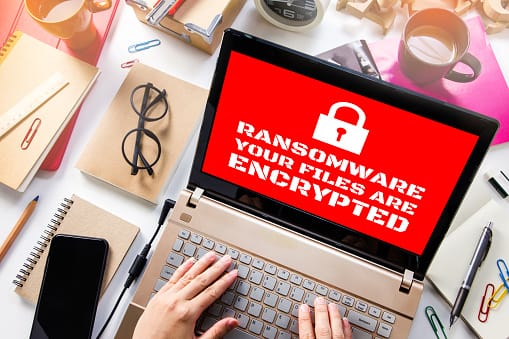
Reports have begun to pour in regarding a new ransomware infection currently wreaking havoc in Russia, Ukraine, France, Spain, and several other countries. This highly sophisticated Russian strain is known as Petya or Petrwrap, and it has been advancing on a scale comparable to the recent WannaCry ransomware infection. However, unlike WannaCry, this strain lacks both the errors WannaCry contained as well as lacking a kill-switch.

Global Ransomware Threat

A wide range of businesses have reported being hit with this infection, with victims receiving the following message: “If you see this text, then your files are no longer accessible because they are encrypted. Perhaps you are busy looking for a way to recover your files, but don’t waste your time. Nobody can recover your files without our decryption service.” Sources state that the message appears as red text on a black background, and demands $300 worth of bitcoin in exchange for the decryption key.

While it has not been completely confirmed as of yet, Petya/Petrwrap looks to be taking advantage of the EternalBlue exploit, which was leaked by a group known as The Shadow Brokers. If EternalBlue sounds familiar to you, it should – it’s the same exploit WannaCry took advantage of.

If you haven’t already, you should be taking steps to protect your business against this exploit by installing the MS17-010 security update from Windows (which you can find here) and checking to see that your systems are fully patched. Like WannaCry, Petya/Petrwrap has the ability to compromise systems that are firewall protected. As this is a true worm, if the infection is able to reach a single computer within your network all of your systems and servers are at risk of becoming infected.

Take a moment to remind your staff that they need to be exercising extreme caution at all times when checking their email. If anything even slightly suspicious finds its way into an employee’s inbox, they need to know how to handle the situation and who to alert. All it takes is one mistake for your business to suffer serious damage, and events like this serve as an ugly reminder that a certain level of vigilance is required at all times to keep your business secure.

If you have concerns or want to find out more about what you can do to protect your business in the wake of this latest ransomware attack, please contact InfiNet Solutions right away at [email protected] or (402) 895--5777. Our team is here to help.

BREAKING NEWS – New Worldwide Ransomware Outbreak Reported Read More »

phishing in omaha

What Is Phishing?

Phishing and Spear Phishing Scams Don’t Get Caught in Their Nets.

What is Phishing?

Phishing is tech language for fishing over the Internet for confidential business and personal information such as credit card numbers, personal identification, usernames, and passwords. The first phishing scam occurred in 1996.

It uses social engineering techniques and computer programming to lure email recipients and Internet users into believing that a fraudulent website is legitimate.  When the phishing victim clicks the phishing link, they find that their personal identity vital information and even money have been stolen.

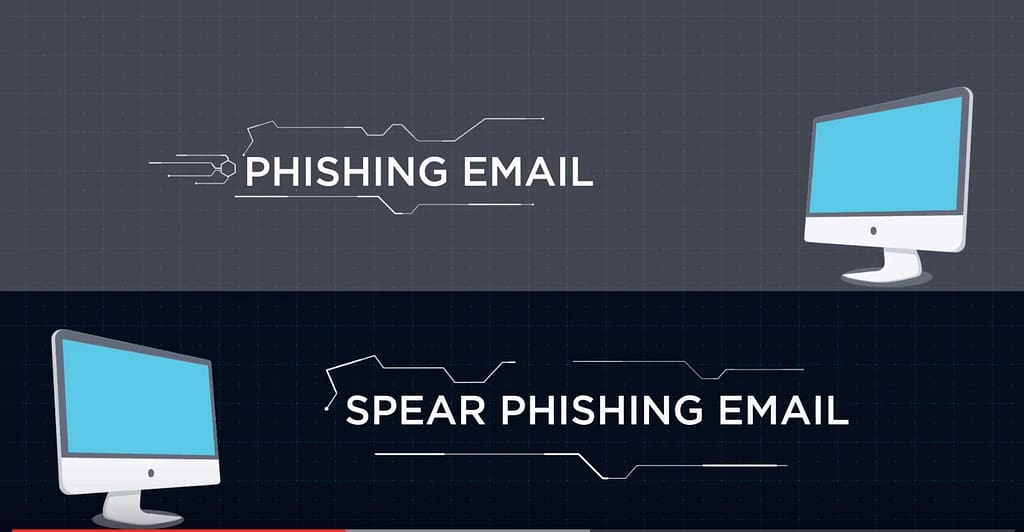
What’s the difference between Phishing and Spear Phishing?

Phishing emails are sent to the general public. They often impersonate a government agency, bank, the IRS, social networking site or store like Amazon.

Spear Phishing emails target specific individuals.  They are personalized with facts about you or your business to draw you in.  And they appear to come from a company or person you do business with.  It could come in the form of an email from your CEO.

A Phishing or Spear Phishing Email:

  • Is the one that you didn’t initiate.
  • May contain strange URLs and email addresses.
  • Often uses improper grammar and misspellings.
  • Typically contains attachments that you don’t recognize as legitimate.
  • Contains a link or email address that you don’t recognize.
  • May use language that is urgent or threatening.

Phishing and Spear Phishing are popular among cybercriminals because they usually succeed.

10 messages have a better than:

  • 90% chance of getting a click.
  • 8% chance of users clicking on an attachment.
  • 8% chance users will fill out a web form.
  • 18% chance that users will click a malicious link in an email.

Even high-level executives get spoofed and share usernames and passwords.

The average cost of a Phishing Scam is $1.6 million. It’s a top security concern for businesses today:

  • 1 in 3 companies is affected.
  • 30% of Phishing emails get opened.
  • Phishing is now the #1 vehicle for ransomware and other forms of malware.

What Is Phishing? Read More »

It’s Time To Break Up With Break/Fix

Are you wasting money with Break/Fix IT services, like so many other businesses today? There’s a better way: Managed Services.

Managed Services

Having the right tech is no longer a choice when it comes to running a business. Up-to-date hardware, software, and security solutions are now essential to your day-to-day operations.

Without ongoing support to keep your business tech running smoothly, you’re simply wasting your money, and setting your business up for serious downtime. You’ll be vulnerable to huge repair costs when you’re forced to call in a tech to fix things. In this scenario, just a small problem can quickly become a very costly one.

By choosing an expert provider to be your outsourced IT department, handling your entire IT environment, you can save money, increase efficiency, and enjoy a better end-user experience.

So, what’s the difference between Break/Fix and Managed Services?

Break/Fix service is the traditional style of outsourced IT services, which works by fixing your computers once they’re broken. In a nutshell, when something goes wrong — data loss, hardware failure, virus, etc. — you then get in touch with your Break/Fix support provider, and have them fix it. The break-fix strategy no longer works for businesses today.  If you still use this method of IT service, you risk downtime that can literally shut your business down.

With Break/Fix Services:

  • A tech typically charges by the hour. This encourages him to focus on billable hours. It doesn’t benefit him if your tech is working the way it should. You could find yourself repeatedly calling them to help with a problem that never quite gets resolved.
  • A minor computer problem can quickly turn into a disaster. This is especially true today with the increase in cyber crime like ransomware. What starts out with just one malicious email can spread throughout your entire network, locking down your data, and your operations.
  • It could take days to fix your problem – in the meantime, your employees won’t have access to the data they need to continue working. You’re simply “bleeding money” by the minute.
  • Your support provider starts charging you after you’ve already lost work time – time spent on repairs or updates can add up fast.
  • It’s impossible to predict how much to budget for IT services. You can’t know what will happen or how expensive it might be.

The difference between “break-fix” and fully managed support?  Break-fix provides on-site repair after a problem is identified, whereas fully managed support provides ongoing maintenance, updates, and more to prevent problems from occurring in the first place.

Managed Services — a set of best practices, processes, and tools that, when combined with technical knowledge and proper facilitation, delivers an ideal result for businesses — is the modern model for IT support, offering a range of vital solutions to your business all for one monthly rate. With fully managed support, you know that your business technology and data are protected 24/7:

  • You can finally focus on running your business and not on IT worries. Your third party support provider will minimize or eliminate downtime that could hit your bottom line.
  • Your tech support can be provided remotely without a technician visiting your office. There will be instances that require in-person care, such as hardware replacement. However, most of what affects your day-to-day operations can be worked on remotely.
  • You’ll benefit from a flat-rate payment model, allowing you to budget your tech more effectively. You’ll be able to plan for growth far more easily and with greater peace of mind.
  • Tech maintenance from a third party is more cost-effective than relying on break-fix solutions, especially when you consider the lost revenue from downtime.

Think of it this way: while a Managed Services Provider is available around-the-clock, and compensated through your (and other clients’) monthly flat rate, Break/Fix service is unpredictable when it comes to costs and repair times.

  • A Break/Fix approach may be a lower cost on paper but it can get expensive rather quickly – which means your overall ROI isn’t as great as it could be.
  • Managed Services are designed to maximize your budget and provide the support and solutions you need to stay focused on your important work and keep under budget.

The reality is that remote tech support will always be more cost effective than hiring break/fix, or in-house technicians. The choice is easy: more expensive, inconsistent, unreliable break-fix services? – Or reliable, affordable, fully managed support that provides:

  • 24/7/365 Services
  • Increased operational efficiency
  • Increased productivity
  • Up-to-date IT solutions
  • Security patches and alerts
  • Backup and Disaster Recovery Solutions
  • Minimized downtime
  • Enterprise-level solutions and support
  • Controlled IT costs
  • The ability to focus on what you need to do
  • Peace of mind

Make InfiNet Solutions your outsourced IT department right away – blend all your computer networking support and services with all your hardware for even more monthly savings.

Have questions? Contact us at [email protected] or (402) 895--5777.

It’s Time To Break Up With Break/Fix Read More »

Call Now Button