Infinet

Microsoft Reveals Innovative Features for Its New Outlook 2018

The new features in Outlook are designed to help users save time and be more productive. Since we spend so much time writing and answering emails, this is one area where most of us would love to be able to get done faster. Microsoft designed Outlook with lots of thought and effort. In addition, they add exciting features every year or so. They do plenty of solid research when designing all their products because they believe in finding out what users are asking for and providing that.

Microsoft Outlook 2018

Intuitive design

You can see the planning that went into developing this version of Outlook. Most people will pick up how the new features are used pretty quickly though since this version is similar-looking to older ones. All Office 365 products share a similar look and feel in their design. The Ribbon contains many of the same features whether you’re using Word, Powerpoint, or Outlook.

Outlook’s new design is so streamlined that the new features transform the way you connect to your people and technology. It will infuse power into every productivity task. It comes with better security to ward off hackers. Keeping your email safe and secure is an important job. Today’s software programs and apps must contain higher level security features in order to address the growing number of data breaches going on all over the world. Microsoft does a good job of incorporating better security measures than many other companies.

There are a lot more new things to see and do in the new Outlook 2018. It can be configured to give users the convenience they’re looking for in an email program. Once you learn the ins and outs of the program, you can fly through otherwise boring tasks.

Below, we check out 5 of the coolest new features in Outlook. They should help you get your work done each day with time to spare.

  • Multiple time zones

Traveling around the world? Trying to sync appointments with people on various continents? Whether you’re just flying to Chicago or going to Tanzania, you can configure Outlook to set up meetings based on whatever time zone you choose. Appointment times will sync up depending on where everyone is. Each person is given the meeting time in their own time zone so no one will be late for the meeting. This is a super convenient feature that everyone will appreciate since the business world is now a global affair.

It’s easy to set this feature up. Open the Windows version of Outlook, then add an event by selecting File > Options > Calendar Time Zones. Now choose the option, “Show a second-time-zone.” If you’re using Outlook on the web, you should click on the drop-down arrow called “Time Zone.” This item can be found in your Calendar. If using a Mac, you can add extra time zones by navigating to Outlook > Preferences > Calendar Time Zones. With a little practice, you can become a pro at setting up various meetings with customers and team members around the world.

  • RSVP

Invite the whole crew to a picnic at the lake. After all, fun outdoor events are a good way to build camaraderie. Outlook makes it easy to send invitations, whether it’s a party, picnic, big meeting with the boss or just a lunch date. RSVP keeps track of who is coming (Tracking Option) and whether RSVP’s have been replied to. You’ll get reminders about the event based on how you set it up. You can get daily or weekly reminders. This feature is offered for both the meeting organizer and attendees.

  • Office Lens for Android

This is a really simple but helpful feature that lets you integrate the Microsoft Office Lens into your Outlook email program. It only works for Android though. It’s easy to use but very useful. Simply open an email that you want to send to someone. Next, tap the photo icon while creating your message. Now you can take a pic of anything and embed it in the document. You might want to include a photo of a colleague sitting across from you. You could snap a photo of a whiteboard or even a document. Outlook optimizes the photo, then embeds it into your email. There are countless uses for this handy feature.

  • BCC warning

We’ve all accidentally sent emails to the wrong person. Sometimes, it can be quite embarrassing. This is often the case if you get “BCC’d” on an email and decide to reply. Often people use BCC because they do not want the other people included in the email to know that a specific person got a copy of it. In the new Outlook, if you should hit “Reply All” to an email where you were BCC’d, you will get a warning message. It may say something like, “You were bcc’d on this email. Are you sure you want to reply to all?” We all need someone around to double check our actions from time to time and this feature might save you some embarrassment one day.

  • Bill-pay reminders

What if an email program could remind you when bills are due? Wouldn’t that be convenient? Outlook has the ability to identify the bills in your inbox, then put together a summary of them each day. This will appear at the top of your email when you first turn it on. Two days before the due date for each bill, you’ll get a reminder. The email program automatically adds an event to your calendar for the actual day the bill is due. Now there’s no excuse for forgetting to pay the light bill.

Conclusion

Outlook has many more really helpful features designed to make your life a little easier. Once you learn all the tips and tricks, you’ll cut time off your work day and get things done more efficiently. If you’d like to learn more about the new Outlook 2018 features, please visit this article.

Microsoft Reveals Innovative Features for Its New Outlook 2018 Read More »

What Are Code Signing SSL Certificates and Why Use Them?

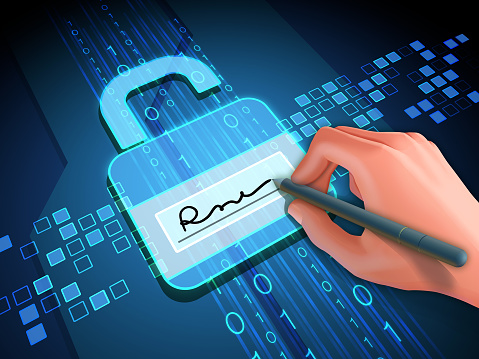
The concept of Code Signing SSL Certificates includes protecting users against phony software and assuring that the software is not infected with a virus. Most reputable companies require this certificate before accepting a product and using it. In today’s world, it’s the safest method of guaranteeing that software has not been altered or compromised.

Code Signing

Types of Code Signing SSL Certificates

There are several types of Code Signing SSL Certificates. The Business Validation SSL certificate requires that the software manufacturer or developer provide verification documents to the Certificate Authority. Once these documents are submitted, it can take three days for approval. This approval guarantees the authenticity of the digital program.

Code Signing SSL Certificates for Individuals are used less, though still important. If an individual programmer creates an app or software product and wants to include a Code Signing SSL Certificate, then the programmer must provide documents that prove his/her identity.  The Certificate Authorities check to make sure this person is who he says and that he is the author of the digital work.

What is a Code Signing SSL Certificate?

This certificate is a way for the programmer to digitally sign his or her work. An authentic Code Signing SSL Certificate includes a company or individual’s name, their signature, and often a timestamp, though this is not required. With this certificate, end users can feel confident that the program will work as promised.  SSL Certificates are used on software programs, applications, script, code, and drivers.

Improving Internet Security

Security on the World Wide Web has become an important commodity. There are phishing attacks launched daily. Along with that, ransomware has become quite prevalent. Attackers lock your computer files then demand a ransom be paid, usually in Bitcoin. Add to that so many computer viruses and worms hid within suspicious links that it’s difficult to keep up today.

In spite of the great amount of publicity about these attacks, many are successful due to a poorly educated public. Most users admit they sometimes click on links or visit sites they probably shouldn’t. It’s human to think that bad things only happen to other people.

Large reputable companies like Microsoft simply can’t take chances with their security or risk exposing end users to harm. The cost in both time and money would be too great; not to mention the damage to their reputation. That makes the Code Signing SSL Certificate very critical to businesses with a strong reputation to protect.

With this certificate, we can be assured of two important elements:

  • Content Source Authentication — ensures the developer’s code legitimacy
  • Content Integrity — verifies that the code is authentic and has not been tampered with

How to view the SSL Certificate

To authenticate a software program, click on the certificate that has been issued. You should be able to view the publisher’s name. There may be other information such as the timestamp. If it isn’t there, then the software originates from an “Unknown Publisher”. It may or may not be authentic. It could contain spyware, ransomware, malware, or other viruses. In some cases, thieves download authentic-looking programs onto your computer with a dangerous script running in the background. These lines of code can allow the Software Pirate to steal passwords and/or personal information.

How do Code Signing SSL Certificates work?

Just like other SSL Certificates, the Code Signing Certificate is created based on the public-private key pair. Though a key pair is related mathematically, the private key can only be decrypted by its original owner. Public keys are made available to anyone with access to the public repository. If you have a message that you only want one person to be able to read, this can be done using a private key. It always remains confidential and private to its respective owner.

This history of Cryptography

The concept of cryptography began as early as 1874 when William Stanley Jevons wrote a book called The Principles of Science. In it, he described various ways of creating a message that could only be read by the intended party. His theory was to produce a long random number that could only be known by one other person. For years, various mathematicians worked on the idea until 1970 when a British cryptographer working for the UK government came up with what he called, “non-secret encryption”.

Cryptographers and scientists saw the important applications for military use. Being able to send messages that the enemy could not read became a vital function of national security for all governments. Though this type of cryptography is still used today, it’s more common usage now is to protect software programs from alteration.

Why are SSL Certificates necessary?

When an application or program does not have a Code Signing SSL Certificate, any programmer can go into it and change lines of code however they want. This leaves everyone vulnerable. Maybe the programmer improved the software but maybe he added a Trojan worm.  Individuals and especially companies have a lot at risk and simply cannot afford to download malware or ransomware that would lock up all their files.

Reputable software manufacturers want to ensure that their products are free from tampering and the Code Signing SSL Certificate makes alteration impossible. It’s the perfect way to let users know that the software or app is authentic.

The process of creating a Code Signing SSL Certificate

There are multiple steps required in the process of creating the Code Signing SSL Certificate. The process begins with the actual code signing itself. This confirms the identity of the person or company that created the software. The steps are briefly outlined below:

  1. The software developer requests a Code Signing SSL Certificate.
  2. The identity of the developer is certified.
  3. A special Code Signing program is used to attach the SSL certificate to the software as a digital signature.
  4. The developer can now send the program out to publishers.
  5. Publishers double check to make sure the digital signature is authentic.
  6. A time stamp is often entered so that the certificate doesn’t expire.

Conclusion

Once you have a Code Signing SSL Certificate, you can assure users that it’s safe to use and contains no viruses or malware. Big publishers often require these certificates so they can use this as a selling point when reselling the software or app to end users. Many people will not buy a piece of software if it does not have this certificate.

What Are Code Signing SSL Certificates and Why Use Them? Read More »

THE 7 C’S OF COMMUNICATION

From the word go, the term communication indicates that there is more than one party involved in the conversation. For there to be effective communication, both parties must understand what the other is saying. Communication in business is somewhat different from casual communication, say among friends. In business, the stakes are higher. Much more is involved and there is much more to lose, therefore, it is important that the communication is as effective as possible.

Effective Communications

There are certain rules that need to be followed for communication to be effective. These have been summarized as the 7C’s and are believed to guide communication especially in business. The 7C’s of communication is meant to inform people who do not know much about the rules of communication. Below, we discuss the 7C’s of good business communications.

  • Conciseness

First of all, communication needs to be concise. Conciseness simply means that you get to the point. Communication in business that does not convey to the other party exactly what the person is saying can be frustrating. It not only wastes time but can also lead to mistakes when the information conveyed is not understood. For this purpose, it is important that the message is conveyed in a concise manner. Of course, don’t be abrupt or rude, but be sure that you make your point. In today’s fast-moving world, business people appreciate it when you say what you mean and don’t leave listeners wondering.

  • Completeness

The message communicated needs to be complete. Do not assume that the person you are talking to will fill in the blanks or read between the lines. Ensure that before the conversation comes to an end, the person you are talking to has understood you completely. It is common knowledge that different people react in various ways to information that is presented to them. In addition, each person’s level and speed of understanding varies. Leaving people to complete information for themselves opens up the material being conveyed to misinterpretation. Depending on the level of communication, mistakes that arise as a result of incomplete information being passed can end up being quite costly to the business.

  • Clarity

Always remember that clarity is key. Imagine a situation in which you need an employee to make certain purchases for your business. You give the employee the instructions, focusing mainly on the exact items to be purchased, the quantities needed, and the budget. The employee when making the purchases, however, ends up purchasing the wrong items or the wrong quantity. Can you imagine the impact that this would have on your business? This is just one of the reasons why there needs to be clarity on the information being passed. Say exactly what you mean, exactly how you mean it.

  • Consideration

Keep in mind, whenever you are communicating with someone else that the other party is a human being with needs, feelings, life experiences, and certain biases. Knowing your audience is important if you are going to communicate effectively. Whether you know your audience or not, however, strive to be thoughtful in all your communications. Consider the other person’s feelings, their beliefs, their culture, and their biases. This can ensure that the message you are conveying is not received in a negative light. If possible, ensure that the message resonates well with your client.

  • Correctness

Correctness means that the message you are delivering must be accurate. Do not rely on fake news sources, for example, to inform the information passed. Instead, verify the facts before communicating with others. This will maintain your credibility with the other party and increase their trust in you. Secondly, the correctness of information reduces the chance of misleading information being passed on to others. This, in turn, protects you from liability for misrepresentation. Even large news organizations report incorrect information nowadays. Though this can temporarily improve their ratings, it also tarnishes their reputation. People will always return to the most reliable news source at the end of the day.

  • Confidence

First impressions are everything. They matter a lot. First impressions dictate how your audience will receive the piece of information that you are attempting to pass on to them. A good communicator is confident. This inspires confidence in listeners. A poised speaker is more likely to be received in a positive light. Their message will be regarded as important.

  • Conversational

Communication that is conversational is important for both parties. Such communication ensures that no one is left out and that, at the end of the day, the ideas of both parties are taken into consideration. Conversational communication prompts both parties to listen well and respond appropriately. It can prevent misunderstandings.

Final thoughts

Good communication is an important part of the business. Business owners who communicate well are often more successful than those who don’t. They’re more respected in the community and more likely to build healthy, long-standing relationships. The art of being a good communicator is something that comes naturally to a few people but it can be taught. And, it’s well worth the time and effort to learn this trait. Especially, if you’re planning on being in business for a long time.

THE 7 C’S OF COMMUNICATION Read More »

Google Ready to Roll Out Mobile-First Indexing

For many business owners, Google’s announcement to switch over to mobile-first indexing comes as a real shocker. It’s a revolutionary thing to do in a world of disruptive technology. Since the beginning of the World Wide Web, a company’s desktop website was their first and foremost consideration when developing a marketing plan. With the new changes announced by Google, all that changes. Now, a company’s mobile website is what must be in prime condition.

Mobile SEO

For some business owners, this change will just be a bump in the road. For others, it’s a huge sinkhole where their profits could fall in and never be seen again. Many business owners still struggle to get their mobile website in excellent working order.

One business owner commented recently, “My mobile website comes up with these huge, looming images and you can’t really read much of the text.”

If this is you, then it’s time to get serious about fixing those issues. The top 5 problems that business owners face with their mobile website are:

  1. Being denied access- Users hate getting those little messages that the mobile site they’re searching for isn’t viewable on their device. Or, some say, “Mobile support coming soon.”
  2. Performance- Why can’t a mobile website just work the same as a regular one? That’s a big question with lots of answers. Sometimes the mobile device is at blame. Sometimes it’s the load speeds/internet connection.
  3. Design- Many users have landed on mobile sites where the images overlay the text, so you can’t really read anything. It’s frustrating and it usually ends with the user going someplace else to shop.
  4. URL redirects- This confounded message has been the scourge of surfing the web for many years. There are several reasons why you might get a redirect message. It could be that you typed the wrong thing in your browser. Sometimes links are broken. Other times, the website owner simply has several pages that refer to the same site and they need to do some maintenance. It can also be the result of phishing attempts.
  5. Confusing apps- There’s no excuse for this but many business owners have attempted to save money by doing it themselves or hiring a non-professional to design their app.

Why is Google Doing This?

Back in November 2016, Google announced their initial mobile-first indexing effort. They called it “an experiment” and it seemed like a good idea on the face of it. However, no business owners could foresee that the Tech Giant might eventually decide that mobile sites were more valuable than desktop sites.

The reasons they give seem pretty concrete. Almost 60 percent of all searches are performed from a mobile device now. A report from 2015, verified that 56 percent of global search queries originate from a mobile phone. Mobile traffic was responsible for about 49 percent of all website traffic according to this report.[1]

These numbers are expected to rise significantly over the next ten years. Google has a long reputation of knowing where the next big trends will take place so you can trust their word when it comes to topics like this. The only thing left to do is make sure your mobile website is amazing!

The Good News

Google has repeatedly said that they will transition into this new phase slowly. That’s the good news. All this will not take place overnight. Instead, Google will give business owners time to fix whatever they need to so their mobile site will be first-class.

The other piece of good news is that Google has assured business owners that if they do not have a mobile site, the google bots will still continue to crawl the desktop version of the site. That means your revenue stream should not decline for lack of a high-performing mobile site.

The Google announcement says, “If you only have desktop content, you will continue to be represented in our index.”

Further Clarity Needed

Google also made it clear that mobile-first indexing does not mean that there will now be two separate indexes performed. There will still be only one and it will focus on mobile sites, not desktop sites.

The reason they cite for this is:

“…To better help our primarily mobile users find what they’re looking for.”

For those who don’t know, mobile-friendliness has always been a major factor in determining how a site is ranked. Of course, it’s not the only factor, but it is still a component of ranking your website. Google is quick to point out that if a non-mobile-friendly page has the best (most relevant) information, it will still rank higher than a mobile site with similar content.

The Bottom Line

All business owners should begin to see more traffic in their logs from Googlebot Smartphone. Google search results will contain snippets that have been generated from the content on the mobile version. Though Google has historically used the desktop version of your site for its indexing purposes, times they are a’changin’.

We can either get on board with the changes or be left out in the cold. Most business owners are already hard at work making sure their mobile website is the best it can be. For those who are willing to go the extra mile, this could be a great time of increases in traffic and sales. The sites that are ready to go are the ones that consumers will flock to for all their buying needs.

[1] https://searchengineland.com/report-nearly-60-percent-searches-now-mobile-devices-255025

Google Ready to Roll Out Mobile-First Indexing Read More »

The Facts About GDPR Compliance

Tune into our complimentary GDPR training online.
Watch our GDPR Training Video here.

The rise of cybercrime has led to the increasing need for protecting data from these criminals. Countries all over the world are working incessantly towards finding a lasting solution to cybercrime. In this regard, the EU has enacted a new directive, the General Data Protection Regulation (GDPR) which governs member countries on data protection. These regulations also promote privacy for persons in the European Union and address export of data from outside the European Union. The main aim of these regulations is to give power to individuals over their data, thus to ensure the protection of personal data to the extent agreeable to individuals. Adopted in 2016, the deadline for compliance with this regulation is 25th May 2018.

GDPR Compliance

The Statistics

Various organizations dealing with data are hurriedly working to comply. To date, there may be as many as 90% of these organizations that are just not ready. In fact, a majority of these organizations have not put in place the required protocols to ensure the smooth transition into compliance.

What you need to know about GDPR

These regulations apply, basically, to all organizations which have access to the internet and which provide data services to members of the European Union. It also applies to persons and organizations that reside outside the European Union if they collect and process the personal data of those residing within the European Union.

What this means in simple terms is that if someone from a European Union nation visits your website and fills out the contact form, then you must follow these regulations when processing their personal information.

Member States of the European Union are also required, pursuant to these rules to establish an independent supervisory authority, which will be mandated to hear and investigate complaints and to sanction administrative offenses.

In accordance with these regulations, in certain circumstances, data can be lawfully processed. Lawful processing of data occurs when:

  • An individual has given consent to have their personal data processed for one or more specific reasons.
  • Processing of data must be done in order to fulfill a contract or in circumstances where the data must be processed before a contract can be entered into.
  • There is a legal obligation to process the data.
  • Processing must be carried out in order to protect the interests of a person or entity.
  • Processing must be carried out in order to protect public interests or the official authority vested in the controller.
  • Processing is necessary to achieve the fundamental rights and freedoms of an individual, especially a child.

Requirements for compliance

In requiring compliance with the GDPR, large corporations are the main targets. This does not, however, mean that small businesses that deal with and process data can easily get away with non-compliance.

To ensure the implementation of these regulations, rather severe penalties have been adopted. With such significant penalties, businesses should work hard to be in full compliance.

Compliance and business size

The bulk of businesses which will be affected by these regulations are the big corporations that process a great deal of information each day. Though small businesses must also comply, they are not seen as primary targets or at as much risk of having to pay the penalties for non-compliance. Small businesses should not be too comfortable as to wait for the deadline before beginning the process since compliance may be somewhat complicated, especially when it comes to putting in place the necessary protocols for compliance. Though some experts see large organizations more as targets for GDPR watch groups, small businesses can also be fined for non-compliance.

Getting ready

Before one can attempt to comply with these regulations, one must completely understand them. People affected by these regulations are required to understand their scope and particularly, the type of data protected. The data covered includes identity, web, health and genetic info, biometric data, mental, cultural, economic, and social and political identities.

Goal of GDPR

Over the years, and with the advancement in technology, the need for data protection has increased. Cybercriminals are constantly creating new ways of breaching confidentiality and stealing and manipulating data. Affected countries are therefore put to task to ensure that these practices are prevented. This is the goal of the GDPR. Its main purpose is to protect the data of individuals. This need was advanced by the Cambridge Analytica scandal. Following the revelations of this group, the need to protect data became much more real. Lack of appropriate measures ensuring cybersecurity can have dire effects to individuals and to nations.

Final thoughts

With the deadline for compliance already passed, it is important that all those affected by these regulations do comply. These regulations are meant to protect individuals, businesses, organization, and even governments from cyber theft and data manipulation. Having considered the penalties for non-compliance, it is imperative that organizations avoid the last minute rush and put in place measures now to ensure their full compliance.

The Facts About GDPR Compliance Read More »

Talk to our Team